
Its no doubt that Microsoft Word is the most widely used word processing program to create dynamic official documents. Microsoft Word is primarily used by large corporations, businesses, and academics as part of the online productivity suite. We all use Microsoft Word on a daily basis to create professional-looking documents for various purposes, such as newspapers, resumes, business cards, eBooks, brochures, letters, and many others.
The powerful tool is based on an electronic spreadsheet that allows you to use various logical formulas and mathematical equations to create high-quality official documents, which you can save, print, and publish. While Microsoft Word is already loaded with a large number of features, you can also add custom features to the Word program by using a supplement program like an add-in.
Add-ins are extremely useful, as they enhance your Microsoft Word program by allowing you to personalize documents and increase their accessibility. The Word users can choose among the plenty of handy time-saving add-ins that boost productivity and simplify their lives. There are a few amazing add-ins that provide extra functionality and solutions, extending the program to a whole new level. In this article, we round up some of the best Microsoft Word add-ins to boost productivity and efficiency.
Productivity Add-ins for Microsoft Word
1] DocuSign for Word
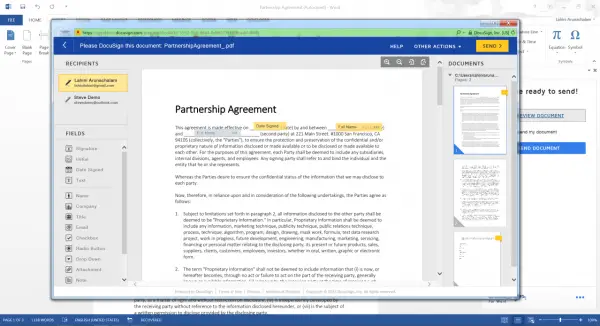
DocuSign for Word expands your productivity scope by allowing you to securely sign a document yourself or send documents to others for e-signature, all within Microsoft Word. After creating and editing a document, you can securely sign it with the help of DocuSign. Additionally, you can use its drag-and-drop functionality, which allows you to drag and drop tags where recipients need to sign or add your own signature. DocuSign for Word is completely secure and meets eSignature legal standards, guaranteeing that your signatures are kept safe in the Digital Transaction Management. It also gives users the benefit of using DocuSign for documents anytime, anywhere, in a few seconds. Once the document is ready, you can send the signed documents via email or automatically save them in DocuSign. Additionally, you can also set up your very own organization to save documents to a central location for quick access using this add-in.
2] Pickit
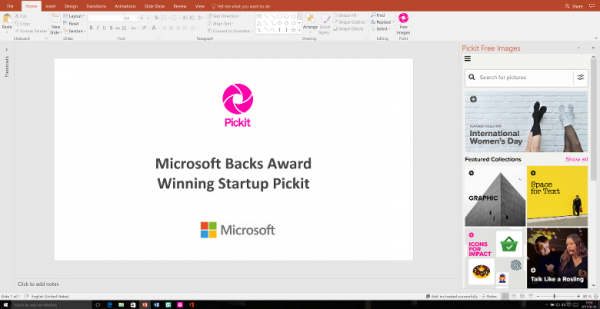
Picket is a Word add-in that provides high-quality clip art, layout design ideas, and unlimited images for creating visually appealing documents. This is a must-have add-in for all those who want to use Microsoft Word for creating templates, brochures, newsletters, professional-looking presentations, etc. Picket offers some stunning layouts and design ideas for your Word documents, helping you create amazing documents in just a few minutes. It contains a large collection of stock images, illustrations, and vectors that are licensed and ensure complete safety. Additionally, Picket users access Editor’s choice collections exclusively made for Word, along with tips, ideas, and layout suggestions.
3] Translator
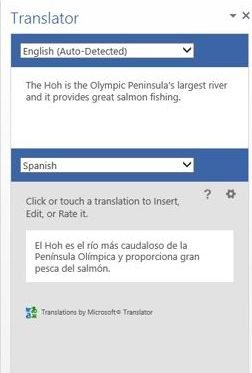
The Translator is one of the most useful add-ins that allows you to translate words and sentences directly within a Microsoft Word document. You need to struggle switching between different tabs to select the words and translate them using Google Translate in a separate tab. The Microsoft Translator online service powers the Translator. In order to translate sentences in a document, highlight the sentences or a word, or you can directly enter the text in the add-in window. Get it here.
4] QR4Office
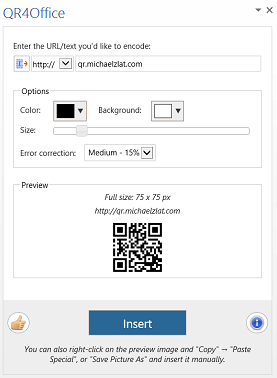
QR4Office is a handy add-in tool that generates QR code images within the document. It encodes information such as URLs, text from a file, contact details, or location into a QR code, paving the way for easy sharing capabilities. QR4Office is completely secure, utilizing an SSL secure connection to protect content privacy. QR4Office users can customize the background, size, and color of the QR code images, as well as set the QR error correction percentage.
5] Resume CV Template Builder
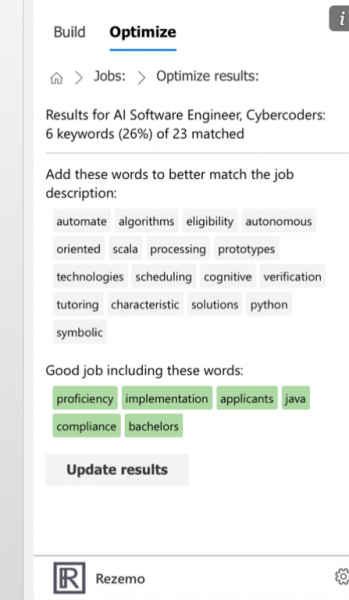
Resume CV Template Builder by Rezemo is a free add-in that enables you to create professional-looking resumes in just a few minutes for all job seekers. It is suitable for beginners who want to start from scratch and build an eye-catching resume. Users can analyze the job description and assist with the list of keywords you should be using in a resume. To do this, simply enter the employer details. The resume builder allows you to sign-in to LinkedIn and imports LinkedIn profile along with all your data.
6] Consistency Checker
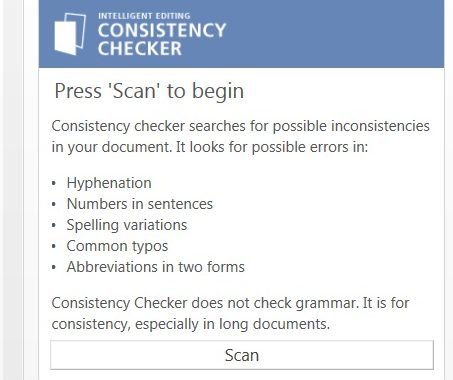
Consistency Checker is a useful add-in for maintaining consistency in long documents. The content uniformity and orderliness play a pivotal role in creating a professional and well-written document. Consistency Checker doesn’t check grammar; it checks for inconsistencies in the document. It searches for possible errors in hyphenation, spellings, and abbreviations. It also checks for the use of numbers in sentences and other common typos. Get it here.
Please let me know if I’ve missed anything.
How does MS Word improve productivity?
There are several ways to enhance your productivity when using Microsoft Word on your computer. For example, you can review the list above and utilize some of those add-ins. You can also change some default settings to make things work better for you. Apart from that, you must learn some keyboard shortcuts as well.
How can I use Microsoft Word more effectively?
To use Microsoft Word more effectively, you can install some of the add-ins mentioned above. However, if you do not want to use add-ins, you can always open the Word Options panel and change some default settings that you do not like to use. On the other hand, you can customize the Ribbon by removing unnecessary items and adding only the essentials.
