
If you are looking for a Notion template for your school projects, project management, or increasing productivity, this article will be helpful. Here are some of the best Notion templates for students, project management, productivity, etc. Whether you are a student, office employee, freelancer, or anybody else, you can check out these templates to organize your tasks.
Best Notion templates for students
Best Notion templates for students are:
- Class Notes
- Syllabus
- Course schedule
- Reading List
Let’s check out these templates in detail.
1] Class Notes
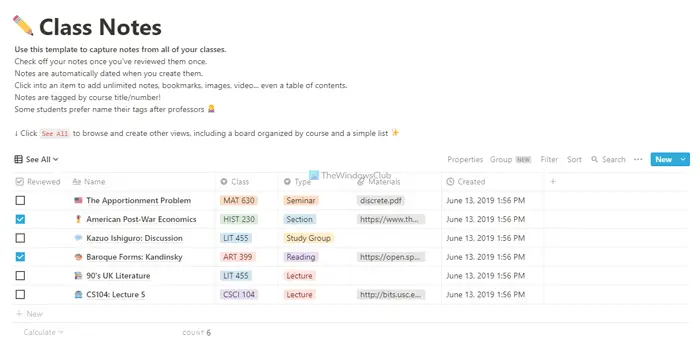
Class Notes is one of the best templates for organizing your notes taken in any class. From managing your credits to materials, you can do anything with the help of this template. As it already comes with some columns and rows, all you need to do is enter the details as per your requirements. The best thing is that you can find a checkbox on the left side so that you can mark something done. Download template from notion.so.
2] Syllabus
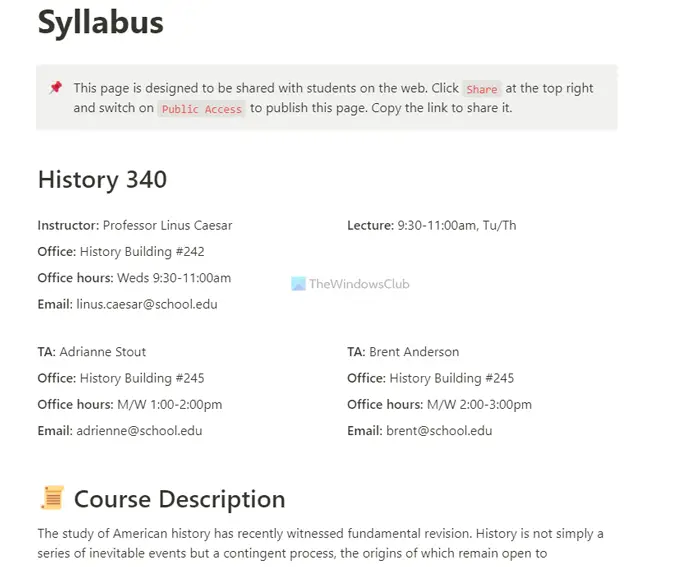
Syllabus is another template, which helps you do what the name describes. It allows you to note every detail about your syllabus, ensuring you don’t miss anything. It displays some headings like Course Description, Enrollment, Readings, Course Schedule, etc. Last but not least is the user interface. It is neat and clean so that you can organize everything quickly. Download template from notion.so.
3] Course schedule
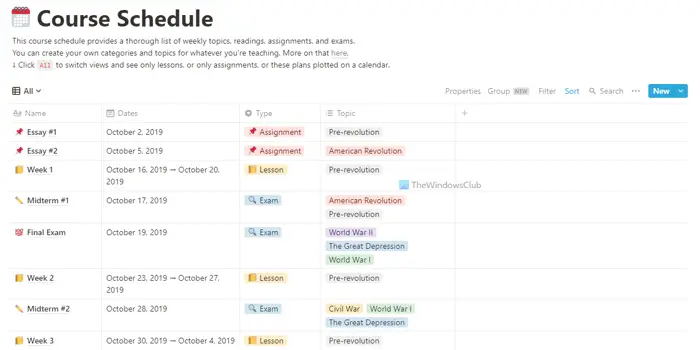
Course schedule is a one-page template that helps you organize your course schedule at an institute. Whether you are in a diploma or degree course, your organization may have provided you with a schedule. If you cannot understand it correctly, this template may be helpful to you. You can write down your course name, classes, dates, type, topic, etc. Following that, you can create another column for notes. Download template from notion.so.
4] Reading List
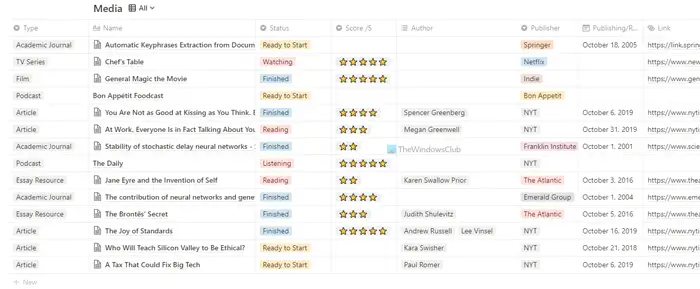
Reading List is yet another Notion template for students that allows you to organize their list of books, chapters, etc., in one place. Whether you have a physical or online book, PDF, paper, etc., you can index that in this template. You can enter the type, name of the book/chapter, current status, author name, publication, link, summary, etc. All those things help you to prioritize your readings quickly. Download template from notion.so.
Best Notion templates for startups and project management
Best Notion templates for startups and project management are:
- Editorial Calendar
- Fundraising tracker
- Data room
- Remote brainstorm
To learn more about these templates, continue reading.
1] Editorial Calendar
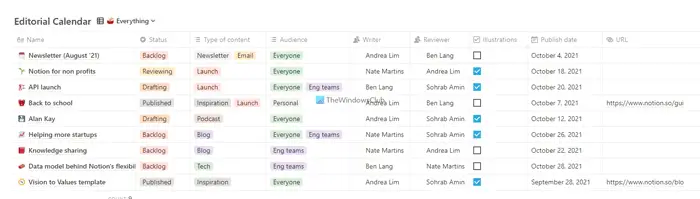
When running a business with a team, it’s essential to have a calendar that tracks everything, allowing you to quickly assign tasks to individuals. You must know who is doing what, ongoing tasks, etc. To organize such things in one place, you need a calendar in Notion. Editorial calendar is one of the best calendar templates you can find for Notion. It helps you manage your dates guilelessly so that you do not need to use another calendar app. Download template from notion.so.
2] Fundraising tracker
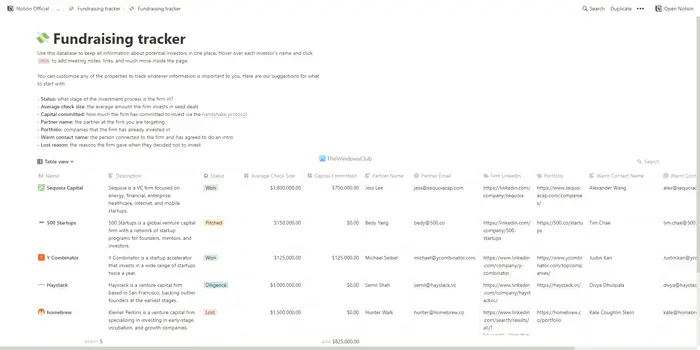
When you are raising funds from various investors for your company, you must have a personal database to study them any time you want. Whether you have a list of potential investors or raised funds, you must know what your investors are looking for, terms, direct contact information, your portfolio for them, etc. Fundraising tracker is such a template that helps you do all the things mentioned above. You can list down the name, description, current status, average check size, committed capital, partner name, email ID, portfolio link, etc. Download template from notion.so.
3] Data room
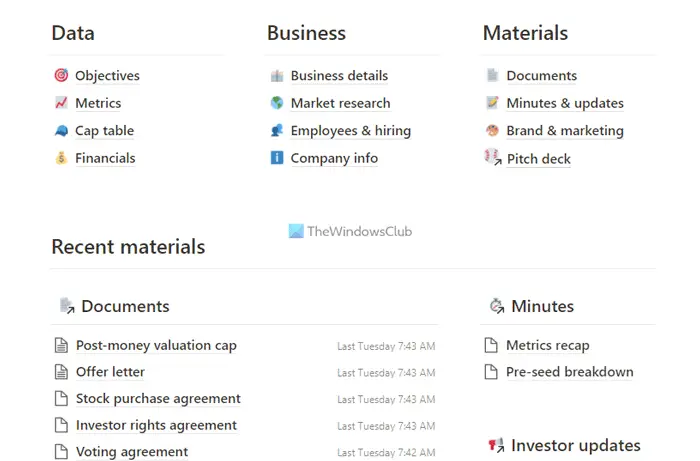
Every company should have a central location where people can find all information about the company. Whether for your own purpose or for all employees, you can use the Data Room template on Notion. It helps you organize all the documents, information, details, etc., and manage them accordingly. As they are entirely editable, you can change any information whenever needed. Download template from notion.so.
4] Remote brainstorm
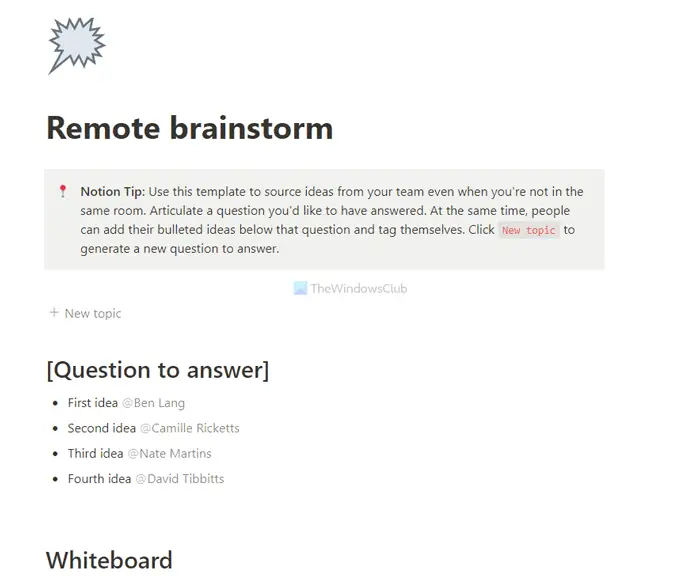
If your employees work remotely, this template would be a potential lifesaver for you. When working from home, it can be quite challenging to brainstorm ideas for upcoming products and changes. That is why this template is so handy for any company, be it small or big. If you need to consolidate all the ideas floating around, you can assuredly use this template on Notion. Download template from notion.so.
Best Notion templates for productivity
Best Notion templates for productivity are:
- Task List
- Habit tracker
- Job hunt tracker
- Daily planner
Let’s delve into templates in detail.
1] Task list
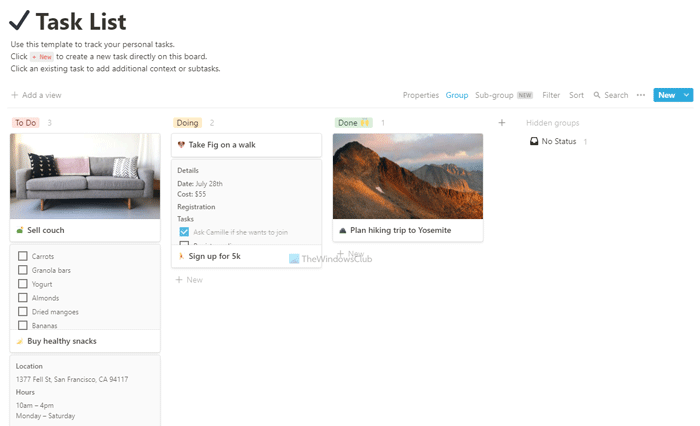
Task list is probably the best productivity template for Notion. Whether you are a student, employee, business owner, or anything else, you can use this template for your benefit. The best thing is that you can insert checkboxes, pictures, links, notes, etc., in any task. Following that, you can create as many columns as you want, create a group, sub-group, filter them, etc. You can move one card from one column to another as it has a drag and drop facility. Download template from notion.so.
2] Habit tracker
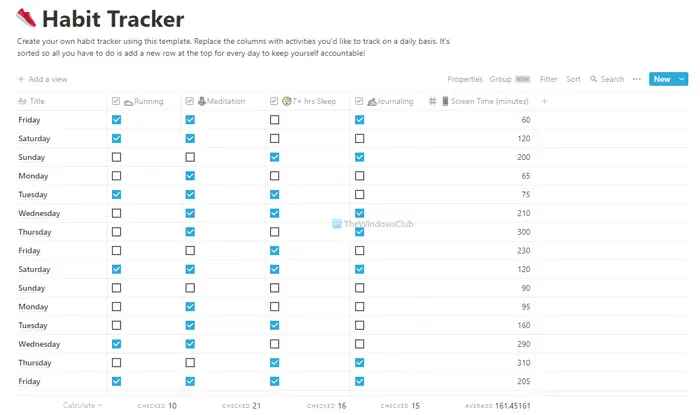
Let’s assume that you have been trying to build new habits for a long time, but there has been no positive outcome yet. If so, you can use this template to improve your habit management. It helps you note down all the habits you want to build in one place, so you can focus on them. For example, you can enter ‘running for 2KM’, ‘meditation for 30 minutes’, or ‘screen time on mobile for 30 minutes’, etc. At last, you can tick the corresponding checkboxes when it is done. Download template from notion.so.
3] Job hunt tracker
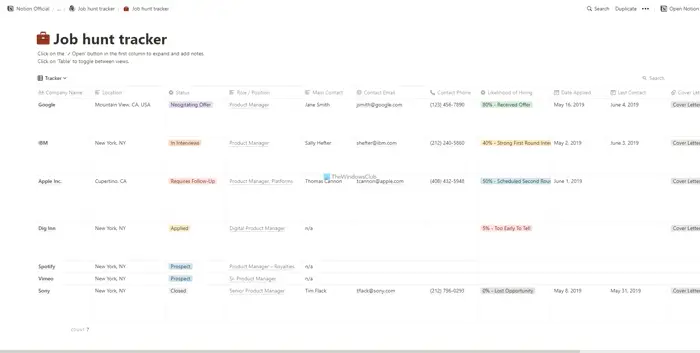
When you are looking for a new job, you must be productive enough. It requires gathering all the information about the desired company, potential vacancy, contact information, location, etc. If you want to do the same, the Job hunt tracker would be an excellent Notion template for you. It helps you note down the company name, location, current status, primary contact, email ID, phone number, date applied, last contact, etc. Download template from notion.so.
4] Daily planner
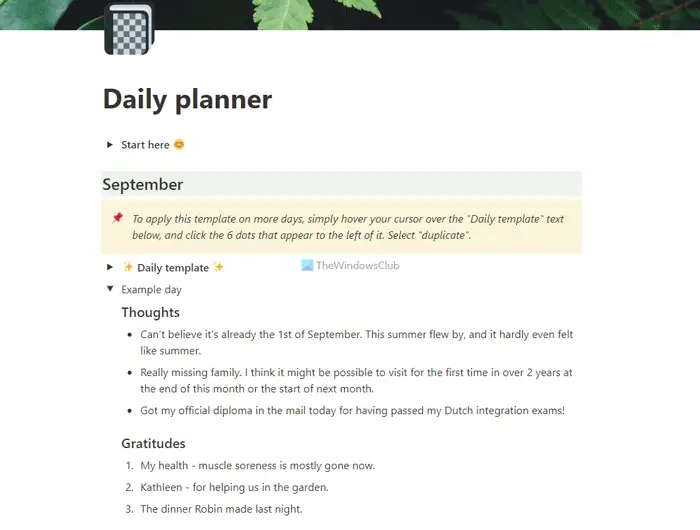
If you want to utilize your entire day, you must plan for it. If so, you can use this Daily planner template on Notion for the heads up. It lets you list down all the works you want to finish today or any other day. The best thing is that you can insert links, additional notes, images, checklists, numbered list, etc. Download template from notion.so.
That’s all! I hope these Notion templates are handy for you.
Where can I find templates for Notion?
Notion has a Template Gallery, where you can find all the templates mentioned above. After visiting the website, you can choose the category of the template you want to download. Following that, you can browse for a template and click on the Use this template option to start using the template.
Read: Best ClickUp templates free.
Can Notion be used for project management?
Yes, Notion is one of the best project management apps available to manage multiple projects with ease. Although the default interface does the job pretty well, you can try some templates that come with more options to increase your productivity. Additionally, you can modify a few predefined settings in Notion to enhance its functionality.
Read: How to import Trello tasks, boards, and workspaces into Notion.
