
Downloading pictures from Flikr is a simple task, but if you’re a first-time user, you might find it a bit difficult to understand where and how to get these photos onto your computer. But there is nothing to worry about because we’ve got your back on this one.
How to download Flickr Photos
There are several ways to download images from Flickr, and we’ll cover them all here. Before we begin, make sure you have a Flickr account, since you’ll need it to use all the tips below.
- Using the Flickr Download button on the image
- Download from a third-party Photostream
- Use the Image Downloader Extension for Chrome
- Use Flickr Size Pickr (Firefox).
1] Using the Flickr Download button on the image
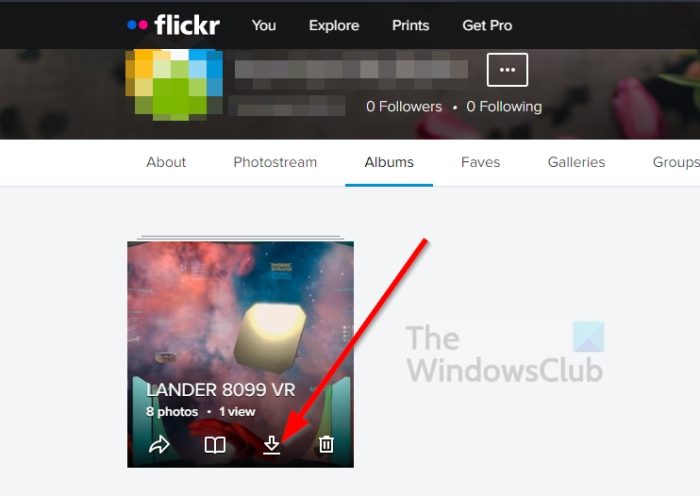
To begin, we’ll discuss how to download photos from your Flickr photostream. You’ll need an account for this or else it will fail to work.
- OK, so visit the official Flickr website.
- From there, click on the Login button.
- Add your credentials and log into your account.
After you’ve logged in, it’s time to download some photos to your computer. You can choose to download any amount you want.
- Download content from your Photostream
- To download, click the You tab.
- From the context menu, select Photostream.
- Next, click Camera Roll, then select one or more photos to download.
- Alternatively, click Albums, then click the download button on an album to download it.
Bear in mind that if you download an album, you’ll get all photos in a ZIP file. The same goes if you choose to download multiple photos from the Camera Roll section instead of one.
2] Download from a third-party Photostream
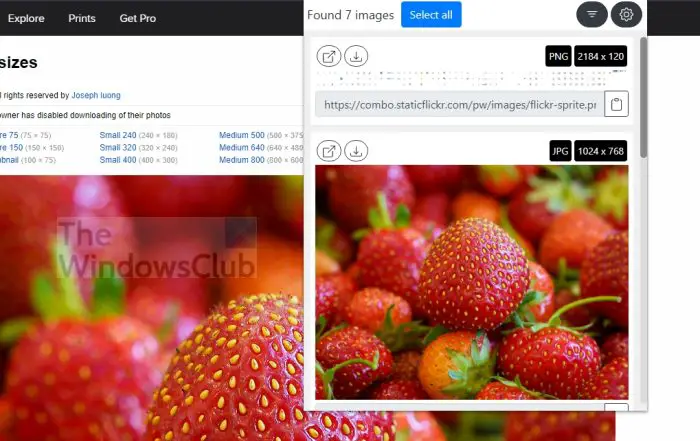
In some cases, you may want to download cool photos from another person’s photostream; there are ways to get this done.
- Click on the Explore tab right away.
- Open the Flickr image you want to download.
- Look to the bottom-right of the image for the download icon.
- Click on it.
- Select a size from the context menu.
- Or click on View All Sizes.
3] Use the Image Downloader Extension for Chrome
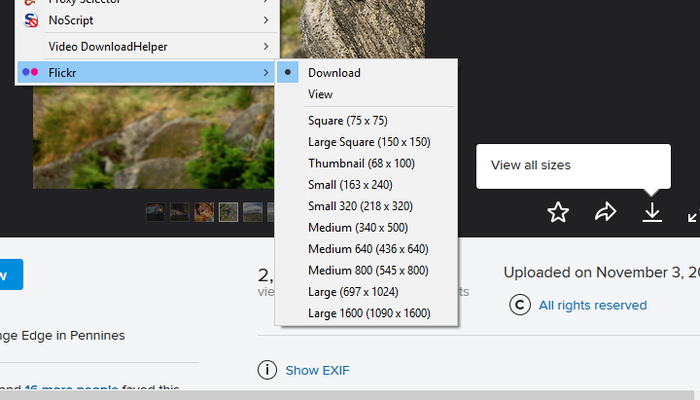
For those who want to make things easier than before, we suggest using a Chrome extension called Image Downloader. It is available for all Chromium web browsers that have access to the Chrome Web Store.
Once you’ve downloaded the extension, visit Flickr, go to a photo page, and click the extension icon. Finally, you can select the download icon to download the image.
Alternatively, go to the View All Image section and click the Image Downloader icon again. You’ll be able to download larger resolutions of the same photo if they’re available.
4] Use Flickr Size Pickr (Firefox)
Folks who use Firefox can download an extension known as Flickr Size Pickr. With this extension, users can choose which photo to download, then select the correct size before completing the task.
From our testing, we can say for certain that it works quite well, and it has improved how quickly and efficiently we can download images from Flickr.
Read: Best Stock Photography Sites to download images
How to download photos from your Camera Roll in Flickr
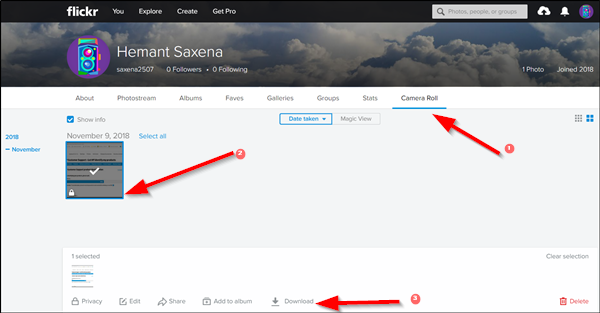
- Open your Flickr account (you need to have a Yahoo account for this. If you do not have a Yahoo account, signup and create one)
- Assuming you have signed up, hover your mouse cursor over ‘You’ as shown in the screenshot below and select ‘Camera Roll’.
- Thereafter, click the items you want to download and choose the ‘Download’ option.
- Next, click Create zip file and wait for the FlickrMail notification to confirm your zip file is ready.
- When done, open the FlickrMail message and click the hyperlink to download it.
How to download an entire album of photos in Flickr
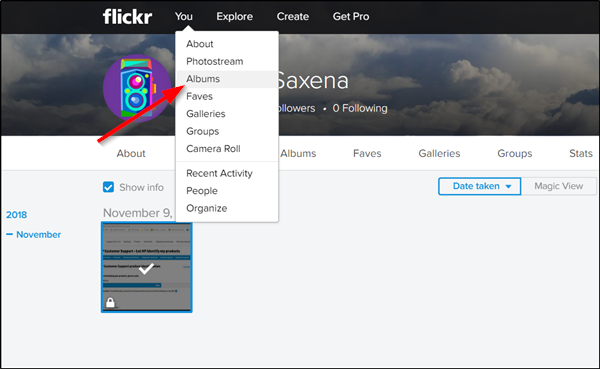
- Navigate to ‘You’ and select ‘Albums’.
- Next, open an album and click the ‘Download’ icon.
- Again, click Create zip file.
- Wait for the FlickrMail notification that your zip file is ready.
- When seen, open the FlickrMail message and click the hyperlink to download it
How to download data from your Flickr account
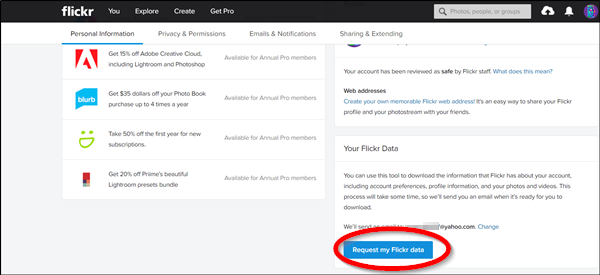
Finally, if you’d like to download all your photos, including all of your data, go to your Flickr account settings and select Request My Flickr Data. The option is visible at the bottom right of the page.
Once you confirm, the action will begin downloading all data from your Flickr account to your PC.
Can you use Flickr photos for free?
It all depends on the owner. Some folks allow users to download their images and use them for whatever reason, while others aren’t so keen. So, you must be careful with photos you download from Flickr if you plan to use them outside of personal use.
How do I download an entire Flickr album?
OK, so you might be considering downloading all of your Flickr data. To do this, then, you must navigate to Settings > Your Flickr Data > Request Flickr Data. After the system gathers your files, they will be available for download as a ZIP archive.
