
When it comes to modular productivity and project management service, ClickUp, Notion, Trello, etc., top the list without a second thought. If you are a ClickUp user, you might find this article quite handy since here are some of the best free ClickUp templates you can download from the official repository.
Note: Some templates are not available separately on the repository. You can download and apply directly from your ClickUp account.
Best ClickUp templates free
The best free ClickUp templates are:
- Project Management
- Board
- Home Renovation
- Video Production
- Podcast
- Task Management
- Vacation Planning
- Accounting
- Meetings
Let’s check out more about these templates.
1] Project Management
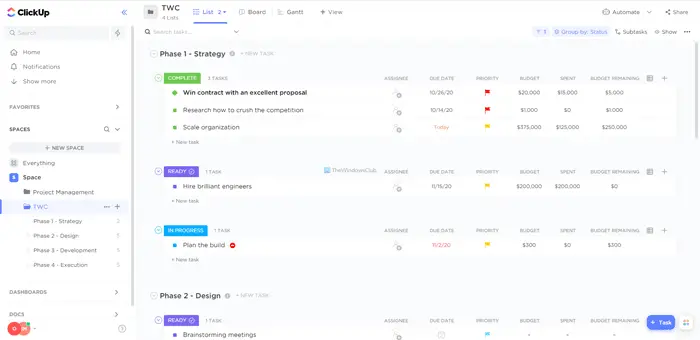
As the name suggests, the Project Management template helps you organize your projects, allowing you to note down tasks, to-dos, and complete them efficiently. You can assign various tasks to other members and check the progress on the go. Whether you are a team of freelancers, you can use this template to get your projects done conveniently. Download from clickup.com.
2] Board
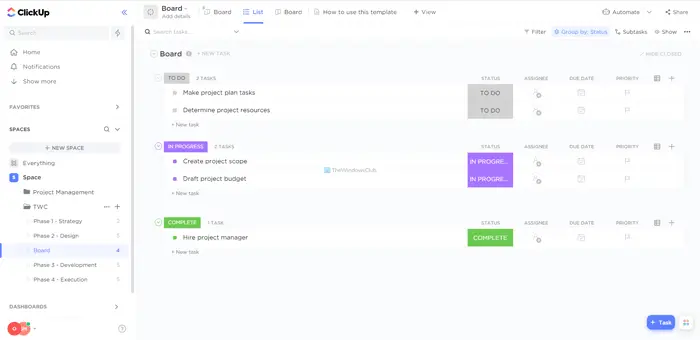
This ClickUp template is handy when you are a freelancer, student, or someone, who needs to get work done and organize everything correctly. Whether you want to note down your personal to-dos or work-related options, you can use the Board template to get the job done. From adding the due date to showing progress, you can add everything in this template. Download from clickup.com.
3] Home Renovation
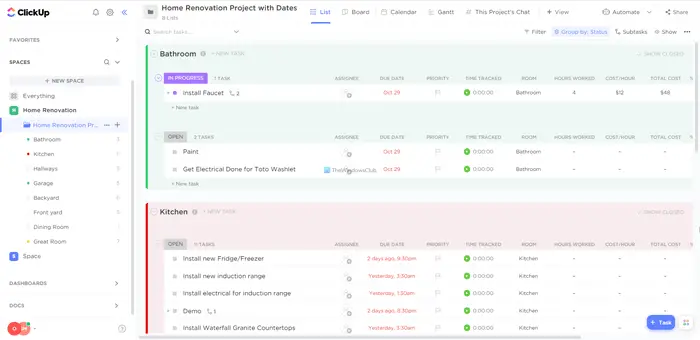
If you are renovating your home alone, it is essential to keep a record of everything, including the progress and current status. Otherwise, you will miss essential things unknowingly. If you use this template, you can organize everything by room – such as the kitchen, garage, hallways, and backyard. Following that, you can add what you need to install, do, buy, etc. If your wife or friend is helping you in the process, you can assign tasks to that person with a due date and all.
4] Video Production
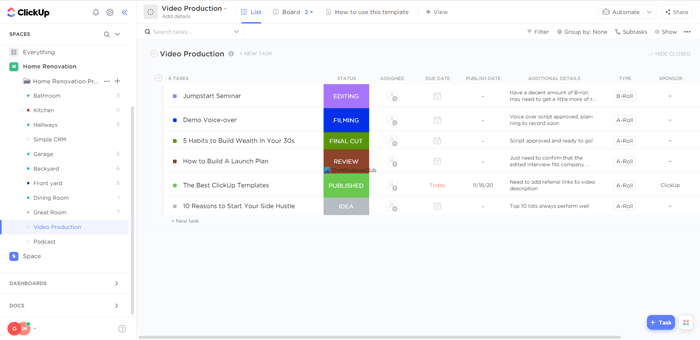
If you have a YouTube channel where you upload product videos, this template is the best option for organizing everything. You can add progress or status like EDITING, FILMING, FINAL CUT, REVIEW, etc. Following that, you can assign a task to someone, add a due date, change priority, and more. Whether you want to add a task for A-Roll or B-Roll, you can do both while using this template. Download from clickup.com.
5] Podcast
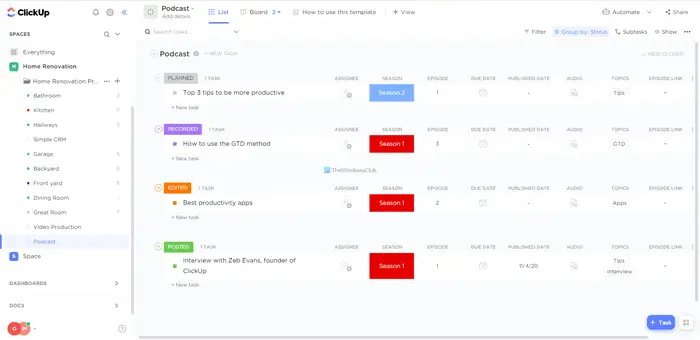
The podcast template is for those who often record and publish podcasts on YouTube or any other platform. Whether you upload one or multiple podcasts every week to your channel, you can use this template to complete the task efficiently. It lets you add the season, episode, due date, publish date, audio, etc. It has four different sections, including PLANNED, RECORDED, EDITED, and POSTED. Download from clickup.com.
6] Task Management
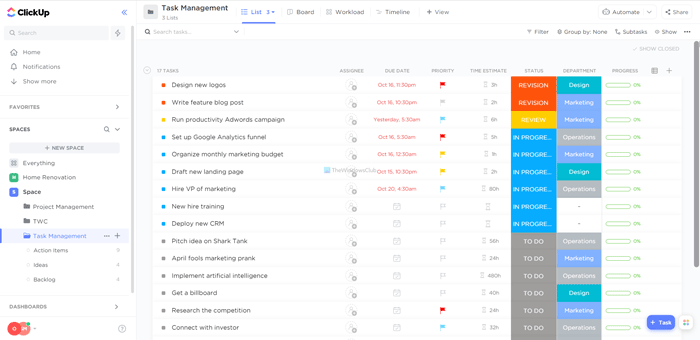
Task Management template is handy when you need to manage your tasks for different purposes. For example, you want to platform where you can add your personal and professional life tasks and manage them all together. At such a moment, you can use this template to get things done. It allows you to add the due date, priority, current status, estimated time, department, etc. Whether you want to implement it to a team or use it for personal purposes, you can install this template without any problem. Download from clickup.com.
7] Vacation Planning
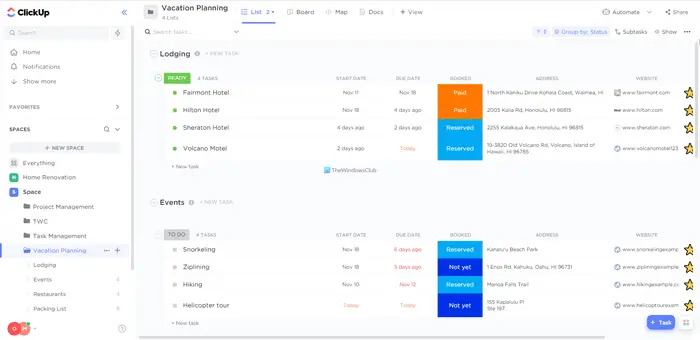
If you are going on a vacation, this template will help you plan everything. When going on vacation, several things, such as location, sightseeing plans, hotels, and start and end dates, need to be taken care of. Whether you are planning a vacation with family, friends, or solo, you can use this template to make things easier. You can add start date, due date, booking status, address, important websites, etc. Download from clickup.com.
8] Accounting
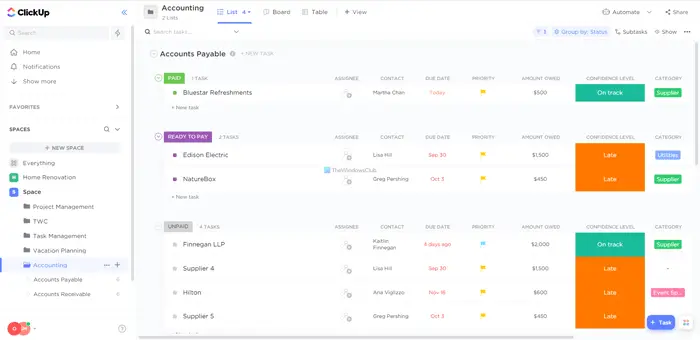
Often, you may need to perform accounting tasks for personal or professional purposes. If you do that yourself instead of some other family member, you can use the Accounting template on ClickUp. It is one of the best financial templates to organize your account conveniently. It allows you to add contact information, due date, priority, amount, confidence level, category, invoice number, and more. Additionally, you can add notes to help you check and recognize tasks in the future. Download from clickup.com.
9] Meetings
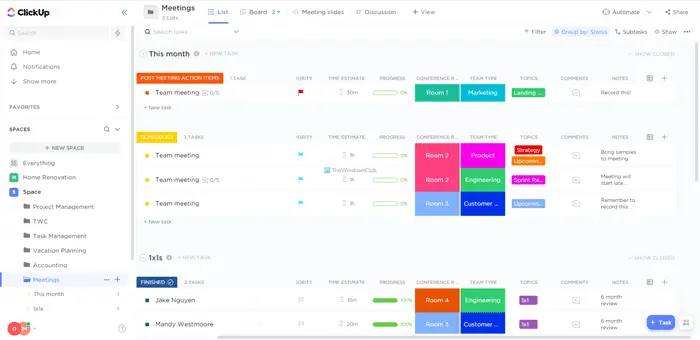
If you manage a big company’s meetings at the office, you can use this template to invite people and organize everything with ease. This template allows you to add the due date, priority, estimated time, progress, room number, meeting type, topics/agendas, and more. Whether it is an online or offline meeting, you can use this template to organize your meeting with all your team members. Download from clickup.com.
That’s all! Hope these free ClickUp templates are useful to you.
How to install ClickUp templates?
There are two ways to install ClickUp templates on your account. Initially, you can click on the links provided above to select a specific theme. Then, click the Add template button. Following that, you need to mention a space where you want to install the template.
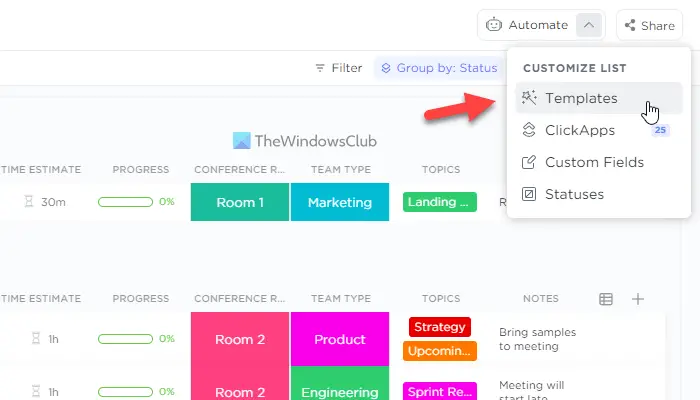
Secondly, you can open your ClickUp account and click on the Automate button visible on the top right corner and select the Templates option.
Then, you can choose a template you want to install. Following that, click the Use Template button and choose a space where you want to install it.
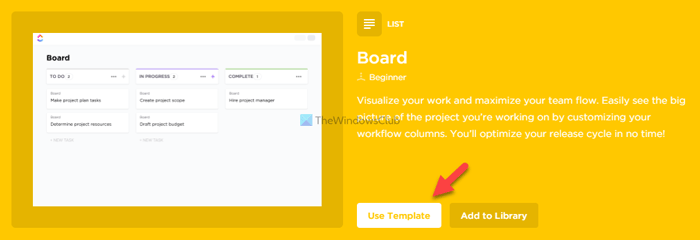
It will be installed immediately.
Where do I find templates in ClickUp?
To access ClickUp templates, you can visit the official repository. There are numerous templates available for download and installation on your account. There is no limit to the number of templates you can install in a space. Additionally, you can install a template according to the space.
Does ClickUp have templates?
Yes, ClickUp offers a wide range of templates. The best part is that you can download any template from the official gallery for free. Whether you want to download a template for project management, vacation planning, or anything else, you can download a ClickUp template using this guide.
Read: Notion templates for Students, Startups, Project management, Productivity
