
This article lists some best free Architecture software for Architects. If you are a professional architect, you can use these software to create detailed floor plans and interior designs. On the other hand, students of architecture can use these software to enhance their skills by practicing virtually.
Best free Architecture software for Architects
We will talk about the following software that you can use on your Windows 11/10 PC:
- Sweet Home 3D
- pConPlanner
- FreeCAD
- LibreCAD
- DreamPlan Home Design Software.
1] Sweet Home 3D
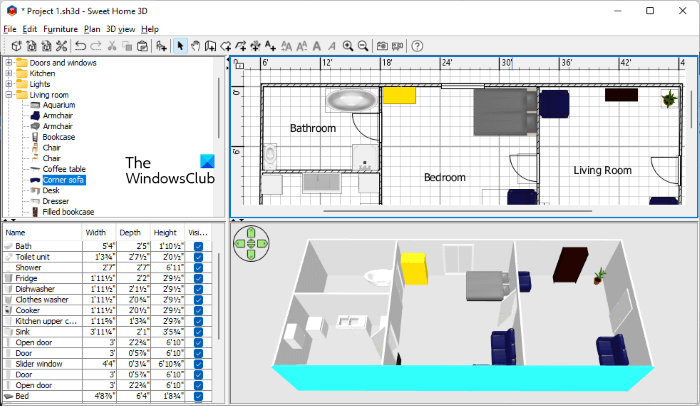
Sweet Home 3D is among the popular free architecture software. It includes a vast library of objects you can place in your design. The Sweet Home 3D interface is divided into four sections. The top-left side of the interface shows all object libraries. The right side of the interface displays both 2D and 3D views of your design simultaneously. The objects you place in your design will be displayed in the bottom-left corner, along with their dimensions.
The Plan menu includes options to create walls, rooms, polylines, and more. To create a wall, first select it from the Plan menu, then click anywhere in the 2D space. Now, move your mouse cursor over the 2D space to draw the wall. You can place objects on your plan using drag-and-drop. Double-click on an object in the 2D space to open its properties. The Properties window lets you modify an object by changing its dimensions, color, texture, orientation, and more.
Virtual Visit is an interesting feature of Sweet Home 3D that lets you walk through your design virtually. For this, click on the 3D View menu and then select the Virtual Visit option or simply press Ctrl + Shift + D keys. To exit Virtual View mode, go to “3D View > Aerial View” or press Ctrl + D keys.
2] pConPlanner
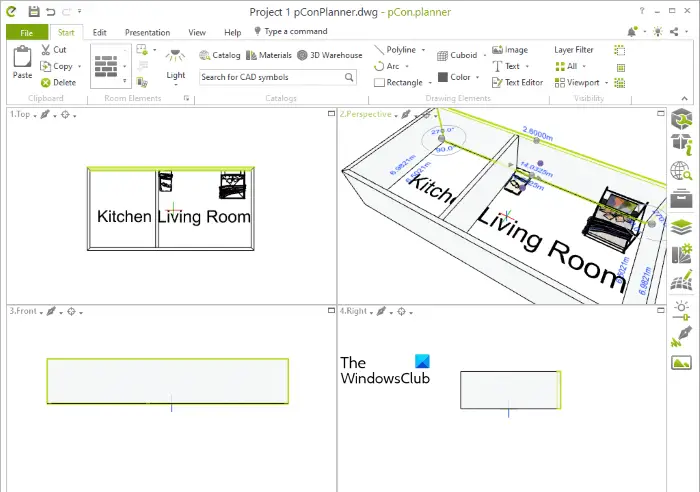
pConPlanner is free architectural software that offers a wide variety of objects in its catalog and many advanced features. It has an online catalog, so you need an internet connection to insert objects into your design. To access the catalog, go to Start and then click Catalog under the Catalogs group.
Start drawing your design by selecting a shape, such as a rectangle, polygon, or ellipse. You can also select a freehand tool or polyline to draw a floor plan. Design elements like a wall, ceiling, floor, doors, windows, stairs, etc., are available under the Room Elements group in the Start menu.
Select an object to view its properties. When you select a wall, pConPlanner will show you its dimensions like its height, thickness, the angle between the selected and the adjacent wall, etc. You can change these dimensions easily in the Properties window.
pConPlanner has more than 10 viewing options. Some of these are the perspective view, orthographic view, top view, left view, right view, ISO North East view, ISO North West view, etc. By default, it shows the top, perspective, front, and right views of your design. But you can change any of these views by clicking on the respective drop-down menu.
Before editing the properties of an object, you can lock that object. The Lock feature is available in the Edit menu. After completing your design, you can save it in DWG format or export it to pCon, Geometry, and different image formats. The Print Preview option is also available in the software, letting you preview your design before printing. The same option lets you save your design as a PDF.
You can download pConPlanner from pcon-planner.com.
3] FreeCAD
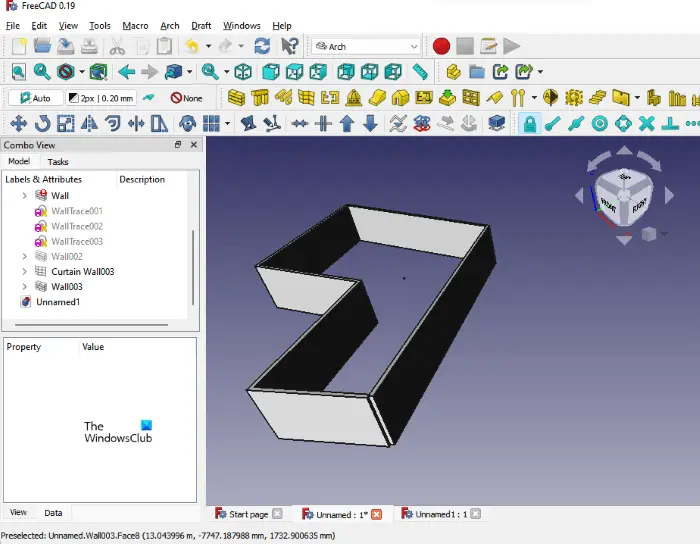
FreeCAD is free architectural software for Windows that offers many advanced features. Its multiple drawing formats support makes it one of the best free software for architects. Some of these file formats include:
- FreeCAD Document
- 3D Studio mesh
- Autodesk DWG 2D
- Autodesk DXF 2D
- Open CAD format
- OpenSCAD CSG format
- Shapefile
- Sweet Home 3D XML format
It is free 3D modeling software that lets you create 3D models of machines, buildings, and more, making it a suitable tool for architects, mechanical engineers, and construction professionals. In FreeCAD, you can work on multiple projects at the same time. All projects will open in a separate tab. Depending on the project you are working on, you can select the appropriate workbench. The following are some FreeCAD built-in workbenches:
- Arch workbench: It contains architectural elements.
- Draft workbench: It contains 2D tools and is suitable for basic 2D and 3D operations.
- Image workbench: Select this workbench when you are working with bitmap images.
- Part workbench: Select this workbench when you are working with CAD parts.
You can download FreeCAD from its official website, freecadweb.org.
Read: Best free CAD software for Windows.
4] LibreCAD
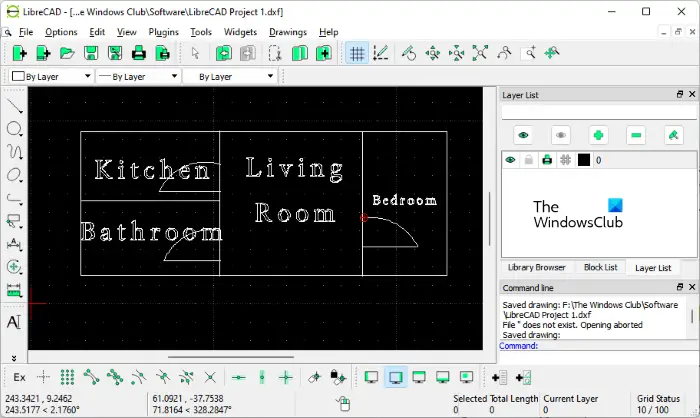
LibreCAD is free architectural software that lets you design 2D floor plans. Apart from the architectural design work, you can also use LibreCAD for other purposes like electrical drawings, mechanical drawings, etc. When you launch the software for the first time, you’ll see an option to set your default drawing unit. You can change the default drawing unit in the software. For this, go to “Options > Current Drawing Preferences” and then click on the Units tab. Now, click on the Main drawing unit drop-down to change the default measuring unit.
LibreCAD also has the custom Menu Creator and Toolbar Creator tools, using which you can create your custom Menu bar and Toolbar. These options are available in the Widgets menu. In LibreCAD, you can work on multiple projects at the same time. But for this, you have to enable the Tab mode. You will find this option under the Drawings menu.
Talking about the file format support, you can open your projects in LibreCAD if they are in the following formats:
- Drawing exchange (.dxf)
- QCad (.dxf)
- DWG Drawing (.dwg)
- JWW Drawing (.jww), etc.
After completing your project, you can save it in different formats (.dxf, .iff, .cff) and export it as a pdf or an image. You download LibreCAD from its official website, librecad.org.
5] DreamPlan Home Design Software
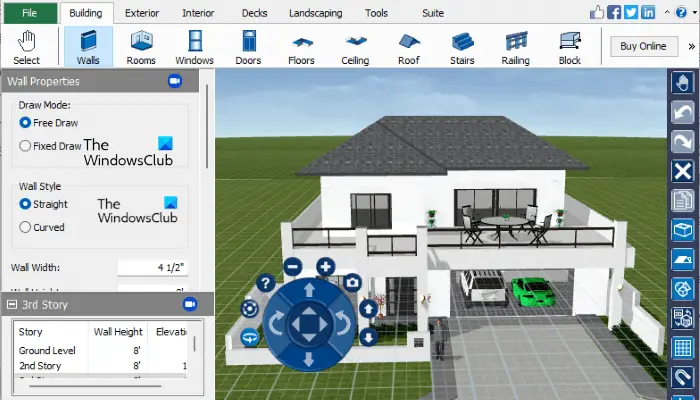
DreamPlan Home Design Software is another powerful architecture software for architects. Its free version is available only for non-commercial purposes. If you want to use DreamPlan for commercial purposes, you must purchase a license. It includes pre-designed sample projects for home, room, floor plan, restaurant, and landscape. You can edit these designs or create a new one from scratch.
You can create a multi-story building using DreamPlan Home Design Software. Three types of views are available for your project, namely, 3D view, 2D Blueprint view, and 2D Render view. You can access all the objects to decorate your design from the menu bar.
To download DreamPlan Home Design Software, visit nchsoftware.com.
Read: Best Home Design apps for Windows from the Microsoft Store.
Which free software is the best for architectural design?
There are many free architecture software available on the internet. The features offered by different architectural software are distinct. Also, you will find some unique features in every architecture software that makes it different from the others. To decide which free software is the best for you to create architectural designs, you can install some of them and see if they offer the features that you need.
What is the easiest Architecture software?
If you are looking for free, easy-to-use architectural software, you can install Sweet Home 3D, pConPlanner, DreamPlan Home Design Software, etc. These free software tools have a simple user interface that makes them easy for beginners to use.
Read next: Best free Bridge Design software for Windows.
