
AI talking avatars are helpful for content creators who do not want to reveal their identity on the internet by showing their faces. This article lists the best free AI tools for creating an AI talking avatar. Using these free tools, you can create an AI avatar video for different purposes, such as product demo videos, explainer videos, news videos, etc.
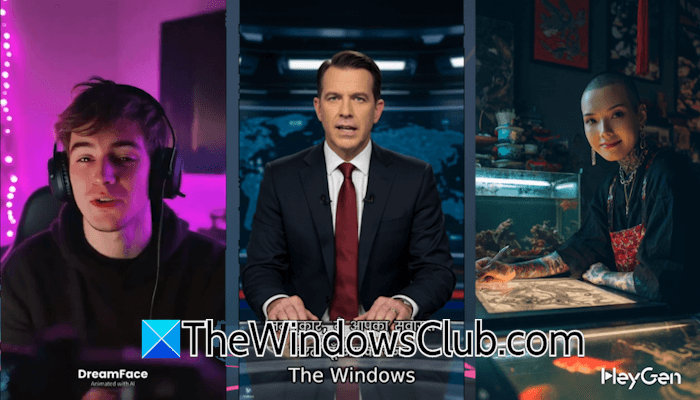
Best free AI tools to create an AI Talking Avatar
These are the best free tools to create an AI talking avatar:
- Capcut AI Video Generator
- HeyGen
- Vidnoz
- DreamFace
Let’s start.
1] Capcut AI Video Generator
Capcut, one of the most powerful video editing software, is now integrated with artificial intelligence. Currently, Capcut AI is completely free, allowing you to create unlimited AI videos and avatars. To generate an AI avatar video with Capcut AI, launch Capcut and click on the AI Video Maker option. A new interface will appear on your screen, displaying a range of options. Select the Avatar video option to create an instant AI avatar video. After that, you will be able to select an avatar from a list of available AI avatars.

Select any one of the available AI avatars and type your script. You can use the Generate script option if you do not have a script. When you are done, click on the Create button. With this AI tool, you can generate up to 10-minute-long AI avatar videos. Moreover, it also has an automatic lip sync feature that makes your AI avatar look more realistic.
To download the AI avatar video, click on the Export button. Now, select the video quality, resolution, format, and frame rate. When you are done, click Export, and the video will start downloading on your system. Capcut AI Video Generator allows you to download videos in resolutions up to 4K.
2] HeyGen
HeyGen is the next tool on this list that allows you to create an AI talking avatar with lip sync. The free plan of this tool allows you to create up to three AI avatar videos per month. However, the generated videos will have a watermark.
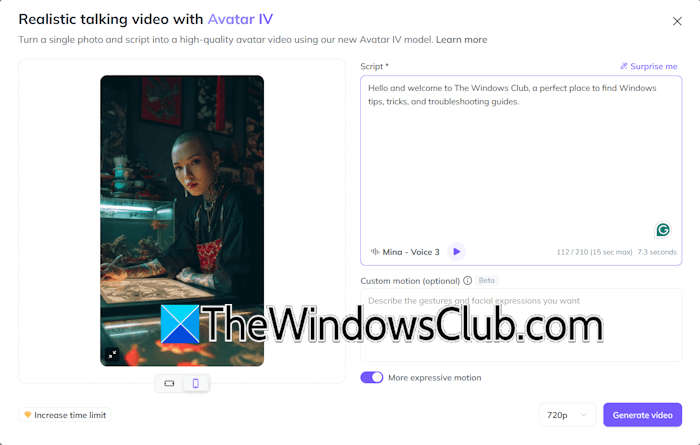
To use HeyGen, visit its website and sign up using your active email address. Now, you can upload your photo to convert it into a talking avatar or use a pre-designed photo to create a realistic AI talking avatar. A variety of AI voices are available to select from. It also supports many popular languages.
It automatically adds motions and lip sync to your video. However, if you want to add a custom motion, you can define it in the required box. After generating the AI avatar video, you can download it.
3] Vidnoz
Vidnoz AI allows you to create a talking photo avatar. You can choose an avatar from the available ones or upload your photo to convert it into a talking avatar. Its interface is simple. With Vidnoz, you can create a talking AI avatar in the following steps:

- Visit the Vidnoz website and create an account.
- Select the AI Talking Photo category under the Free AI Tools menu.
- Choose an avatar or upload your photo.
- Select your desired language from the list of available languages.
- Select the AI voice.
- Write the text for the speech.
- Preview the video and click Generate.
The free plan allows you to create AI avatar videos of a total of 15 seconds per day. When your time limit expires, you can generate an AI avatar video the next day. To use Vidnoz AI, visit the official website vidnoz.com.
4] DreamFace
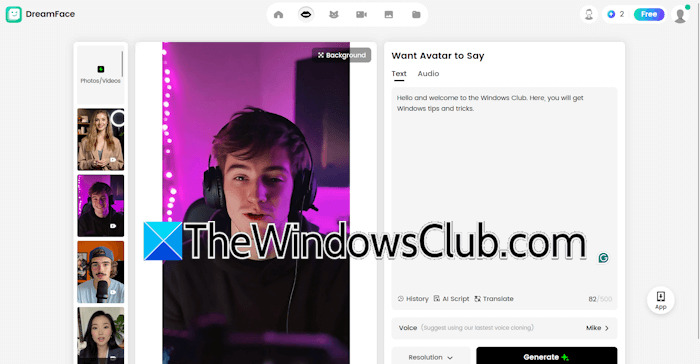
DreamFace is another free AI tool on this list that allows you to create AI talking avatar videos. Its free plan allows you to create up to 10 AI avatar videos per day, with each video having a time limit of 30 seconds. However, the generated videos have a watermark.
It has many AI avatars to select from. All the generated AI avatar videos are available in the Creations tab. To use DreamFace, visit its official website.
An alternate method to create an AI talking avatar
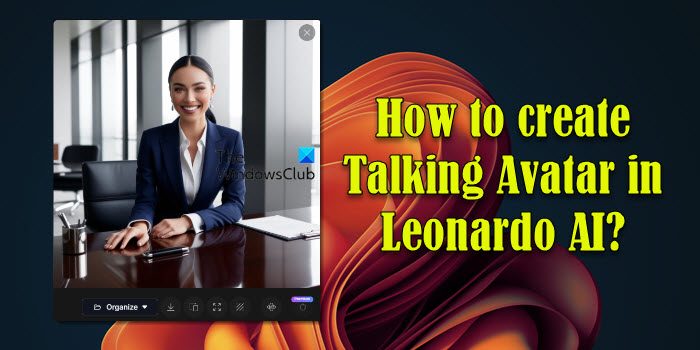
There is also an alternate method to create a talking AI avatar using Leonardo AI . This method involves several steps, from creating an image of your avatar to converting it into a talking AI avatar.
What is the best free AI avatar creator?
Today, a lot of AI tools are available in the market that allow you to create a talking AI avatar. However, when it comes to selecting the best free AI avatar creator tool, the choices may vary for different users. Therefore, to select the best AI talking avatar video creator tool, you need to test different AI tools and select one of them according to your requirements.
Is HeyGen AI free?
HeyGen AI offers a free plan in which you can create up to 3 AI videos and 3 AI Avatar videos per month. You can export the AI-generated video in 720 pixel resolution. The free plan also allows you access to more than 500 stock video avatars.
Read next: How to use Google Vids AI Video Editor.
