
CapCut is a famous video editing tool that supports multiple platforms like Windows, Mac, Android, and iOS. Most of the features are professional-grade, allowing users to create the best edits on the platform. As the program was developed by ByteDance (the company behind TikTok), it is banned in many countries. It is currently available in a few countries, are its users are looking for other tools to replace CapCut. If you are one of them, follow this guide for the best CapCut alternatives for Windows PC.

Best CapCut alternatives for Windows PC
Here are the alternatives that you can use instead of CapCut on your Windows PC. The list includes alternatives ranging from basic editing to professional editing. Choose the one that best meets your needs in terms of usability.
- ClipChamp
- Kdenlive
- DaVinci Resolve
- Wide Video
- PIKIMOV
Let’s see how they compete with each other to be the best alternatives for CapCut.
1] ClipChamp
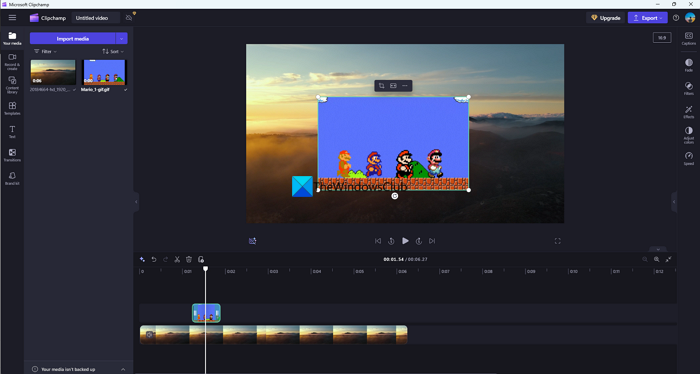
ClipChamp by Microsoft is a freemium video editor that requires minimal resources on your Windows PC. It comes pre-installed on Windows 11. If not, you can install it from the Microsoft Store or use the web version on your favorite web browser. The free version is sufficient for most basic video editing needs, supporting up to 1080p video resolution and offering options to use free stock assets, filters, and effects in your videos. ClipChamp is ideal when your system cannot support heavy tools, you have limited knowledge of video editing, and you have basic expectations for cutting, a few preset effects and transitions, and the ability to export videos in Full HD formats.
2] Kdenlive
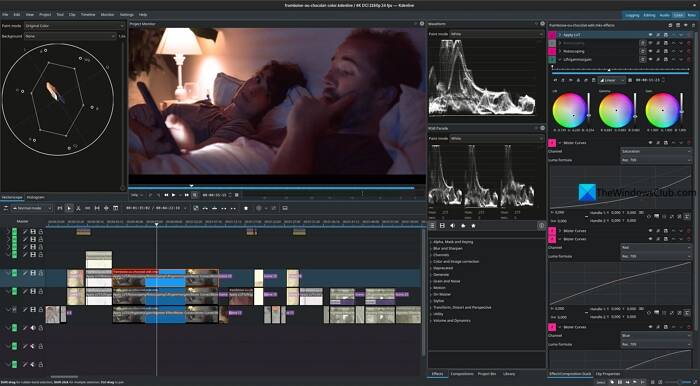
Kdenlive is an open-source, free-edition program that runs on Windows, macOS, and Linux. It is almost a professional video editing program that supports various video and audio formats, offers professional 3-point editing, multi-track editing, proxy editing, and numerous other features. You can create titles and subtitles automatically with in-built LLMs. The effects available in Kdenlive can be timed with keyframes, just as you do in Adobe Premiere Pro. The good thing about Kdenlive is that it does not require a high configuration to run. You can use it on any supported PC with a low configuration. Additionally, Kdenlive has a large community base that continually improves the program, and you can easily find help when you need it, whether regarding the program itself or a feature you are missing.
Read: Free Video Editing Software for Windows 11
3] DaVinci Resolve

DaVinci Resolve is the premier video editing tool for professional video editing, filmmaking, and other creative needs. DaVinci Resolve is naturally famous for its color-correction capabilities. With DaVinci Resolve, you can get many features, effects, and capabilities that you find on Premiere Pro or other professional and paid video-editing tools. Since DaVince Resolve is a professional-grade video editing tool, it does not run on all PCs. You need a PC that can run heavy programs and a capable graphics card. Many individual filmmakers use it to use the industry-standard color-correcting features to make their films look much better. If you have such standard needs from a video editing platform, you can opt for DaVinci Resolve.
4] Wide Video
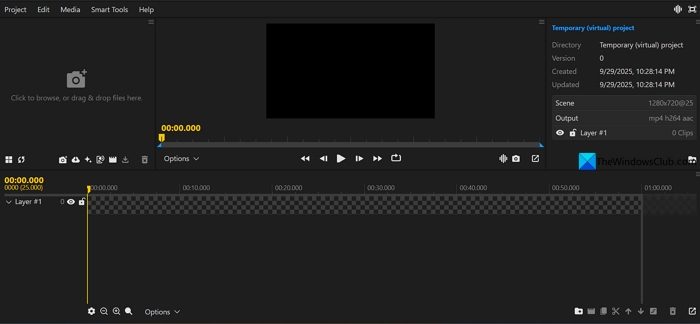
Wide Video Editor is a web-based, simple video editor that you can use without signing up or downloading any program onto your PC. Although you do not need to download any program, the video editor is processed locally on your device. Your videos or content are uploaded to nowhere. You have complete control over your data. It supports videos up to 4K resolution in multiple decoders, including H.264, HEVC, AV1, AAC, MP3, and GIF, with support for GPU-accelerated video encoding, similar to professional programs. In addition to that, you can use stock footage, remove background on videos, generate captions, stabilize videos, reduce noise, and do text-based editing.
5] PIKIMOV
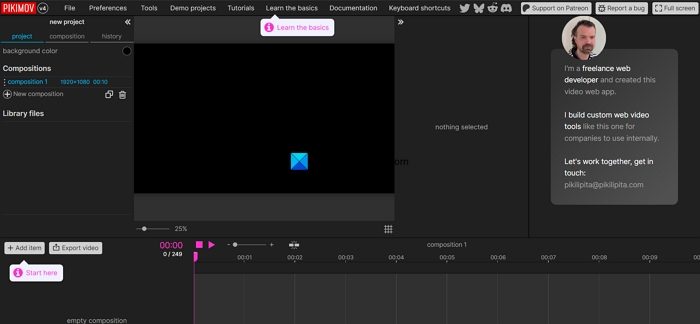
PIKIMOV is another capable video editor that you can use on your favorite web browser without signing up or downloading any program for free. It works as one of the best alternatives to CapCut for your video editing. You have complete control over your files, as nothing is uploaded onto any servers. The entire editing process is handled on your device. You can use PIKIMOV for 2D/3D editing, adding color effects, deformation effects, layer-based editing, using keyframes for effects, removing backgrounds, motion tracking, generating subtitles, and more.
Also read: Best AI tools for Video Editing
Is there a better app than CapCut?
There are many better video editing apps than CapCut. Kdenlive and DaVinci Resolve are the finest video editors available for free. There are many web-based video editing apps like Wide Video, PIKIMO, ClipChamp, and others that help you edit videos without relying on CapCut.
Which app is like CapCut for PC?
Kdenlive and DaVinci Resolve are two of the best video editing programs available for use on your PC as alternatives to CapCut. They come with great features to help you make professional videos as well as personal projects in the best possible quality. Additionally, you do not need to pay anything to use them.
Related read: Best Free Video Quality Enhancer for Windows PC
