
If you are dual-booting Windows 11 with Windows 10, you might find entering Safe Mode a bit tricky with Shift+F8. You have to Run msconfig.exe, tick the Safe Boot option, and then restart to get the Safe boot along with your Dual boot options. But you don’t need to do this. The Safe Mode option is already present inside various other options. Let us see where it is!
How to boot in Safe mode while dual booting Windows 11 with Windows 10
When you start your Dual-boot system with Windows 11 as the default, and dual-boot with Windows 10, you get this choice screen. As you can see, all these boot options screens are graphical in Windows 10, and the same procedure applies in Windows 11 as well.
The image used is for Windows 8 and Windows 7, but you will see a similar image for Windows 11 and Windows 10.
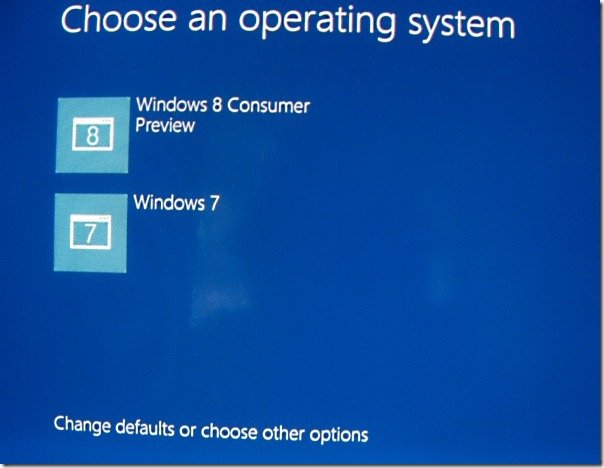
Click on “Change defaults or choose other options’ to get other options screen.
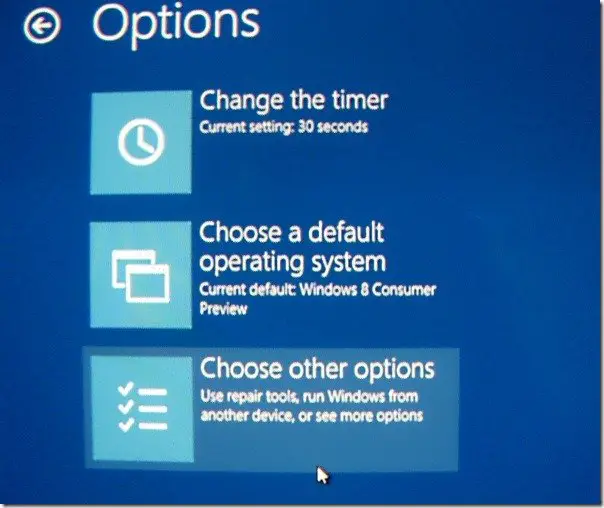
Click on ‘Choose other options’ to get this screen.
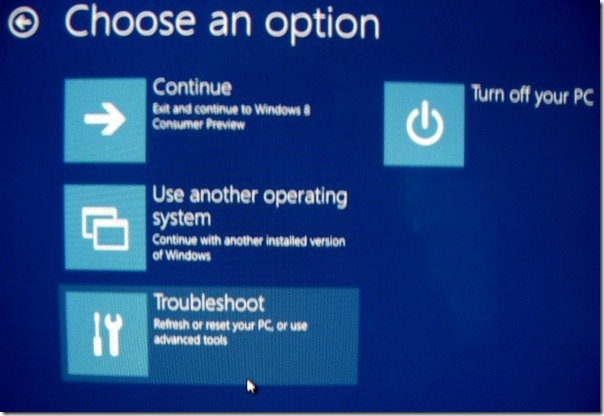
Next click on ‘Troubleshoot’ to get this screen.
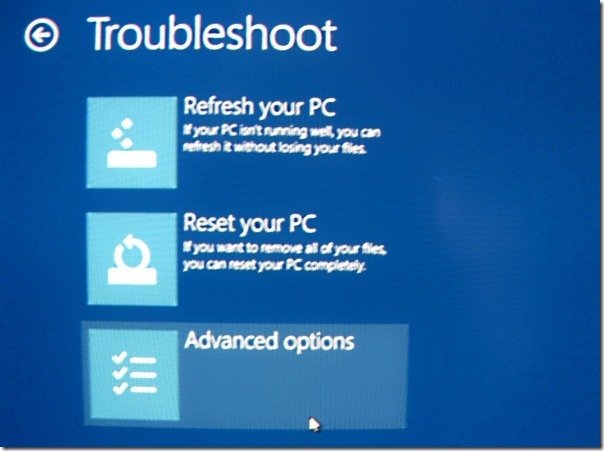
Now, click on ‘Advanced options’ to get this screen showing Windows Startup Settings with a ‘Restart’ button. Along with other options, you also have the ‘Enable Safe Mode’ as one of the option.-
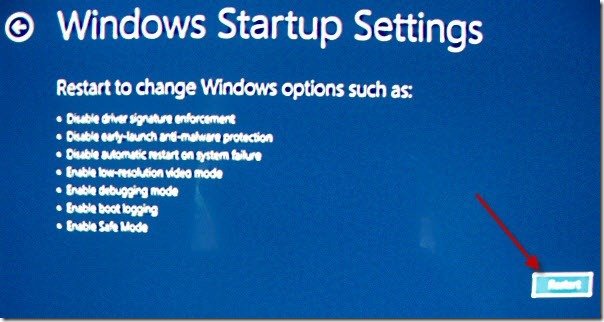
Click on the ‘Restart’ button (as marked by the Red arrow in the above image) to restart and get various options including various modes of ‘Safe mode’.
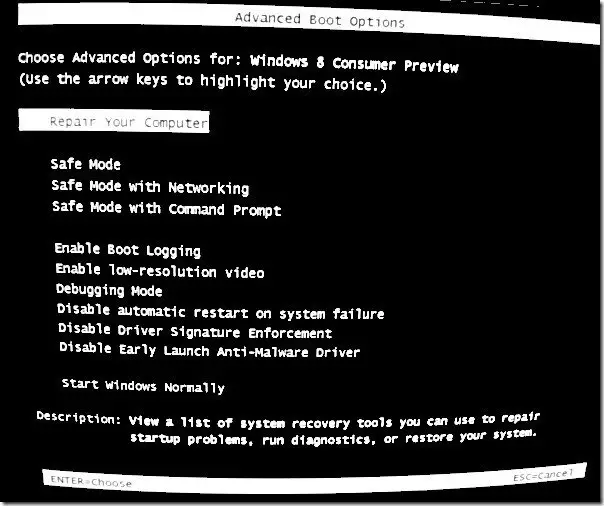
Now you can choose – Safe Mode or Safe Mode with Networking or Safe Mode with Command Prompt. Using any of these Safe Mode options will boot Windows 11/10 in Safe Mode.
So you can see that although the Safe Mode option is hidden deep inside, it can be accessed easily in dual-boot systems without tweaking msconfig.exe.
How do I boot Windows 11 in Safe Mode?
To boot Windows 11 in Safe Mode, you need to open the Windows Settings panel first by pressing the Win+I key. Then, go to System > Recovery. Find the Advanced start option and click the Restart now button. Alternatively, you can utilize the System Configuration panel to boot your PC in Safe Mode. Whether you use Windows 11 or Windows 10, the process is the same.
Can we Dual Boot Windows 11 and Windows 10?
Yes, you can dual-boot Windows 11 and Windows 10. Whether you want to use Windows 11 or Windows 10 first, you can go through both and set either as the default OS. A detailed guide to dual boot Windows 11 and Windows 10 is already available, and it is recommended to follow that guide minutely.
You can also Enable F8 key & boot into Safe Mode in Windows.
