
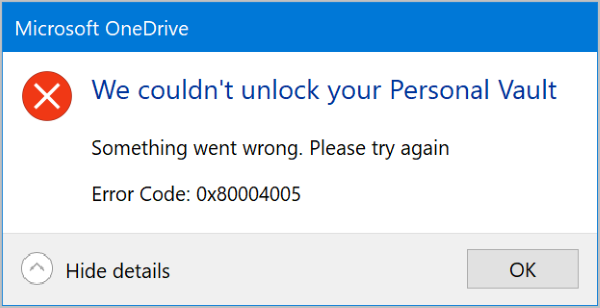
Following the general availability of OneDrive Personal Vault, some users encounter error 0x80004005 when attempting to unlock Personal Vault from a Windows 11/10 PC. In this post, we will provide two possible solutions that can help remedy this issue.
We couldn’t unlock your Personal vault, Error Code 0x80004005.
Personal Vault is a protected area in OneDrive where you can store your most important or sensitive files and photos without sacrificing the convenience of anywhere access. It requires strong authentication method or a second step of identity verification, such as your fingerprint, face, PIN, or a code sent to you via email or SMS. This provides an extra layer of security for your locked files, keeping them more secure in the event that someone gains access to your account or device.
Personal Vault is easily accessible from onedrive.com, your PC, or other compatible devices. So, if you need a bit more security for your files, you can set up Personal Vault to take advantage of the feature.
We couldn’t unlock your Personal vault, Error 0x80004005
If OneDrive Personal Vault cannot be locked, then you could try the following suggestions to fix the OneDrive error:
- Ensure that all Feature Updates are installed
- Disable the App and browser control setting
- Contact OneDrive email support.
1] Ensure that all Feature Updates are installed
- Open the Windows Settings (Press Windows key + I)
- Select Update & Security > Windows Update.
- Ensure that you accept all updates, including any Feature updates.
If after you tried the step above and you’re still unable to unlock Personal Vault from your Windows 10 PC, then try the 2nd step below;
2] Disable the App and browser control setting
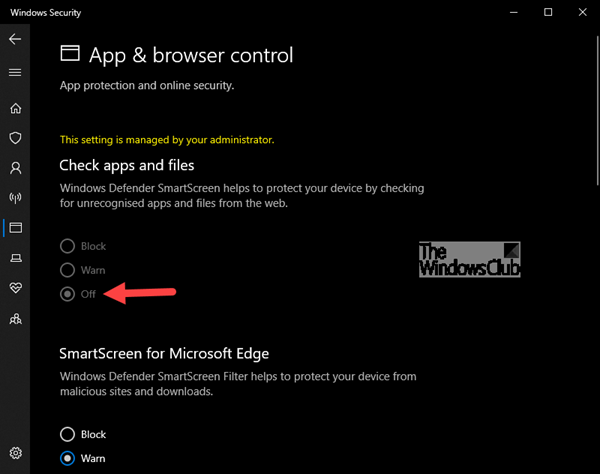
- Launch the Windows Security app.
- Under protection areas. Click App and browser control to open.
- Under the Check Apps and Files, click the Off radio button.
Now try to open the vault again.
3] Contact OneDrive email support
If nothing helps, click the ‘?’ help icon on the top of the page and select Email OneDrive support.
All the best.
Why can’t I open my personal vault?
A corrupt or missing OneDrive installation, or a system file issue, could cause the problem of not being able to open your OneDrive Personal Vault. Resetting the OneDrive app or running SFC can always help.
