
This post offers multiple ways to uninstall Office 365 or Microsoft Office 2021/2019/2016/2013/2010/2007/2003 from your Windows 11/10/8/7 computer. If you cannot uninstall Office using the Control Panel or Settings on Windows systems, this post will help you.
How to uninstall Microsoft Office
You can uninstall Office 365 or Microsoft Office from your Windows 11/10 computer by following any one of the following methods:
- Control Panel
- Windows Settings
- Office Uninstall Support Tool
- Microsoft Support and Recovery Assistant
- Microsoft Fix It
- Using RipOutOffice2007.
Let us see these methods in detail.
1] Using Control Panel
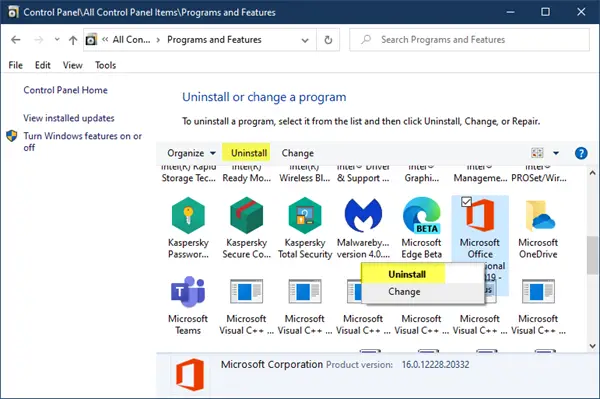
- Restart your computer and try to remove Office through the Control Panel > Programs and Features > Uninstall or change a program.
- Select your Office installation, right-click on it, and select Uninstall.
- Follow the on-screen instructions to uninstall Office.
2] Via Windows Settings
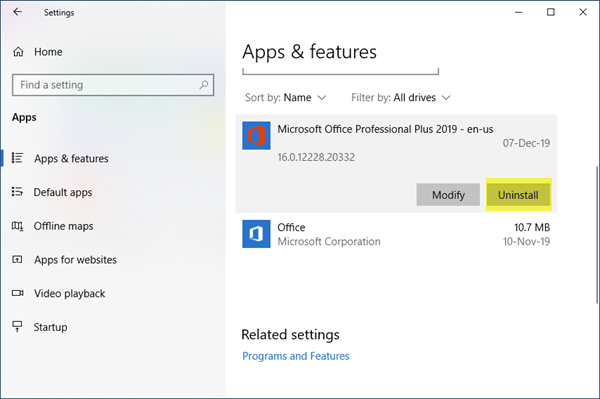
- Open Settings > Apps > Apps and features.
- Search for Office and select it.
- Click Uninstall to uninstall the program.
- You can uninstall the Office programs (Click-To-Run or MSI) and the Office apps (Microsoft Store) here.
Cannot uninstall Microsoft Office
This could happen if the installation process did not complete when you tried to install a new program or the uninstall process did not go through as expected. Or the previously installed Office program installation files may have got corrupted.
If you cannot uninstall Office, use the following tools.
3] Office Uninstall Support Tool
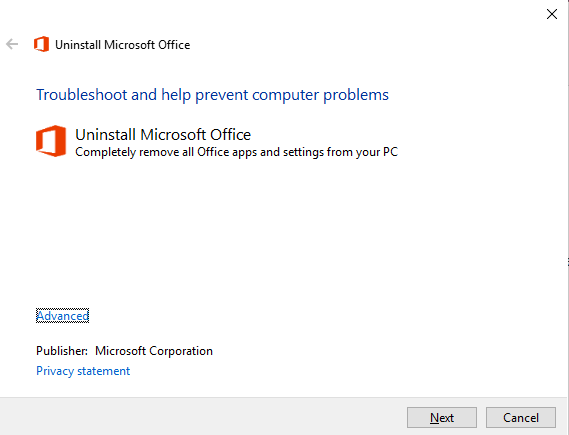
- Download the Microsoft Office Uninstall Tool from Microsoft.
- Run the o15-ctrremove.diagcab, and it will launch the uninstaller.
- Use it to altogether remove your Office installation.
4] Microsoft Support and Recovery Assistant
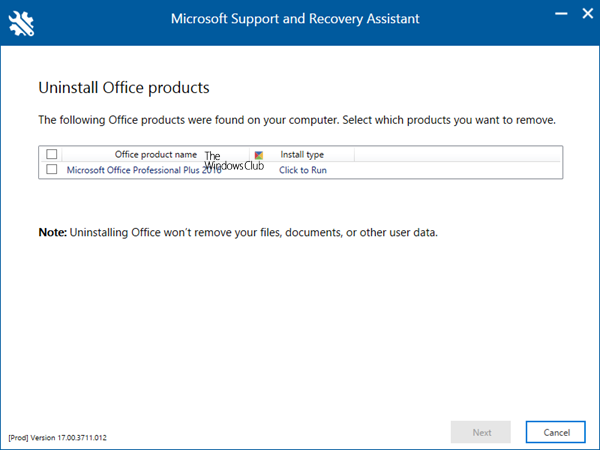
Microsoft Support and Recovery Assistant will help you uninstall Office programs and resolve Office 365 apps, Outlook, OneDrive, Windows, Dynamics 365 & other problems.
5] Microsoft Fix it
- Use Microsoft Fix to uninstall Office. But first, check if it applies to your Windows and Office installation version.
- You can also use this Troubleshooter from Microsoft that lets you uninstall the latest Office or Office 365 version from Windows entirely.
Do note that Microsoft no longer supports using the Windows Installer Cleanup utility.
6] RipOutOffice2007
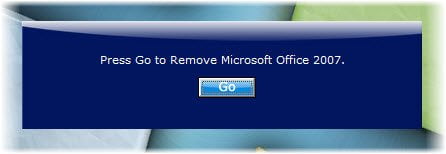
If you are using Office 2007, you could try this utility called RipOutOffice2007. Create a system restore point first before using this software. RipOutOffice2007 is a 3rd party freeware tool to completely uninstall & remove Office 2007 from your PC when the standard uninstall process fails. But the comments show this tool does not work in Windows 7 properly.
You might also want to check out these related posts:
- Uninstall 32-bit Microsoft Office and install the 64-bit version
- Uninstall individual Microsoft Office programs
- Uninstall Microsoft Office Click-to-Run
- Completely Remove or Uninstall Microsoft Office or Office 365.
What happens if I uninstall Microsoft Office?
The documents created by Microsoft Office, i.e., DOCX, PPTX, XLSX, will not open unless you can use an alternate app that supports it. It may also happen that some custom functions only supported by Microsoft Office apps will stop working. However, you can upload these files into OneDrive and still use them.
Do I need a product key to reinstall Office?
You don’t need a product key to reinstall Office unless you have bought a standalone version of Microsoft Office. The application will install, and then you can sign in using the Microsoft account connected to your Office purchase. Once you do that, your copy of Microsoft Office will activate itself. Since this is a subscription-based model, your Office application functionality will be reduced if that expires.


