
The Complete Windows 7 Shortcuts eBook Released

By Windows Club| February 1st, 2010. Filed under: Downloads. Tags: , ,

We are pleased to release The Complete Windows 7 Shortcuts eBook. Windows 7 includes a lot of new keyboard shortcuts that are unknown to a new user. This eBook comprises of more than 200 keyboard shortcuts containing almost all the keyboard shortcuts that are available in Windows 7 and its default programs like Paint, WordPad, MS Office, Calculator, Help, Media Player, Media Center, Windows Journal, Internet Explorer, etc.
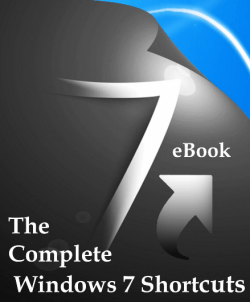
win7 shortcuts ebook The Complete Windows 7 Shortcuts eBook Released

The eBook is pretty exhaustive and the topics covered include:

- What is Keyboard & how to use it?
- How keys are organized on a standard Keyboard
- Typing & editing the text using Keyboard
- Using Keyboard Shortcuts
- Find program shortcuts
- Choose menus, commands, and options
- Some useful shortcuts
- Using the keyboard extras
- Using navigation keys
- Using the numeric keypad
- Three odd keys
- Use your keyboard safely
- Create keyboard shortcuts to open programs
- Make the keyboard easier to use
- Type without using the keyboard (On-Screen Keyboard)
- Set On-Screen Keyboard to use for various handy tasks

- The Shortcuts Collection
- General Windows functions keyboard shortcuts
- Dialog box keyboard shortcuts
- Windows logo key keyboard shortcuts
- Windows Explorer keyboard shortcuts
- Ease of Access keyboard shortcuts
- Magnifier keyboard shortcuts
- Remote Desktop Connection keyboard shortcuts
- Keyboard shortcuts for MS Paint
- Keyboard shortcuts for WordPad
- Keyboard shortcuts for Calculator
- Windows Journal keyboard shortcuts
- Windows Help viewer keyboard shortcuts
- Windows Media Player keyboard shortcuts
- Internet Explorer keyboard shortcuts
- Windows Media Center keyboard shortcuts.

The eBook is bookmarks-ready, both in PDF and XPS format, with a fully linked content index.

Keyboard junkies and enthusiasts, you definitely want to have a look at this one!

Download: The Complete Windows 7 Shortcuts eBook.

This free eBook, being released by us, has been authored by Windows 7 enthusiast and TWCF member Nitin Agarwal.

Anand aka HappyAndyK is an end-user Windows enthusiast, a Microsoft MVP in Windows Desktop Experience since 2007, and the Admin of TheWindowsClub.com & WinVistaClub.com.
Windows Club
View all posts by Windows Club
Anands Profile
Related posts:
Random posts:
Recent posts:
Popular posts:

Comments

Nice work by Nitin and thanks to TWC for publishing it. :)

nice compilation nitin

By mansing chavan
on February 11th, 2010 at 6:41 PM

heeeeeeeeeeeeee nice work. i like it, it’s amazing

Nice…I dont know why you did not offer this e-book with a sales price

Great ebook, thank you very much for this. I’m just writing a new post on my blog about it.

Ilija

By Johnny Haynes
on February 19th, 2010 at 1:45 AM

Sounds like a cool book

By 'Erik Thalund Petersen
on March 3rd, 2010 at 2:57 AM

downloaded

Good content and usefully thank you and thank you

By Neil Marquilencia
on April 24th, 2010 at 10:11 AM

Usefull ebook. Thanks TWC.

Where is the download location for this e-book-the Complete Windows Shor Cut e-book?

At the end of the post, it says;
Download: The Complete Windows 7 Shortcuts eBook.

hey de casualiada no hay en espaƱol quisiera leerme este documento…

By Bobbie M McKissack
on June 7th, 2010 at 1:20 AM

Is there any way I can get a hard copy of this
information; I cannot afford all the paper this would
require, plus I do better with a hard copy. Thanks
for your time.

Nope, there is no hard copy available! You will have to just download it and print a copy for yourself :)

I have been using keyboard shortcuts to open programs for decades but what I haven’t figured out is how to change them. If you install a new Office, for example, how do you get your shortcut (ctl-alt-w) to point to the new winword.exe (other than by reinstalling Windows). It must be a registry hack but I’ve looked and can’t find it anywhere.

By saurabh vashishta
on July 4th, 2010 at 11:34 PM

i m very thankful of urs,its amazing,i m so much happy after got it.u can offer this e-book with a sales price. thanx thanx thanx thanx.we all love u nitin agarwal

thankyou for giving this e-book for free, nice post

By nitesh prasad
on July 25th, 2010 at 10:45 PM

lovely,nitin
thankyou for releasing it

By Eugene Brooks
on July 28th, 2010 at 4:23 AM

Steph Heroux; I tried the link and this is the download I got.
list-freeware-releases-from-the-windows-club.html

I already have this list, it is where I found the link for the file. But no ebook download. EB.

^ Please click on ‘Download’ and use the download link mentioned at the end of this post. It works!

If other blogs have directly hot-linked to any of our apps or downloads, then their readers land up at the gereneral freeware page.

By Muhammad Qaiser Abbas
on August 2nd, 2010 at 1:22 AM

hi dear thankx alot for this nice gift, i really appreciate your effort for this gift, ALLAH may bless you


Leave a Comment