
Here is a list of the best free background removal software for Windows 11/10. These are basically free desktop applications that allow you to remove the background of a photo and make it transparent. You can also find some free online photo background remover that you can use to remove image background online.
Most of these photo background removers use artificial intelligence that allows them to automatically remove background from images with precision and accuracy. While some of the software lets you manually remove the background from photographs by selecting the background color or area that you want to remove. Some tools also provide various editing features using which you can modify the image before saving the output image. These mostly support PNG as the output format. Let us now check out the photo background removers.
Best free Background Removal software for Windows 11/10
Here are the best free background removal software that you can use to remove background from your images on Windows 11/10:
- Remove.bg
- Transparent PNG Generator
- Removal.ai
- Adobe Express – Free Image Background Remover
- Photo Background Remover
1] Remove.bg
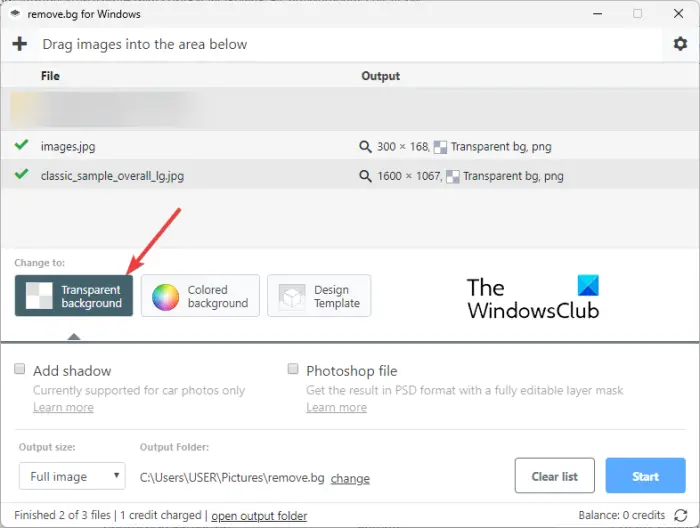
Remove.bg is a dedicated free background removal software for Windows 11/10. It is an automatic photo background remover that is available for multiple platforms. It supports images with people, products, and cars in them to remove the background.
It can be used as a desktop app on Windows, Mac, and Linux. Also, you can use its web app to remove background from images online. Android users can also download and use it from Play Store. Great, isn’t it?
It uses artificial intelligence to remove image background and provides precise and high-quality results. The good thing is that this software supports batch image processing. So, it can be used to remove background from multiple images at once. Besides removing the image background, you can also change the background color of your images using this application.
Note: You have to create an account and log into the software with the created account to use it. Plus, there are restrictions on usage for each account in its free plan.
How to remove background from a picture using Remove.bg?
To remove background pictures using Remove.bg, you can follow the below steps:
- Download and install Remove.bg.
- Open Remove.bg.
- Add the source images.
- Select the transparent background option.
- Choose output image size.
- Press the Start button.
Firstly, you need to download and install the desktop version of Remove.bg from its official website. And then open the application to start using it.
Now, drag and drop the source images onto the interface of this application. Or, simply browse and select the input images from your PC. As input, it supports a variety of image formats including JPG, JFIF, PNG, PJP, etc.
After that, choose the Transparent background option and enable or disable the Add shadow option. Next, you can select an output size (auto or full size), choose an output folder, and then press the Start button to start the background removal process.
It is good photo background removal software. But, its free plan for the desktop app doesn’t let you process many images. So, I would recommend you to use its web app version.
See: Remove the Background of a Picture with Microsoft Word.
2] Transparent PNG Generator
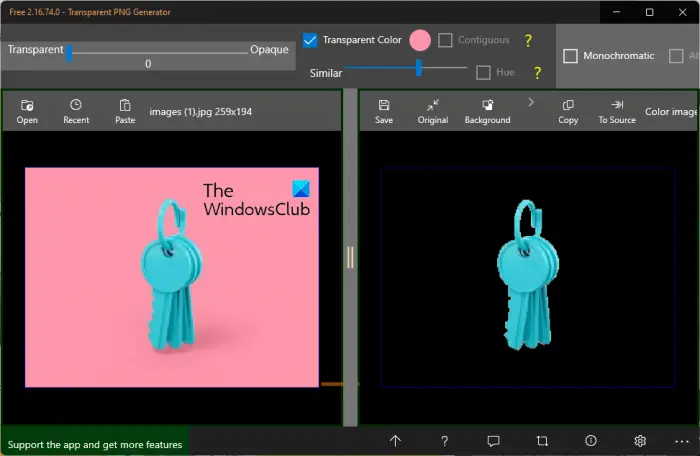
Transparent PNG Generator is a free background removal app for Windows 11/10. You can use it to manually remove the background of photos on your PC. It lets you select the background color that you want to remove, and then converts the background to transparent. Let us check out the exact steps of image background removal process through this app.
How to remove background from a picture using Transparent PNG Generator?
Here are the main steps to remove image background using this free Windows app called Transparent PNG Generator:
- Install this app from Microsoft Store.
- Start the app.
- Open an input image.
- Set the pointer on the image to select the background color.
- Checkmark the Transparent Color option.
- Adjust the Similar slider as per your requirement while visualizing the preview of output in real-time.
- Save the output image,
Firstly, you need to install Transparent PNG Generator from Microsoft Store. After that, launch the application.
Now, you can open the source image to remove its background by clicking the Open button. It lets you import images in JPG, PNG, GIF, and BMP formats. And then, move the pointer on the image to select the background color
Next, you need to tick the Transparent Color checkbox from the top of the interface. This will convert the background of the image to transparent.
Now, there is a slider named Similar on the top of the interface. Simply adjust this slider to remove background residues with precision. As the preview of the output image is shown right on the interface along with the original image, you can keep adjusting the Similar slider until you achieve the desired result.
Finally, you can press the Save button and export the resulting image with transparent background in PNG format.
It is a simple and basic background removal app for Windows. If you have images with a solid and a single-color background, you can use this app. Else, I would recommend you use some other background removal for accurate results.
You can get it from Microsoft.com.
Read: How to add a Transparent Image over Screenshot using Paint?
3] Removal.ai
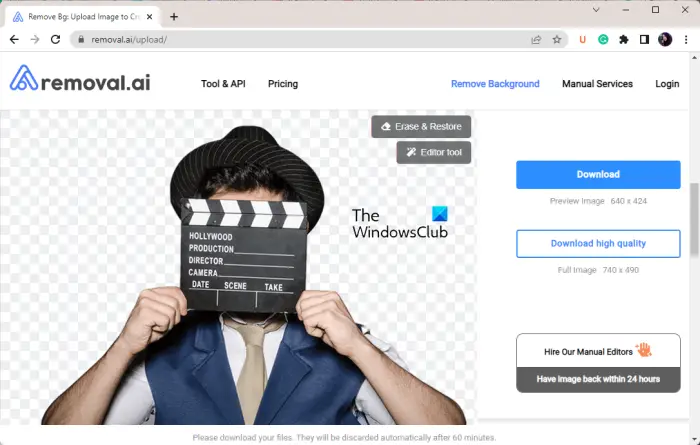
The next free background removal tool on this list is Removal.ai. It is a free online photo background remover tool that allows you to automatically remove background from your images. It uses artificial intelligence to quickly remove image background with accuracy. Just upload your photograph and the rest of the work will be done by this tool automatically. It saves your time as well as effort and provides price results.
How to remove background from a picture using Removal.ai?
Here are the main steps to remove background from an image using this free online background remover tool:
- Firstly, open the Removal.ai website in a web browser.
- Now, browse and upload the input images from your PC, or drag and drop the source image onto its interface.
- Next, the preview of the output image without a background will be shown.
- You can compare the original and the resulting images.
- Finally, you can click on the Download button to save the output image in PNG format.
It also provides an Editor tool to make modifications to the resulting image. You can change opacity, brightness, contrast, noise, & blur and add shadow to the image. Apart from that, you can also insert text into the image, add a new background image, or change the background color. When done editing the image, you can save the output image by clicking on the Download Image button.
You can try it here. Its free plan has some limitations that you remove by purchasing its subscriptions.
See: How to create a transparent GIF with GIMP in Windows?
4] Adobe Express – Free Image Background Remover
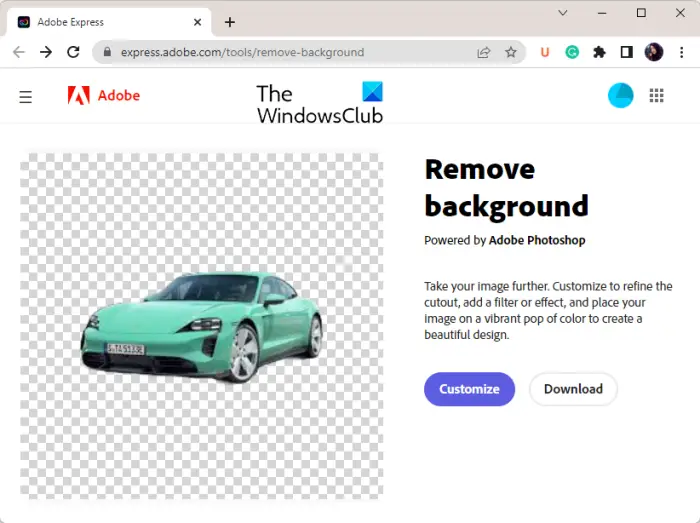
Adobe Express is another free background removal software for Windows 11/10. It is a free online tool using which you can remove background from images without putting any effort. Like many other photo background removers on this list, it uses AI and works automatically which makes it way easier to remove image background with accuracy. Furthermore, you can even edit the resulting image using its photo editor and then download the image.
How to remove background from a picture using Adobe Express?
Follow the below simple steps to remove background from an image online using Adobe Express:
- Open the website.
- Import the photo
- Let it process the photo and remove its background automatically.
- Customize the image if required.
- Download the resulting image.
Firstly, open the Adobe Express website in your web browser. Now, click on the Upload your photo button to browse and choose the source image from your computer. Or, you can simply drag and drop the input image onto its interface.
As you add the source photo, it will start processing and removing the background of the image. In a few seconds, it will show you the preview of the resulting image on its interface.
Next, if you want to download the final image straight away, click on the Download button and save it in different formats. It supports PNG, JPG, and PDF formats as the output.
In case you want to edit the image, press the Customise button and then modify the image accordingly. It provides a variety of image editing tools that you can use. These tools include adding text, adding shapes and icons, changing the background color, applying effects & filters, adjusting image colors, and more.
Note: To save or customize the output image, you will be required to register a free account on its website.
If you liked this free online photo background remover, you can use it here.
Read: How to make white background transparent in MS Paint?
5] Photo Background Remover
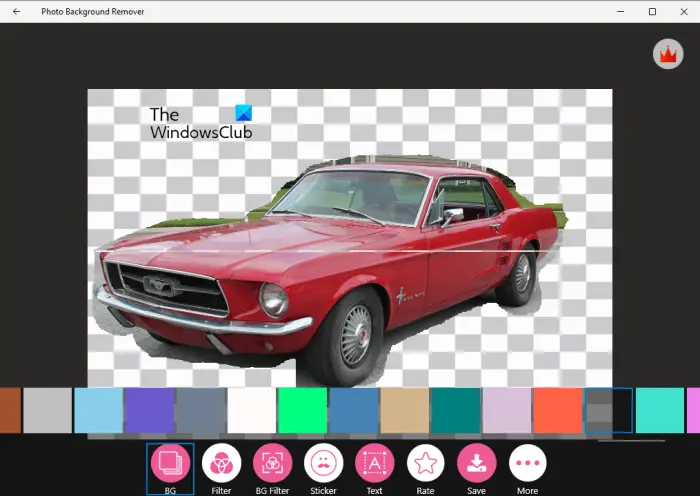
One more free background removal software for Windows is Photo Background Remover. It is a free app for Windows 11/10 that lets you remove the background of photos. Apart from existing photos, you can also click a new photo using your webcam and remove its background.
How to remove background from a picture using Photo Background Remover?
You can use the below steps to remove background from images using Photo Background Remover:
- Install this app from Microsoft Store.
- Launch it.
- Open a photo from your PC or click an image using your webcam.
- Select the background area on the image that you want to remove.
- Edit the image as per your requirements.
- Save the final image.
Let us elaborate on the above steps now.
Firstly, you need to download and install Photo Background Remover on your PC. It is available on Microsoft Store. Then, launch the main GUI of the application to use it.
Now, click on the Gallery button to browse and import the source image. Or, you can press the webcam button to click a new photo to remove its background.
After that, you need to select the background area on the photo that you want to cut or remove. Just select the area using your mouse by drawing the boundary. Next, press the Accept button and it will remove the selected background from the image.
You can now edit the image using available features. It offers options like Background Colors, Filters, Background Filter, Add Text, and Add Stickers to modify the photo. Apart from that, you can right-click on the photo and access some more handy image editing functions like Rotate and Zoom.
Once done editing the image, you can click on the Save button and export the final image in JPG format. If you want, you can even share the resulting image via social networks or email clients. It even allows you to print the image directly.
Overall, it is a basic photo background removal app for Windows 11/10 that you can use to remove the background of images manually.
Read: How to remove or blur Background with Photos App in Windows 11
What is the best free background remover?
Adobe Express – Free Image Background Remover is one of the best free background removers. It is a free online tool that you can use to automatically remove the background of images. This tool uses artificial intelligence to accurately cut image backgrounds without leaving any residue. Apart from that, you can also use Remove.bg, Transparent PNG Generator, and Removal.ai.
These are some good free background removal software. You can check out the main features of this software above in this post.
How can I remove someone background for free?
To remove background from photos for free, you can use a free desktop application or free online tool. If you want to use a free desktop application, you can try software like Remove.bg (desktop app version), Transparent PNG Generator, or Photo Background Remover to easily remove background from your images. To remove image background online, you can try web services like Removal.ai and Adobe Express.
Is Canva Background Remover free?
No, Canva’s background remover feature is not free. It is a premium feature that you need to purchase to use it. Although, you can remove background from images in Canva for free using a trick.
Now read: How to remove the Background from a Photo using GIMP?
