
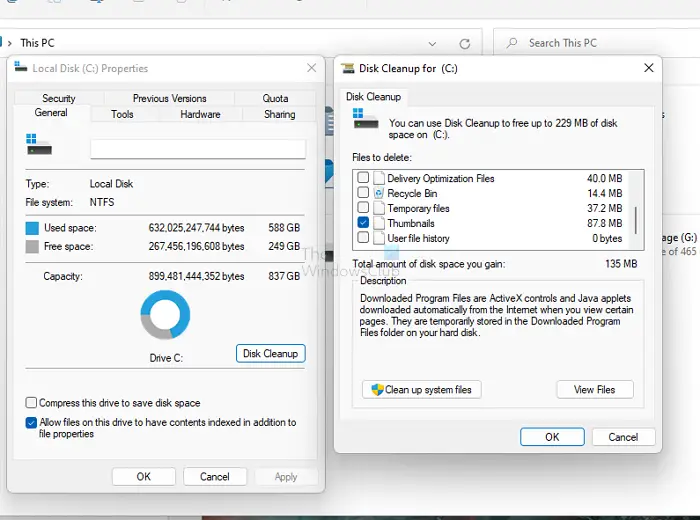
The built-in Disk Cleanup Utility helps remove old and junk files from your Windows installation. It includes several options and types of files that can be removed. One of the options is to compress old files.
The Compress Old Files option takes up quite some time while cleaning up the disk with Disk Cleanup Utility. If it exists amongst your options and if you don’t use it or if you want to remove it, here is how you can go about it.
Remove the Compress Old Files option in Disk Cleanup Tool
Run regedit and navigate to the following key in the Windows Registry:
HKEY_LOCAL_MACHINE\SOFTWARE\Microsoft\Windows\CurrentVersion\Explorer\VolumeCaches\Compress old files
Delete this key.
That’s it.
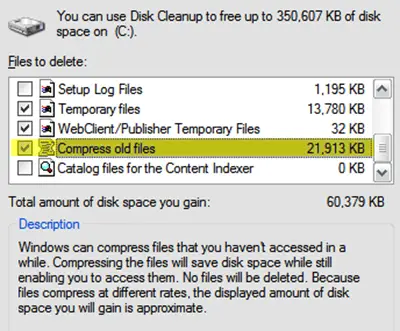
In later versions, Microsoft appears to have done away with this option. It’s pointless, actually, but it’s an option, and life is all about having options!
Why is there a Windows old folder?
The folder is created when Windows upgrades to a newer version. Windows.OLD is a backup folder where all files and related files are available. When a user chooses to roll back, these files come in handy to bring the system back to its previous state.
Will deleting files speed up computer?
Windows require storage to keep temporary files as it runs the processes. So while it is necessary to create additional free space, it doesn’t speed up the PC or computer performance. Only when you get a warning from the OS that you need to free up space, you can go ahead and run the built-in clear to remove unnecessary files from the System.
