
The popular Mac data recovery software, Disk Drill, (earlier called Pandora Recovery) is now available for Windows PC. The most important aspect of this app is that it is completely free and comes with a host of features to keep users happy. Disk Drill is perfect for recovering lost data, fixing a damaged partition and hard drive reformatting, among many more.
Disk Drill for Windows 11/10 PC
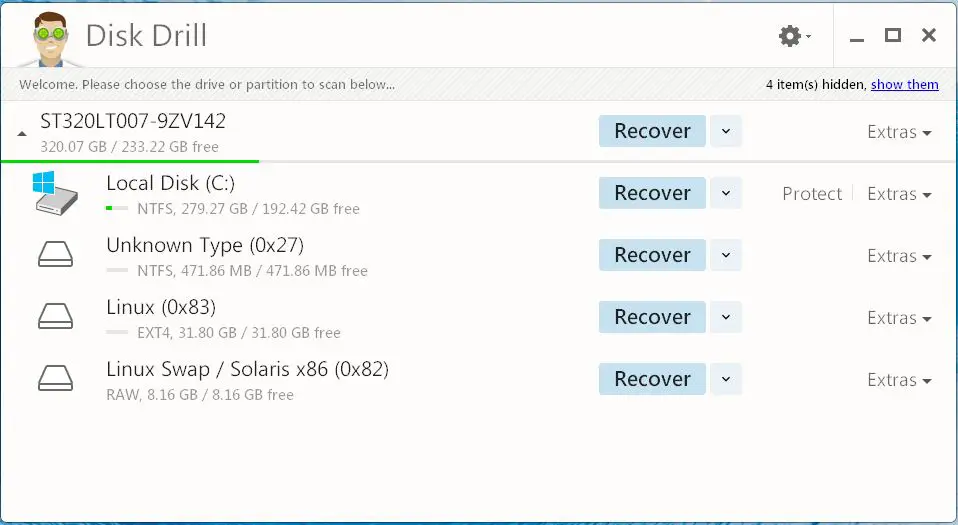
Disk Drill is a feature-rich software that should be easy for anyone to use, even the biggest newbie in the room. Using this tool, you can back up a volume or partition from a failing drive and save it as a DMG image to a new drive. Disk Drill for Windows can also help in the case of Partition loss, Accidental deletion, Failed bootups, and Memory card corruption. This data recovery software can also help you with Hard drive reformatting and Recycle bin cleanup. Let us have a look at some of its features.
Recovering Data
After extensively using Disk Drill, we’ve come to the conclusion that this software is capable of recovering data from any storage, or should we say, the ones we have tested. Whether it’s USB flash drives, external drives, MP3 players or memory cards, Disk Drill will get the job done without a fuss.
Ease Of Use
What really caught us off-guard about Disk Drill is how easy it is to use. The interface is user-friendly and uncluttered compared to similar programs. Getting something done usually takes just a few clicks of the mouse, so complications are instantly thrown out the door.
Protection From Data Loss
The primary focus of Disk Drill is recovering lost data, but it can also help protect against future data loss. The software comes with a feature called Recovery Vault that keeps track of every file deleted since activation, so if something happens to the drive, recovering these files shouldn’t be too hard.
File Systems Support
One of the things we love about Disk Drill is the number of file systems it supports right off the bat. These file systems include the likes of FAT, exFAT or NTFS file system, HFS+ Mac drive, Linux EXT2/3/4 and more.
Overall Thought
Disk Drill is powerful and easy-to-use data recovery software. The learning curve is far from being complex despite the number of features available right now. We’ve tested it on Windows 11/10, and it works just as promised. Folks who want powerful file recovery software should jump on the Disk Drill bandwagon immediately, as we expect the developers to take a similar approach to the Mac version.
Disk Drill for Windows includes the following:
- Simplified UI. Now there is just one button to start scanning the whole drive – it’s easier for a user to navigate.
- 400+ file formats supported.
- Category folders. Disk Drill sorts images, documents, videos, audio, and so on, separately. It can save time when a user looks for similar specific files.
- File preview before restoration. See an image cover, the beginning of a video or audio file, before recovering it.
- Create and mount a virtual drive for recovered files. Scan results won’t turn into a mess in your Explorer window.
- Extended RAW file support.
- Covers almost all modern camera formats.
- Improved exFAT recovery and more.
Download Disk Drill for Windows by visiting its home page. With the free edition, one can only recover up to 500 MB in total.
EASEUS Data Recovery Wizard Free Edition, PC-Inspector File Recovery, NTFS Reader, Glary UnDelete, Recuva, Avira UnErase Personal and Restoration are some other free data recovery software you might want to check out.
