
Usually, there are dedicated applications to view different types of files. However, if you are looking for a viewer that lets you view files of multiple types, you have come to the right article. Here I am going to mention some good free software that acts as a universal file viewer for Windows 11/10. These programs let you view over 100 different file formats. You can view various document files, presentations, common images, camera raw images, videos, web pages, subtitle files, and more.
Free Universal File Viewer software for Windows 11
Here are the free software that let you view more than 100 file formats:
- Universal Viewer
- File Viewer Lite
- FreeFileViewer
- File Viewer Plus
- Free Opener.
Let’s talk in detail about these universal file viewers.
1] Universal Viewer
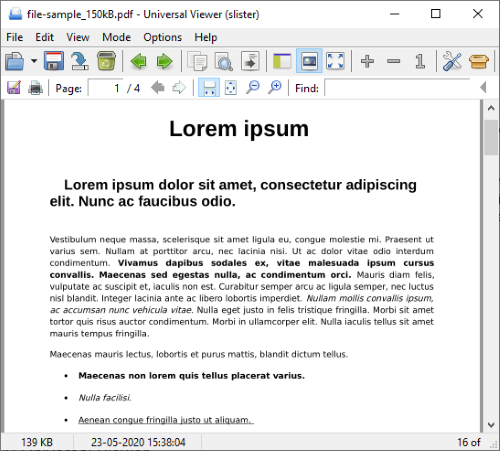
Universal Viewer is a dedicated free universal file viewer that allows you to view several types of files. In this software, you can open and view graphics files, camera raw images, multimedia files (audio/video), MS Office Word and MS Office Excel files, PDF documents, and Internet files. If some format is unknown to it, it shows a text view. If you want to view even more types of files in this software, you can use the corresponding plugins from uvviewsoft.com. Download the required plugin and configure it by going to the Options menu.
It supports the following file formats:
- Text, Binary, Hex, Unicode: any files, of unlimited size
- RTF, UTF-8: RTF and UTF-8 encoded texts
- Image: all general graphics formats: BMP JPG GIF PNG TGA TIFF; plus all formats supported by IrfanView/XnView
- Multimedia: all formats supported by MS Windows Media Player: AVI MPG WMV MP3
- Internet: all formats supported by MS Internet Explorer: HTML PDF XML MHT
- Plugins: all formats supported by Total Commander Lister plugins
- MS Office: all file types of MS Office (if installed): DOC DOCX XLS PPT
- Converters: some types can be viewed as plain text: DOC DOCX PDF PPT ODT.
It even supports files up to 4 GB in size. You can toggle between different view modes, such as Text, Hex, Binary and Internet.
Different view options are provided for distinct file types. For example, if you want to view an image file, you can use options like Show Exif, Show Info Label, Rotate, Flip, Negative, and Grayscale. It also provides a Save As function which allows you to export a file from one supported format to another, e.g., save PNG in JPG format.
This software comes in a portable package. So, download it, extract the ZIP folder, run the application file, and start viewing a variety of file formats.
It is integrated into Windows Explorer’s context menu; simply right-click a file and select the “Universal Viewer” item.
Additional features:
- Built-in functions of popular plugins: images, multimedia, webpage view
- Support for multiple codepages: ANSI, OEM, EBCDIC, ISO, etc.
- Support for text converters for DOC, DOCX, ODT, PDF, etc.
- Support for user tools
- Toolbar, status bar, other interface improvements
- Auto-reloading of the file on changing, “Follow tail” option
- Displaying of line numbers
- Displaying of non-printable characters
- Combined Unicode/Hex mode (call Unicode mode twice)
- Modern RegEx search library
- Print preview
- EXIF viewer
- NavPanel add-on to add Explorer interface
You can download it from its HomePage.
2] File Viewer Lite
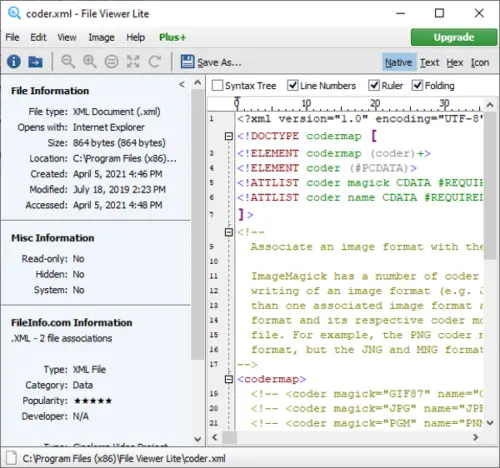
File Viewer Lite is a free universal file viewer software that enables you to view over 150 file formats in one application. It supports text documents (DOC, DOCX, RTF, TXT, etc.), PDFs, spreadsheets (XLS, XLSX, CSV), camera images (RAW, ARW, DNG, etc.), audio (MP3, FLAC, WAV, OGG, etc.), video (MP4, AVI, FLV, etc.), graphic images (PNG, JPG, PSD, SVG, etc.), font files (TTF, DFONT), and web files (CSS, HTML, XHTML).
This software also provides you with the flexibility to view a file in its native format or in other modes, such as text, hex, or icon. Along with the file’s content, it displays metadata in a side panel. A handy feature called Export File Info is also available to save file metadata to a text file.
To view images, some extra features are available in it, such as brightness/ contrast adjustment, sharpen, remove red eye, rotate image, crop image, adjust image size, etc.
It is good software for viewing a wide range of file formats. Plus, it integrates with Windows File Explorer so that you can access it easily and quickly. Get it here.
3] FreeFileViewer
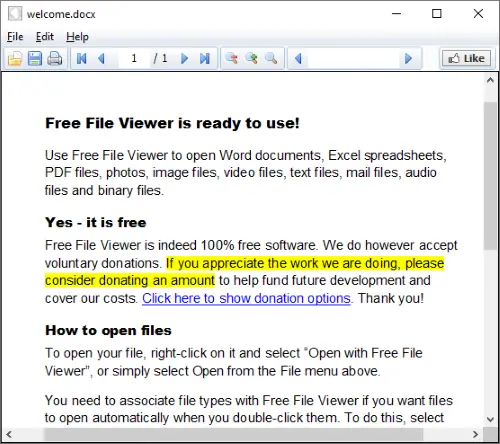
FreeFileViewer is another free universal file viewer software for Windows. You can view DOC, DOCX, PDF, TXT, XLS, XLSX, JPG, PNG, GIF, PSD, FLV, MP4, MOV, MPG, FLAC, MP3, OGG, WMA, BIN, CFG, and many more file formats. As per its claims, it supports over 200 file formats. You can also customize file association as per your requirement. For that, go to the Edit menu and select Preferences.
To enhance your file viewing experience, some nice options are provided in it, including page navigation, zoom-in, zoom-out, and search text. It also contains a Print function to take a printout of the current file. Get it here.
4] File Viewer Plus
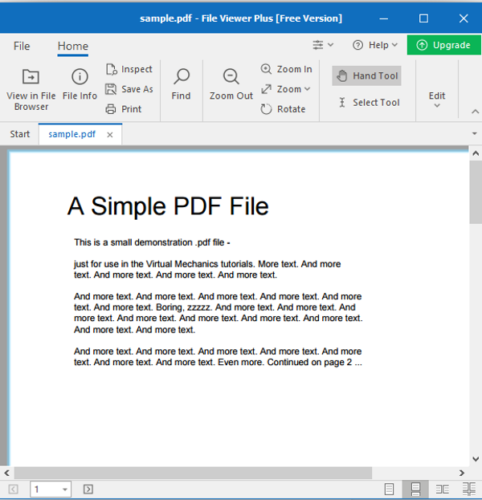
File Viewer Plus is a universal file viewer app for Windows. It supports more than 200 file formats that you can import and view in it. You can view images, multimedia files, documents, spreadsheets, presentations, archives, and many more types of files. It comes with its own file explorer using which you can browse and open your files.
It has a multi-tab interface that lets you open multiple files in separate tabs. Zoom-in, zoom-out, rotate, find, select tool, and hand tool are the viewing features available in this app. There are also features to view and export file information, inspect a file in text/ hex/ icon view, and print a file.
Related: How to open a file with no extension.
5] Free Opener
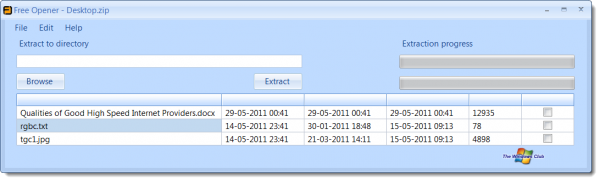
Free Opener is a portable freeware tool that opens over 75 file types on Windows operating system, including:
DOC, AVI, DOCX, ZIP, JAR, RAR, PDF, XML, HTML, SWF, 7Z, PHP, XLSX, MKV, FLV, XLS, JPEG, RAW, TXT, PSD, WMV, CR2, CRW, GIF, MSG, NEF, TIFF, JPG, MOV, MP4, LOG, PNG, CSS, MP3, CFG, HTM, BMP, JS, XLSM, WA, ICO, REG, DNG, ARW, MID, ORF, RAF, PEF, RESX, CF2, ERF, MEF, MRW, SR2, X3F, CSV, CS, INI, MPEG, MPG, etc.
This tool will be especially useful on computers that do not have Microsoft Office installed. You will now be able to easily view Office docs, Excel, and other files.
Do note that the program will install various codecs, components, and .NET Framework without asking, to be able to function properly.
Download Free Opener from here.
You can use any of these and view files in more than 100 formats.
