
Several years ago, many LinkedIn user passwords were stolen by hackers, which in turn compromised the security and privacy of all affected users of the service. Hackers have decided to target the site since the service has been on the rise as a social network designed for the business community and people who want to associate themselves with folks in similar fields.
With the service now owned by Microsoft, one can assume that hackers are working tirelessly to crack LinkedIn’s protective shield once more. The question is, what can users do to protect themselves from any future security breakdown?
LinkedIn Login Security & Privacy Tips
Before proceeding, make sure you are using a constantly updated anti-virus. By default, Microsoft Defender is stalled and active on every Windows computer, so most should be properly secure.
Additionally, make sure your operating system and web browser are updated.
- LinkedIn Login
- Password suggestions from LinkedIn
- LinkedIn Privacy
- Sign out of your LinkedIn account
Let us talk about this in more detail.
1] LinkedIn Login
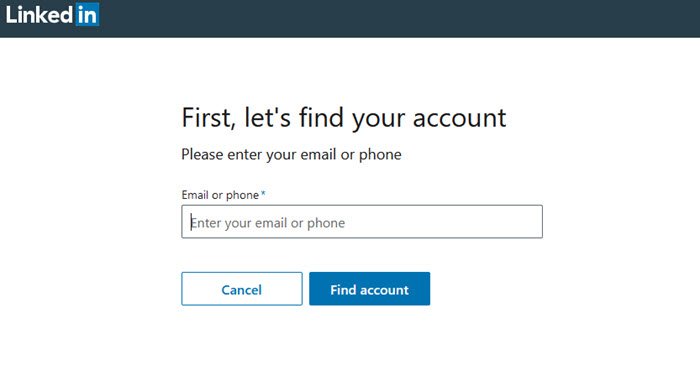
Having a strong password is important, therefore, you should make sure you are using one. Furthermore, it makes a lot of sense to periodically change your password, preferably every 72 days. Now, to change your password, please visit this link to get the job done.
You will be asked to add your email address, and a notification code will be sent to your email. Copy the code, paste it into the box, then press Enter to initiate the password reset.5
See this post if LinkedIn is not working for you.
2] Password suggestions from LinkedIn:
- Never use a Dictionary word.
- Select passwords with 10 or more characters.
- Use a meaningful phrase, song, or quote and turn it into a complex password using the first letter of each word.
- Complexity – Randomly add capital letters, punctuation, numerals, or symbols.
- Substitute numbers for letters that look similar (for example, substitute “0? for “o” or “3? for “E”.
3] LinkedIn Privacy
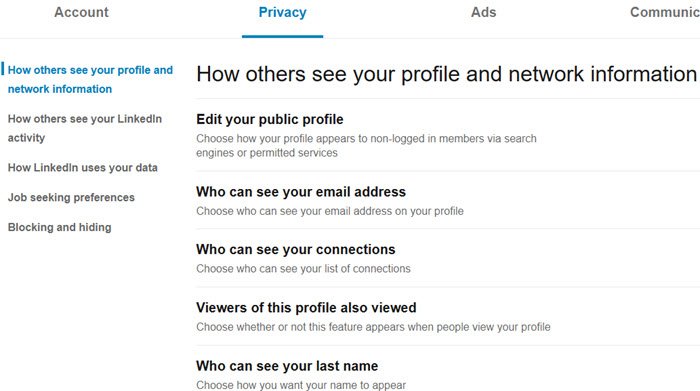
The privacy settings are quite vast, so let’s try our best to explain them to you. You can visit the Privacy Settings by going here.
If you look closely, you should see some categories from the left pane. They are as follows:
- How others see your profile and network information,
- How others see your LinkedIn activity,
- How LinkedIn uses your data,
- Job seeking preferences,
- Blocking and hiding.
From the list below, you can see some of the things you can change when you go through the categories:
- What you can do via the Privacy Settings:
- Edit your public profile
- Determine who can see your email address
- Set who can see your connections
- Show work experience descriptions in Resume Assistant via Microsoft Word
- Change how LinkedIn handle your data
- Choose who can follow you, and block accounts
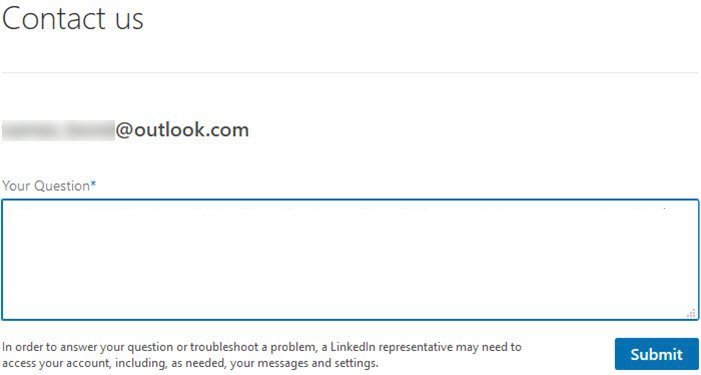
These are just some of the many things the user can play around with where the Privacy settings is concerned.
Now, if you do not feel comfortable with the privacy options, then consider sending a message to LinkedIn with your concerns by visiting this page.
4] Sign out of your LinkedIn account
Lastly, do remember that it is always a good practice to sign out of your LinkedIn account once you have completed your work – especially in the case of shared computers. Moreover, logging out will prevent scraping of your other activities & limit LinkedIn tracking to what you do on their website only.
Do share if you feel if there are any other precautions one needs to take while signing into LinkedIn or similar social sites.
Read next: How to download LinkedIn Data using LinkedIn Data Export Tool.
Incidentally, the following articles may also be worth checking out:
- Facebook Sign In: How to securely log in to Facebook
- Hotmail Sign In: How to securely log in to Hotmail
- Gmail Sign In: How to securely log in to Gmail
- Yahoo Login: How to Securely Sign to Yahoo! Mail
- Twitter Login and Sign in Help
- PayPal Login : How to Sign up and Sign in securely
- Skype Login: Security and Safety Tips for beginners.
