
In Windows 11/10/8/7, if you select more than 15 files, you may find that the right-click context menu has been shortened and some items like Open, Print, Edit are missing. This is by design and Windows does so to avoid accidentally performing these actions on a large number of files.
Context Menu items missing, shortened when multiple files selected in Windows PC
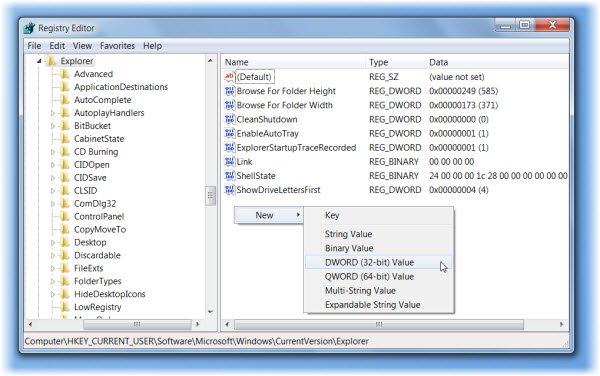
If you wish to remove this restriction, you can remove it as follows.
Open regedit and navigate to the following registry key:
HKCU\Software\Microsoft\Windows\CurrentVersion\Explorer
Here create a new DWORD, MultipleInvokePromptMinimum
The Default value is 15 (decimal). The permissible range is 1 – 16 (decimal).
If you wish to reduce this figure, give it a lower value.
If you wish to completely remove this restriction, give it a value ’16’.
A value of 16 is interpreted as “unlimited”.
The registry change will go into effect after logging off and back on, or after restarting Windows Explorer.
Source: KB2022295.
Check this if you cannot Print more than 15 files at a time in Windows 11/10/8/7.

