
ShellMenuNew is a freeware that allows you to easily disable and enable menu items that are listed under the ‘New’ submenu of Explorer right-click context menu. When we install programs in Windows, many items get added to the right-click context menu of explorer.exe, in the ‘New’ submenu. This submenu is required when you want to open a new file (or command or item) of that type on your desktop.
ShellMenuNew context menu manager
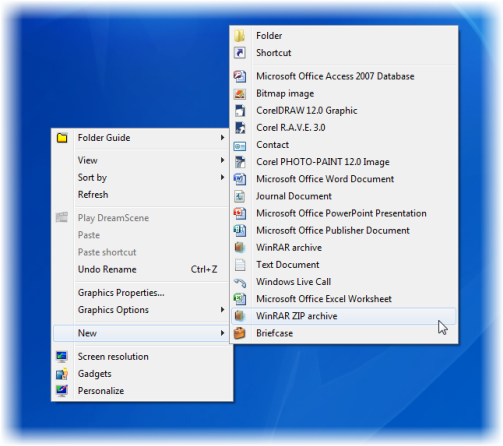
Delete New submenu items in Explorer context menu
Many times, we end up adding items that we hardly ever use. To reduce this clutter, use freeware ShellMenuNew. This utility allows you to easily disable and enable menu items that are listed under the ‘New‘ submenu of Explorer right-click context menu.
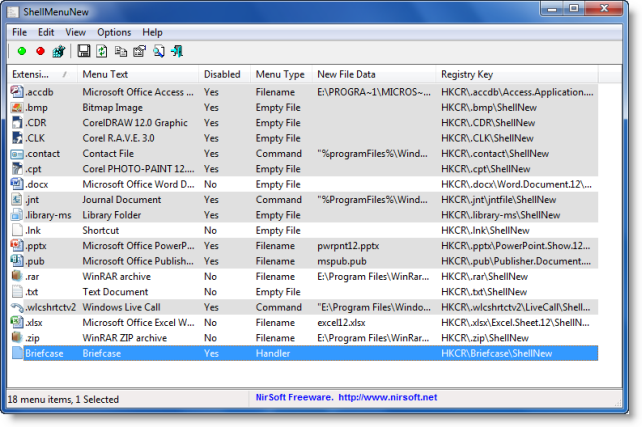
Run the utility, select the item that you want to disable and simply right-click & select Disable to hide it. You can enable it back whenever you need to.
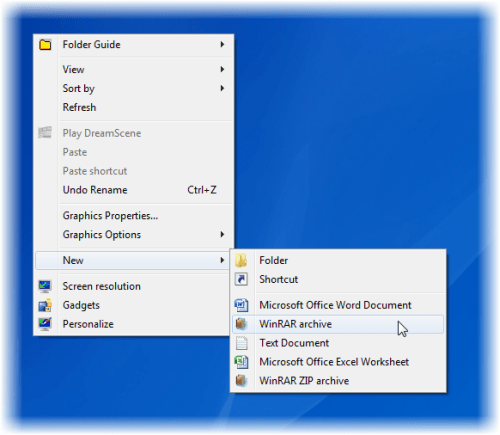
Using this, you can reduce the clutter and make your New submenu appear faster too!.
Visit its home page to download it.
Related:

