
Default Programs Editor is a powerful but simple file association utility for Windows 10/8/7/Vista. It is a context menu editor, an autoplay editor, and a default programs association editor.
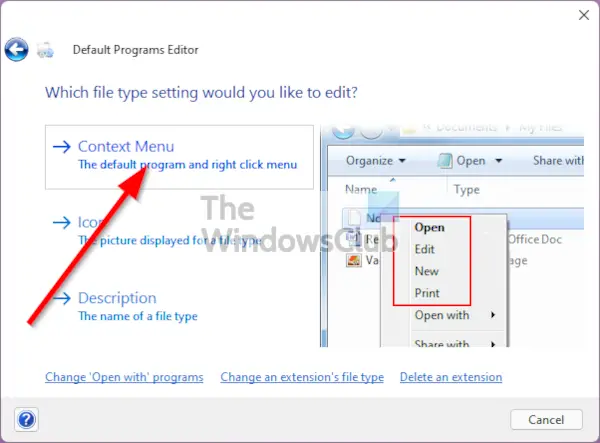
Default Programs Editor for Windows PC
This free software, makes it easy to fix file association settings in Windows. It can also help set context menu items, icons, descriptions, autoplay settings, and default programs settings, etc, without your having to touch the Windows Registry. Its features include:
File Type Settings:
-
Add, Edit, and Delete context menu items
-
Edit file type information (such as icon and description)
-
Change an extension’s associated file type
Autoplay Settings:
-
Add, Edit, and Delete autoplay handler programs
-
Change which autoplay options are available for any media type
-
Change the default autoplay handler
Default Programs Settings:
-
Add or Remove default associations (possible to check, but not un-check, in Windows)
Additional Features:
-
Disable the “Search web for unknown extension” dialog
-
Standalone utility, or install as a Control Panel applet
-
Make direct changes to the system registry, or export edits as .reg files
-
Designed for Windows with UAC support
You can download it from its Home Page at defaultprogramseditor.com.
PS: Go here if you are unable to Change Default Program Extension on Windows.
