
Most of you may be aware that MS-DOS Device Driver names cannot be used as file names in Windows. As a result, we cannot name folders as con, aux, nul, etc.
Microsoft MS-DOS had reserved these names for these system device drivers.
- CON : Keyboard and display
- PRN : System list device, usually a parallel port
- AUX : Auxiliary device, usually a serial port
- CLOCK$ : System real-time clock
- NUL: Bit-bucket device
- A:-Z: : Drive letters
- COM1 : First serial communications port
- LPT1 : First parallel printer port
- LPT2 : Second parallel printer port
- LPT3 : Third parallel printer port
- COM2 : Second serial communications port
- COM3 : Third serial communications port
- COM4 : Fourth serial communications port
Try to create a file or folder with these names on your Windows desktop and see what happens.
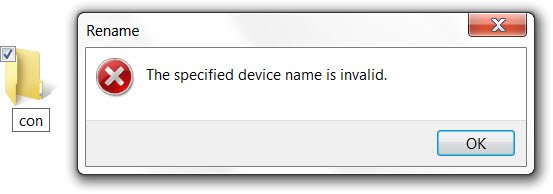
Even today if you try to name a folder using one of these reserved names, you will receive the following error message: The specified device name is invalid.
These restrictions still exist in the NT-based Windows, possibly the reason being to allow compatibility for running 16-bit programs and for command-line based programs. The complete Windows Naming Files, Paths, Namespaces, and Conventions can be found here.
Create CON, AUX, NUL folder and files with a click in Windows
While you can use Linux or MS-DOS commands to create the folder names such as “con”, I came across this app Concu which claims to let you create and delete folders with restricted names, in a click. It’s a CNET link so remember to click on the Direct Download Link.
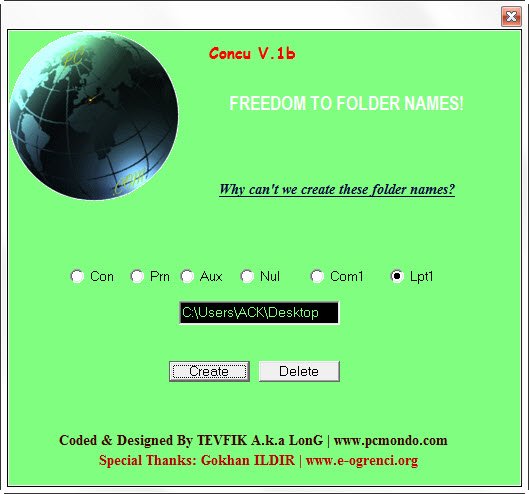
Why does this program exist? Just to make a point that it can be done using a tool, that’s all!
I know, this is really old stuff, but this is for those who may not know about it. ;)
