
Many times when working with files in our computers, while accessing some files we may receive an error message saying, ‘The file you are trying to access is corrupted’. This can happen due to several reasons, for instance, the file may not be copied properly or the file parameters are not correct enough. Any type of file may get corrupted like music files, documents, system files, etc.
The file you are trying to access is corrupted
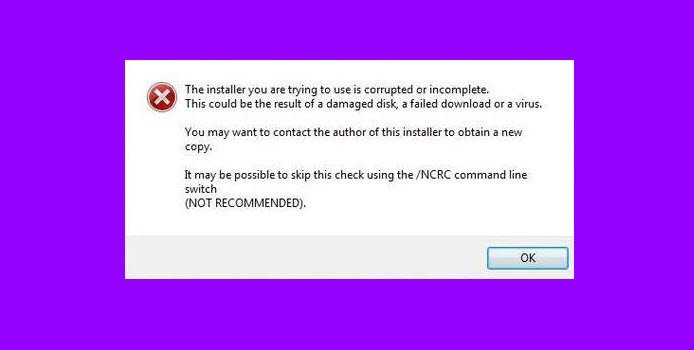
Corrupted files in Windows 11/10
So, let’s discuss what corrupted files are, what makes them corrupted, and what you can do to prevent your files from being damaged. Here are the solutions to all these problems:
What are corrupted files in Windows?
Corrupted files are files that no longer work properly. These can vary from files that you use regularly (such as pictures that you’ve imported from a digital camera) to system or program files that work behind the scenes.
Read: How to fix Corrupted System Files in Windows
What should you do if you encounter a corrupted file?
Most corrupted files can’t be repaired and you should delete or replace them. However, you can occasionally use a program to repair a corrupted file (or at least salvage some of the data within the file). Some programs of this type are available on the web.
If the file is a system or program file, you can check your hard disk for errors. If any bad files are reported, Windows might be able to repair them.
Read: How to corrupt a file in Windows
How to fix or repair corrupted files in Windows 11/10?
To repair and fix corrupted system files in Windows 11/10, you can run the System File Checker Tool. You can also run the DISM Tool to repair a corrupted system image. If the corruption has occurred to a large extent, you may need to use Reset This PC, Cloud Reset or Repair this computer features.
What if you can’t fix a corrupted file?
Either delete the file or, if you previously backed up your computer’s hard disk, try to retrieve an older version of the file to replace the corrupted version. If the corrupted file is an important system or program file, you might need to reinstall the program that the corrupted file is associated with.
Read: How to fix or repair corrupted or damaged Registry
How do I prevent files from becoming corrupted?
It’s rare for a file to become corrupted. Typically, it happens when something goes wrong while the file is being saved. For example, the program saving the file might stop working, or your computer might lose power just as the file is being saved.
You can decrease the chances of a file becoming corrupted by protecting your computer’s power with a surge suppressor or with an uninterruptible power supply (UPS). Also, always make sure you turn off your computer properly. Avoid pressing and holding the power button because it usually forces Windows to shut down abruptly.
Use proper security software on your computer such as Antivirus, Anti Spyware, etc. to protect your important files from viruses and other threats because viruses and Trojans are other major sources of file corruption on a PC.
Read: How to use System File Checker to replace a single corrupted file.

