
It’s a real pleasure to release Windows 7 Start Button Changer. This freeware portable app allows you to change the Windows 7 Start Orb or Start Button easily.

Windows 7 Start Button Changer
If you are bored with the look at the same old Windows 7 Start Orb, you can now change it easily.
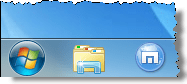
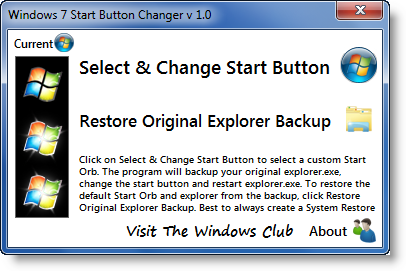
Click on Select & Change Start Button to select a custom Start Orb.
The program will backup your original explorer.exe, change the start button, and restart explorer.exe.
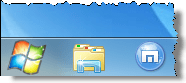
To restore the default Start Orb and explorer from the backup, click Restore Original Explorer Backup.
The next time you want to change the start orb and you start the app, it will appear like this:
NOTES:
1. Before changing from one custom orb to another custom orb, I’d suggest you first Restore Original Explorer Backup and go back to the defaults and then change over to another custom orb.
2. The program must be run from its own Program Folder.
3. Best to always create a System Restore point first. Should you face any issue, you can always restore back to a good point. Alternatively, copy-paste sfc /scannow in an elevated cmd. This will run the System File Checker and replace all corrupted system files with original system files.
4. In the rare eventuality that you lose your explorer.exe, then from your desktop, press CTRL-SHIFT-ESC to bring up the Task Manager. Click File tab > New Task > Type cmd > Click Run. In the command prompt which opens, type sfc /scannow and hit enter. Restart when asked to.
5. IF in x64 version, you receive an ‘unhandled exception‘ error, please click on Continue or try running it again ‘As an Admin‘.
6. If the Start Button does not get changed, you may have to follow these steps:
– Make sure that the program is closed.
– Manually take ownership of “C:\Windows\explorer.exe” – or you can use our UWT to do so easily.
– Run the program and select the orb. It should now work.
I have tried & tested it on Windows 7 Ultimate 32-bit, personally and it works like a charm. Right-click the program icon and ‘Run it as Admin’.
The download also includes some 10 Sample Start Orbs, whose creators have been duly credited there. If you need more, you can always search for them on DeviantArt on the internet.

Windows 7 Start Button Changer v 2.6, has been developed by our TWC Forum member Kishan for The Windows Club.
Want to change the Start Button Text? Our Start Button ToolTip Text Changer will allow you to change the tooltip text of your Start Button or Orb in Windows 7. Feel free to replace the default text ‘Start‘, with any text of your choice, in the text-box. You can replace it with your name or simply choose something witty. Want to move the Start Orb and Start Menu? Check out our Start Orb Mover!
