
When using Internet Explorer, by default, all your downloads are saved in the C:\Users\Username\Downloads folder. But if you want to change the download folder, you can do so as follows.
Change default download directory in Internet Explorer
Open Internet Explorer and press CTRL+J. This will open the View Downloads windows.
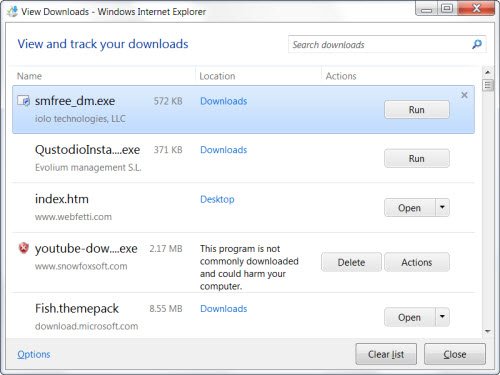
Now in the bottom left corner, click on Options.
This will open the Download Options window.
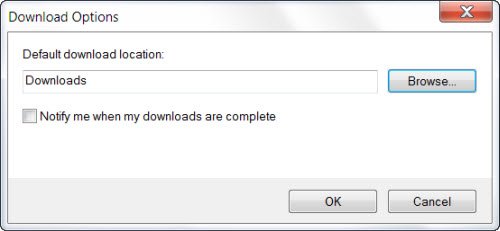
Here you will see the default download directory as Download. Click on Browse button and browse to and select the folder which you want your Internet Explorer to download and save your downloads. Click OK. Exit.
That’s it!
See how to:
How to change default installation directory in Windows may also interest you.
