
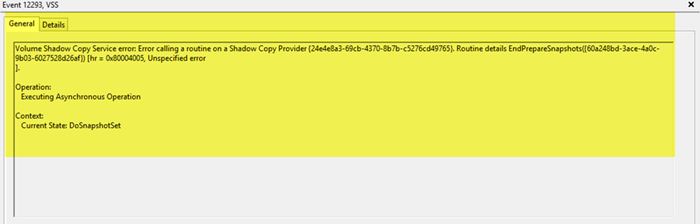
If you see an error message Volume Shadow Copy Service Error calling a routine on a Shadow Copy Provider, Event ID: 12293, and the Backup fails, then this post may help you.
The Volume Shadow Copy Service (VSS) is a set of COM interfaces that implements a framework to allow volume backups to be performed while applications on a system continue to write to the volumes
Volume Shadow Copy Service Error calling a routine on a Shadow Copy Provider
If you see this message on your Windows 11/10 computer, you need to do the following:
- Open Services Manager and ensure that the Volume Shadow Copy Service is Enabled and Started
- Run System File Checker
- Run Windows Update
- Try to perform the Backup operation in Clean Boot State.
Hope this works.
Similar errors:
- Volume Shadow Copy Service error 0x81000202 or 0x81000203
- Volume Shadow Copy Service component encountered an unexpected error 0x80042302
- Volume Shadow Copy Service errors 0x0000007E, 0x80042306, 0x80070057.
