
Losing your Windows password is a tricky situation, as you lose access to all your files and data immediately. Although Windows does offer you a few ways to recover your password instantly, if you are in a situation where Microsoft’s password recovery tools like Password Hint and Password Reset Disk aren’t helping you out, then it can be extremely challenging to get your password back.
This is where tools like Windows Password Decryptor from XenArmor can be extremely helpful. It offers a legitimate way to recover your password. Below, we discuss how to use it.
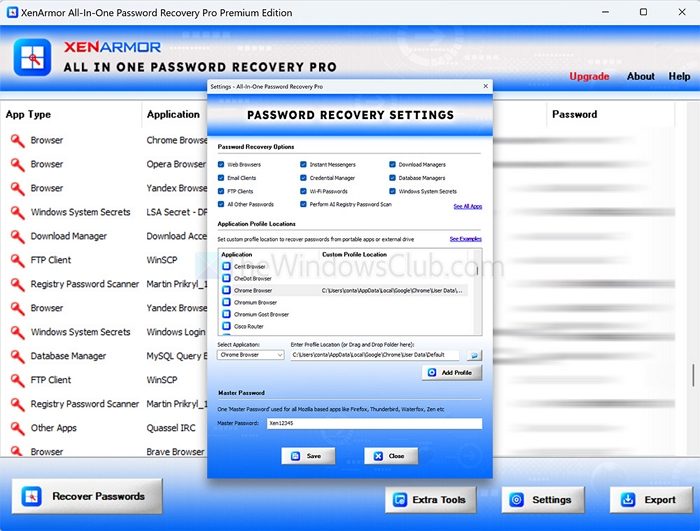
What does Windows Password Decryptor do?
Windows Password Decryptor is a free utility from XenArmor that extracts the NTLM password hash of all Windows user accounts on a system. However, it does not reveal the actual Windows password stored by Windows. Instead, after you extract the hashes, the tool can launch other tools or online services that can eventually help you recover the original password.
Read: What to do if I forgot my computer password?
How to use Windows Password Decryptor?
- First, download Windows Password Decryptor from its official website.
- Launch the tool from the downloaded folder.
- Next, click on the Recovery button, and the password hashes of all Windows user accounts will be recovered.
- Once the password hashes are recovered, select the user for which you want to recover the password, then right-click to launch online hash lookup or offline recovery tools.
- Next, you can save all recovered passwords to an HTML or text file in pwdump format.
- Finally, you can use hash lookup sites (like crackstation.net or hashes.com) and offline cracking tools (like Hashcat or RainbowCrack) to attempt password recovery if needed.
Overall, Windows Password Decryptor is a pretty useful tool for recovering your Windows password quickly. While it does not reveal the actual password, it still takes you to the end to help you find it.
TIP: Windows will help you reset your Microsoft account password directly from the login screen.
Does Windows Password Decryptor show my actual Windows password directly?
XenArmor Windows Password Decryptor does not reveal the plain-text Windows password. Instead, it extracts the NTLM password hashes stored on the system. These hashes can then be checked against online hash databases or used with offline cracking tools (such as Hashcat or RainbowCrack) to attempt recovery of the original password.
Read: Windows Password Recovery : Recover lost, forgotten Windows password
Is Windows Password Decryptor safe and legal to use?
Yes, when used responsibly. The tool is intended for legitimate purposes such as recovering access to your own computer or systems you are authorized to manage. It does not bypass Windows security remotely; it only extracts locally stored password hashes. Using it on computers or accounts without permission may violate laws or organizational policies.
Read: List of free Password Recovery tools: Windows, Browsers, Mail, Web, Wi-Fi, etc..
