
When activating your Windows computer, if you receive activation error 0x803F7001, then it means that a valid Windows 11 license couldn’t be found to activate Windows on your computer. Surprisingly there can be more than one reason why the activation failed. This guide will share possible solutions to fix Windows 11/10 Activation Error 0x803F7001. The error message you could see could be either of these two:
We can’t activate Windows on this device because you don’t have a valid digital license or product key, Error 0x803f7001
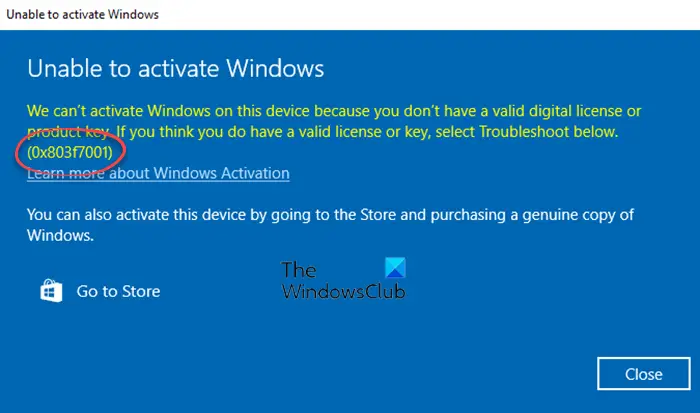
Windows 11/10 Activation Error 0x803F7001: Windows 11/10 license couldn’t be found to activate Windows on your PC.
Fix Windows Activation Error 0x803F7001
The first thing you should do is run the Windows Activation Troubleshooter.
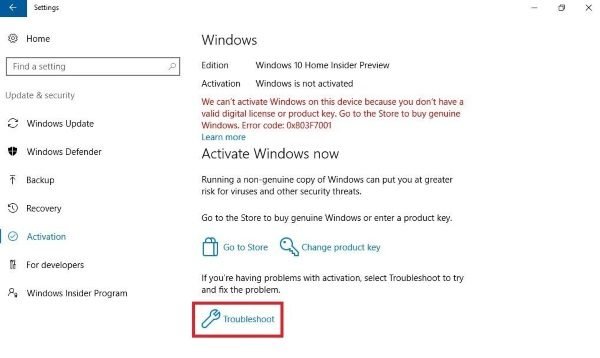
If it self-fixes, your Windows will get activated. If not, follow the steps below mentioned for different scenarios.
Is this the first time you installed Windows on this computer?
If yes, then I am assuming that you have reached the activation section, and wondered why this error. Provide the 25-character Windows product key, and activate it. If you have never bought it. Then go to the Microsoft Store and buy a Windows license.
Your Windows computer came pre-installed?
Computer manufacturers that sell computers pre-installed with Windows 11/10 ensure the copy is already activated. However, if you have received this error on your newly purchased computer, then it’s because the key wasn’t configured properly.
The best way out is to run the Activation Troubleshooter. If it doesn’t resolve the issue, contact your PC’s manufacturer.
Did you recently change the hardware? Did you use the key on a previously activated Windows?
If you have recently changed any major hardware on your computer, you will need to use the Activation Troubleshooter to resolve this. This works when you have a Microsoft account associated with the computer before changing the hardware.
If you used the same key on a previous computer that you no longer use, go to Settings > Update & Security > Activation, then select Change product key. Make sure that you are using the same Microsoft account you had on the earlier computer.
On rare occasions, your computer’s hardware may have been changed to the point that you will need a new digital license. Especially when you never had a Microsoft account associated with the computer.
TIP: More suggestions here to fix Windows Activation errors.
Installed incorrect version of Windows?
It is possible that you have reinstalled the wrong version of Windows 11/10 on your computer. Make sure to check which version of Windows and the Key match.
Let us know if any of these tips helped you resolve the Windows Activation Error 0x803F7001.
How to activate Windows 11?
You can activate Windows either online or by phone. You can also use any of the following methods to activate your copy for Windows 11 – Run Activation Troubleshooter, Use SLMGR Command, or Use your Microsoft Account.
Related error: Fix Windows Activation Error 0x803F7000.
