
Windows comes with a vast set of drivers for various functionalities. However, a few drivers are not generic and are software-specific. In this case, they are downloaded along with the software that requires them. One such case us with the Thrustmaster drivers. However, in some cases, the Thrustmaster doesn’t get downloaded. In this article, we will explain how to resolve this problem.
Download Thrustmaster Drivers for PC
What is a Thrustmaster driver?
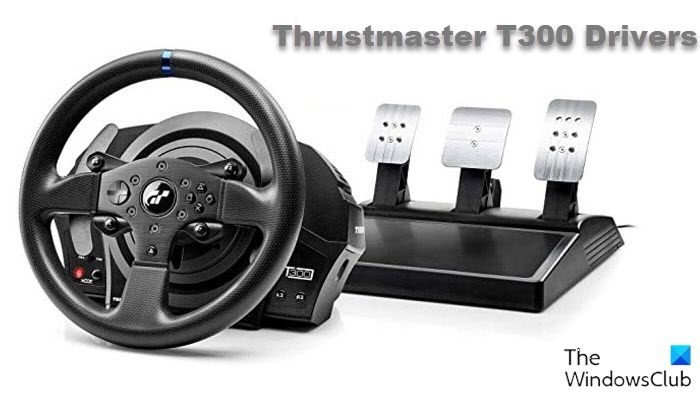
The Thrustmaster is a series of racing wheel hardware. This hardware is for those who wish to play racing games on their computer. The associated driver is the Thrustmaster driver package. These drivers are not present in the Windows operating system by default.
How are the Thrustmaster drivers downloaded?
Ideally, Thrustmaster drivers should be downloaded along with compatible games. However, while most games support the Thrustmaster racing wheel, they won’t push the drivers. Thus, you would have to download the software separately.
Where can I download drivers for Thrustmaster?
You can download drivers for Thrustmaster T300, T150, TMX, &248, T128, etc. by visiting support.thrustmaster.com.
How to download & install Thrustmaster T300 Driver on Windows PC?
The drivers for Thrustmaster T300 racing wheels can be downloaded from support.thrustmaster.com. Once you have downloaded the driver, simply run the setup file to install it. Also, if a disk comes with the Thrustmaster T300 device, you can check the software in it for drivers.
What will happen if you do not install the Thrustmaster drivers?
If you do not install the necessary Thrustmaster drivers on your computer, the racing wheel will not be visible when you try to play the game. However, if you disconnect the racing wheel’s hardware and launch the game again, the wheels would be visible and could be managed through the keyboard or joystick.
Why do we need drivers for Windows?
Drivers are needed for communication between the hardware and the system’s software. The languages used by the hardware and software of a computer are different. Drivers convert that language. There are drivers for every hardware device associated with a computer.
How to update drivers in Windows?
Drivers are updated on a Windows computer directly through Windows Updates. However, you have other ways too:
- You may check for Driver Updates via Windows Update to update your drivers
- You may visit the manufacturer’s site to download the drivers.
- Use a free driver update software
- If you have the INF driver file already on your computer then:
- Open Device Manager.
- Click the driver category to expand the menu.
- Then choose the relevant driver and right-click on it.
- Select Update Driver.
- Follow the on-screen wizard to finish updating your audio drivers.
What happens if a driver is corrupt?
If a driver is corrupt or obsolete, then the communication between the hardware and software gets impacted. It can cause hardware issues, and its function could cease completely as well. Updating drivers regularly is important.
