
The Task Manager is good at revealing the number of processes running in Windows 11 or Windows 10. It also leads to confusion among users when they appear as one of the top processes consuming power; then, it causes concern. It becomes even more concerning when the computer slows down. In this post, we are talking about the CSISYNCCLIENT.EXE process in Windows 11/10.
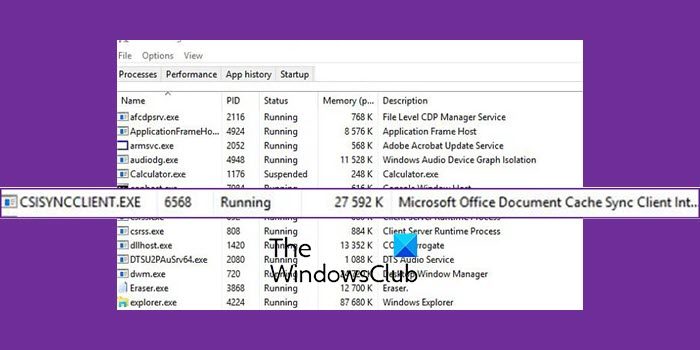
What is the CSISYNCCLIENT.EXE process in Windows?
CSISYNCCLIENT.EXE is related to the Microsoft Office Document Cache Sync Client Interface, part of the Microsoft Office suite. The process keeps running because the file is synced back to the cloud as you keep making changes. The process ensures that if the files sync properly before you close, they will sync later. Without this program, files can be damaged or corrupt your Office document cache.
If you wonder why this process uses high CPU, it’s mostly because it is stuck or has been marked by the security software. Restarting OneDrive and the Office application should help. Here is how you can fix the high-CPU usage problem:
- Allow the program in the security software
- Repair Office application
- System Restore
How to fix Office Document Cache?
There are three ways to do this. Perform a clean boot, reboot, and sync or clear the cache files. The last part is usually handled by the Office application. It will repair the document cache when it detects the problem, but if it’s stuck, deleting them allows Office to repair itself by replacing the corrupt files. The upload center allows you to clear the cache files to start over manually.
Is it OK to delete the Office file cache?
Usually no. The cache files are needed to maintain a backup and ensure the cloud upload is successful in case anything is interrupted. However, if the sync has stopped working, even if a reboot doesn’t work, you can delete the cache file to make the upload work.
Read: What is dasHost.exe? Should I allow dasHost.exe internet access?
Can I stop or remove csisyncclient.exe?
It would help if you did not do either of them. While you can kill csisyncclient.exe in Task Manager, it is only advisable if the process is consuming a lot of resources and the PC is slowing down. It is not possible to do that until you uninstall Office from the laptop or PC.
I hope the post was easy to follow, and you were able to the CSISYNCCLIENT.EXE process in Windows 11/10.
