
To help you stay updated with today’s fast-moving digital world, we’ve put together a list of the best free AI automation workflow tools that work seamlessly on Windows 11/10 PCs.
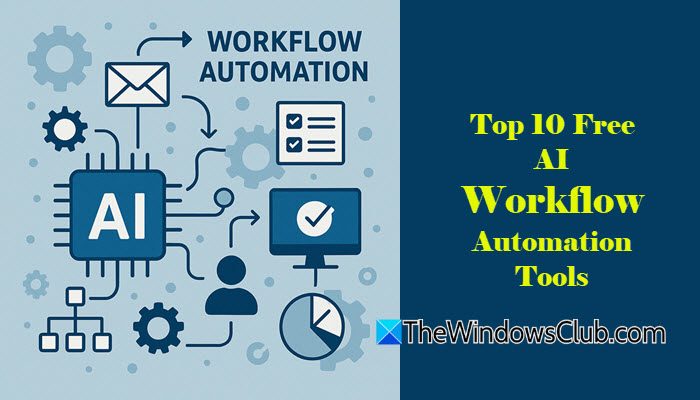
Unlike traditional automation tools that follow strict, rule-based workflows, AI-driven tools use large language models to think, interpret, and respond intelligently. They can understand text, classify content, and take smart, context-aware notes. They can also act as autonomous agents that handle repetitive tasks on your behalf, so you can focus your time and energy on what’s truly important.
What is Workflow Automation?
Workflow automation means using software to simplify and speed up routine tasks. It replaces manual steps such as copying data, sending emails, or updating files with automated actions. Once you set the rules, the system runs the process automatically. This saves time and keeps work more organized and consistent.
Top 10 Free AI Workflow Automation Tools
Here are the top 10 free AI workflow automation tools you must try:
- n8n
- Node-RED
- Activepieces
- Windmill
- Apache Airflow
- Directus
- Flowise
- Automa
- Huginn
- StackStorm
Let us see these in detail.
1] n8n

n8n is an open-source workflow automation tool designed for technical teams seeking control, flexibility, and scalability in automating tasks and processes. It allows connecting over 500 apps, APIs, and AI models into multi-step workflows without heavy coding.
AI in n8n isn’t just a plug-in feature. The platform allows you to embed large language models (LLMs) and other AI services directly into your workflows. This means you can build workflows that don’t just move data around, but also interpret, generate, and make decisions using AI.
With a community library of over 4,000 ready-made templates, n8n makes it easy to build and customise workflows for almost any use case. You can run it on the cloud or self-host it on your own server for full control over your data. Visit n8n.io to learn more.
2] Node-RED
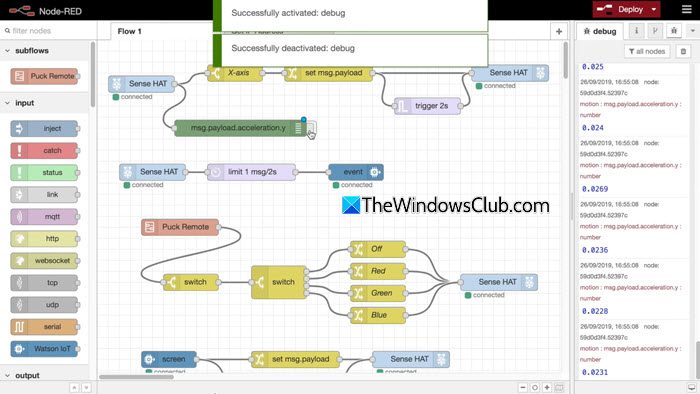
Node-RED is a low-code, open-source tool for building event-driven automation workflows. It offers a browser-based flow editor that lets you design powerful workflows through a simple drag-and-connect interface.
Node-RED’s AI capabilities come from its rich ecosystem of community-contributed nodes, including integrations for OpenAI and TensorFlow. Instead of a single bundled AI module, you have the flexibility to assemble your own AI stack (ideal for developers who prefer full control when building agents that use memory, vector databases, or retrieval systems).
You can deploy Node-RED on Windows, Raspberry Pi, Linux servers, or even inside Docker containers. It’s lightweight, reliable, and ideal for building smart dashboards, IoT workflows, or custom AI-enhanced automations. Visit nodered.org to get started.
3] Activepieces

Activepieces is an open-source no-code automation platform designed for everyday users. It works like Zapier but is completely free and self-hostable.
Activepieces takes an AI-first approach, offering built-in AI agents that make workflows smarter and more capable. These agents can understand text, summarize information, extract data, draft content, classify inputs, and make decisions inside a workflow. Instead of relying only on manual triggers or fixed rules, Activepieces lets AI analyze the context and choose the right action. This makes your automations more intelligent and reduces the need for complicated logic or coding.
Visit activepieces.com for more details.
4] Windmill
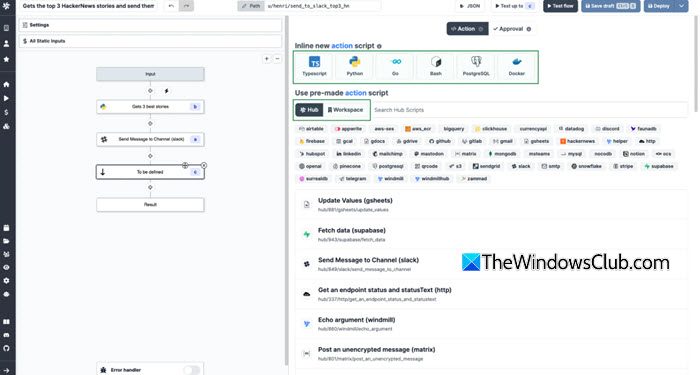
Windmill is another open-source, developer-friendly automation tool designed for teams that want scalable and script-based workflows. It is one of the fastest and most efficient tools for running automated jobs on your own system.
Windmill is built around real code. It lets you write Python, TypeScript, or Go scripts directly inside your workflows and turns them into auto-generated UIs, APIs and cron jobs. It can build and deploy software much faster with its ready-to-use environment and run tasks with high reliability through detailed logging, monitoring.
Visit windmill.dev to learn more.
5] Apache Airflow
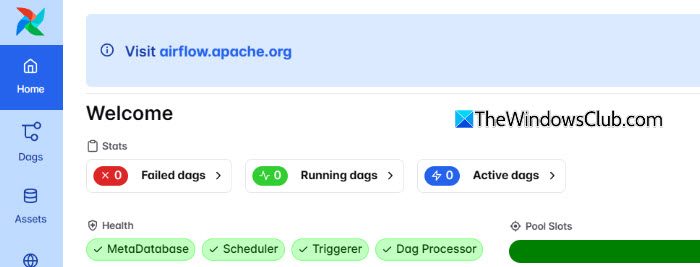
Apache Airflow is an open-source platform that lets you create, schedule, and monitor workflows in the form of DAGs (Directed Acyclic Graphs). It’s widely used by data teams to run pipelines that move, process, and analyze large amounts of data.
Airflow does not include built-in AI models, but it plays an important role in running AI and machine-learning pipelines. You can schedule tasks like data preprocessing, model training, evaluation, and deployment using Airflow’s DAGs. It orchestrates these steps in the correct order, making sure your AI workflows run reliably and automatically.
Apache Airflow was originally created by Airbnb and is now one of the most widely used tools in data engineering and machine learning pipelines. Visit airflow.apache.org to learn more.
6] Directus
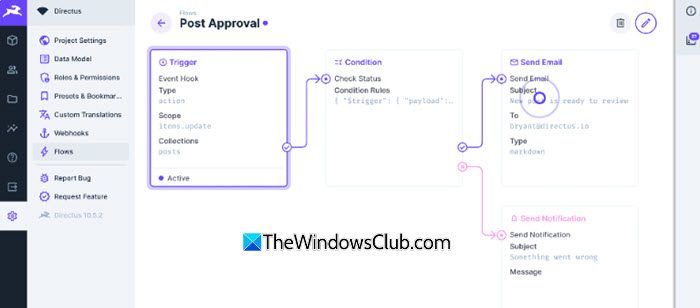
Directus is an open-source data platform that sits on top of any SQL database and instantly turns it into a powerful API and backend system. It lets you create collections, automate events, and build workflows without writing heavy backend code.
AI works in Directus through its Flows automation engine. Flows let you trigger actions whenever data is added, updated, or requested. By connecting Directus to AI models like OpenAI or other LLMs, you can add features such as auto-tagging content, summarising text, generating product descriptions, cleaning data, or predicting values based on what’s stored in your database.
Visit directus.io for details.
7] Flowise
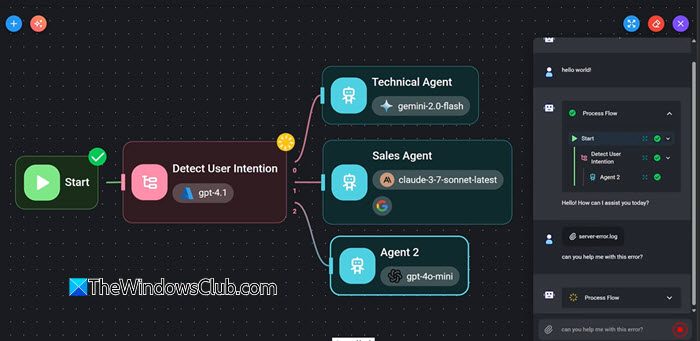
Flowise is a low-code, AI app builder that lets you visually chain multiple AI functions into a complete automated system. It uses LangChain under the hood and supports multiple AI models, including OpenAI, Claude, and Llama 3, for creating AI agents, chatbots, and RAG (Retrieval-Augmented Generation) apps.
Flowise supports chat assistance, allowing you to build custom AI chatbots that answer questions from documents, websites, or your internal data. It also enables human-in-the-loop control, so you can add approval steps where a human reviews AI responses or decisions before they are sent or executed.
Flowise is popular among developers who want to build AI apps quickly without manually coding every component. Visit flowiseai.com to begin.
8] Automa
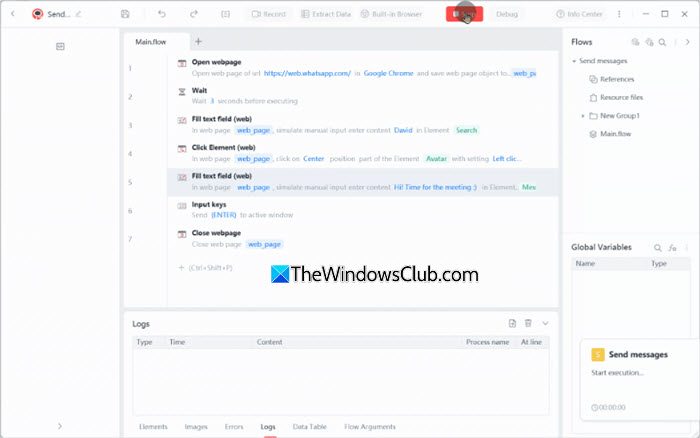
For those of you who want to automate repetitive browser tasks without coding, Automa is an excellent choice. It is a free, open-source Chrome extension that lets you build visual workflows to automate actions such as clicking buttons, scraping data, filling forms, downloading files, and navigating website pages.
Automa uses AI to make smarter decisions while running your browser workflows. Instead of just clicking or scraping based on fixed rules, it can analyse content, choose actions, and adapt when a page changes. Visit automa.site for more information.
9] Huginn
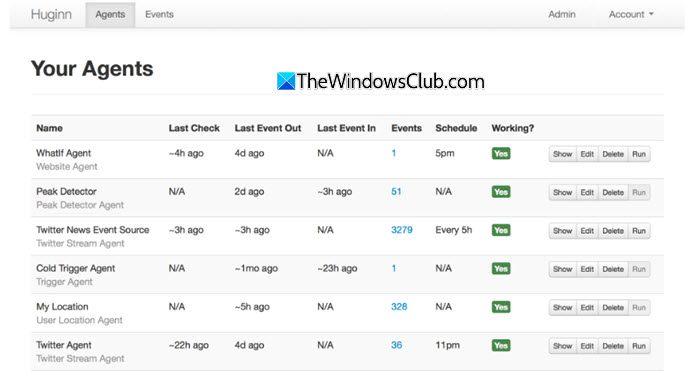
Huginn is an open-source automation tool that lets you build personal AI agents to monitor websites, APIs, emails, RSS feeds, and more. It works like a private version of IFTTT, but far more powerful and customizable.
With AI connected, Huginn becomes a personal AI monitoring system that can watch the web for you and act on information autonomously. For example, it can monitor news sites for specific keywords and automatically send you an alert or summary when something important appears.
Visit huginn on GitHub to get started.
10] StackStorm
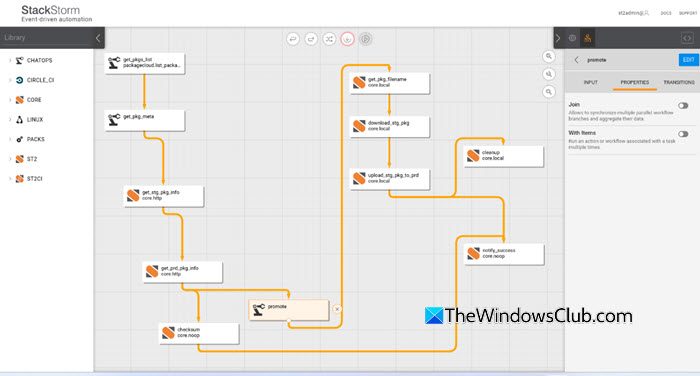
StackStorm is an event-driven automation platform built for DevOps and IT teams. It connects systems, reacts to specific triggers, and automates tasks like deployments, alerts, server maintenance, or incident response.
StackStorm also includes a built-in Workflow Designer, which lets you create and edit workflows visually without writing YAML or code. This makes it much easier for users to build automation flows, understand task connections, and update complex processes with just a few clicks.
Visit stackstorm.com to learn more.
That’s all! I hope you find this useful.
Read: How to use Power Automate Desktop to create a UI workflow.
How can AI automate workflows?
AI can automate workflows by understanding natural-language instructions and performing tasks without strict rules. It can read and analyse documents, extract useful information, and generate summaries or content automatically. AI can also make decisions based on patterns, trigger actions on its own, and run tasks continuously like an assistant.
Read Next: Lindy.ai Review — The No-Code LLM AI Assistant for Workflow Automation.
