
VALORANT users are complaining that the game is displaying a strange error message while attempting to install the latest game patch. It is saying This game is not available on your operating system. In this article, we will address the error with some simple solutions.
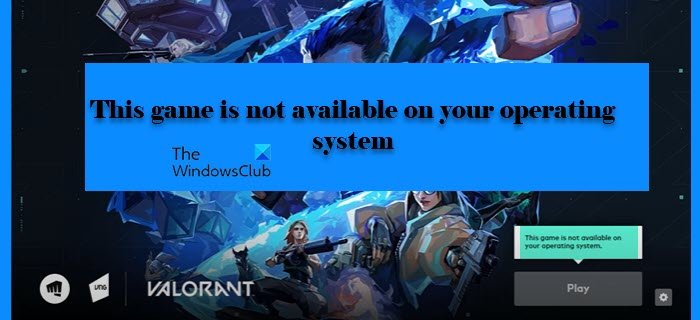
Why does it say This game is not available on your operating system?
Apart from the usual reasons for this error such as outdated graphics drivers, outdated Windows version, etc, the computer not booting properly is another reason why you may see this error. Corrupted app data is another reason why you may see this error. We will cover all potential solutions.
Valorant error This game is not available on your Operating System
If you are seeing ‘This game is not available on your Operating System’ in Valorant, then, first of all, restart your computer and see if the issue persists. If the issue persists, update your Windows and see if the problem is resolved. If it doesn’t. use the solutions given below to resolve the issue.
- Update Graphics Driver
- Run Valorant in Compatibility Mode
- Delete Local App Data
Let’s discuss them in detail.
1] Update Graphics Driver
Let’s start with the most obvious solution of them all. If a game is not able to run properly, it is crashing or showing an error message then the first thing you have to do is update the Graphics Driver on your computer. You can download the latest version of the driver from the OEM’s official website.
2] Run Valorant in Compatibility Mode
If the issue is because of the game being incompatible, then use the following steps to make it run in Compatibility mode.
- Right-click on the Valorant shortcut and select Properties.
- Go to the Compatibility tab.
- Tick ‘Run this program in compatibility mode for’ and select Windows 8 from the drop-down menu.
Now, restart your computer and open the game and see if the issue persists.
3] Delete Local App Data
Sometimes, corrupted app data is one of the reasons why you may see this error. Hence, you should remove all the App Data and reopen the game.
Before deleting the App Data, you need to close the program. To do that, open Task Manager from the Start Menu, look for Valorant, right-click on it, and select End Task.
Now, open Run and paste the following location.
%localappdata%\VALORANT\Saved
Go to Valorant > Saved and delete all files of Config and Logs.
Finally, relaunch the game and see if the issue persists.
What are the System Requirements to run Valorant?
The following are the system requirements to run Valorant
- Operating System: Window 7 or above
- Processor: Intel Core 2 DUO E8400
- RAM: 4 GB
- Graphics: Intel HD 4000
Why isn’t Valorant available on my operating system?
If you are using an old version of Windows 10, you may find this error. In other words, Valorant is available on older versions of Windows, including the initial releases of Windows 10. You need to have the latest version of Windows, specifically Windows 11, to download and install this game on your computer. Otherwise, you will encounter the error above.
Read Next:
