When managing VMs hosted on VirtualBox, you may experience system failures, and when investigating the issue, you may notice the Event Viewer log with Event ID 7034. The following is the exact error message associated with the Event Log.
The VirtualBox system service service terminated unexpectedly. It has done this 1 time(s)
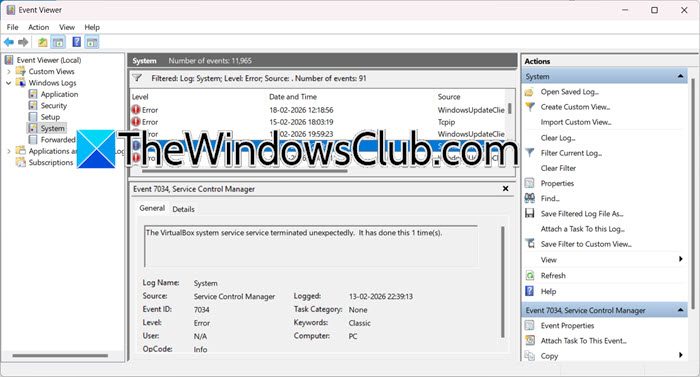
Event ID 7034, The VirtualBox system service service terminated unexpectedly
This error happens when the VirtualBox System Service (VBoxSDS) crashes. This service runs in the background and helps share USB devices and keep time in sync between your main computer and the virtual machines. The crash usually occurs due to power issues with USB controllers, problems with your VirtualBox setup, or driver conflicts after Windows 11 updates. As a result, any running virtual machines (VMs) might freeze, fail to recognize USB devices, or shut down suddenly to avoid data loss. You may also find that you can’t start new VMs until you restart the service.
If your Event Log says The VirtualBox system service service terminated unexpectedly, you need to follow the solutions mentioned below.
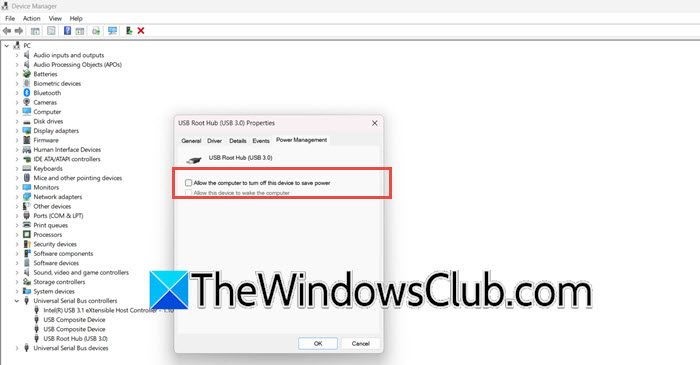
- Disable USB Power Saving for Root Hubs
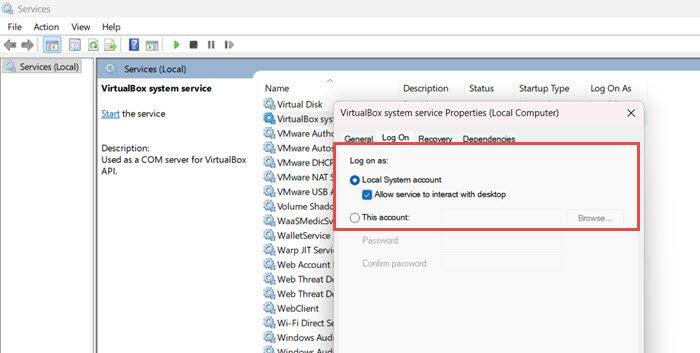
- Change the Service Logon Account
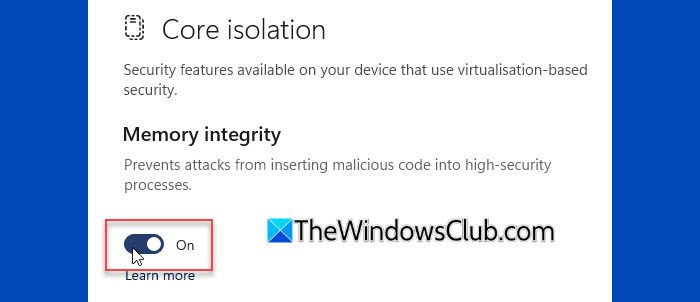
- Disable Hyper-V and Core Isolation/Memory Integrity
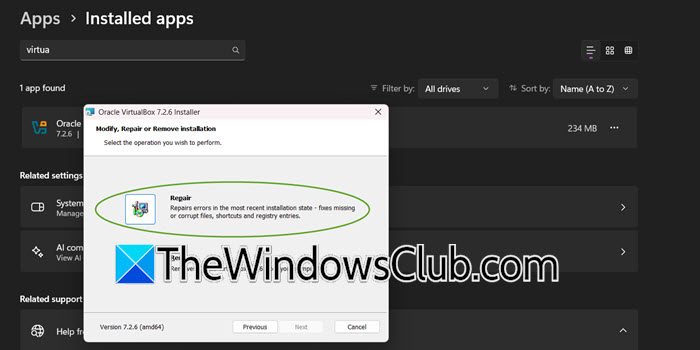
- Run a Repair or Perform a Clean Reinstall of VirtualBox
Let us talk about them in detail.
1] Disable USB Power Saving for Root Hubs