
When trying to use System Restore, if you receive an error—The parameter is incorrect, Error 0x80070057 on Windows 11/10, then this post will help you. The error indicates an unexpected issue and asks you to close the System Restore program and try again.
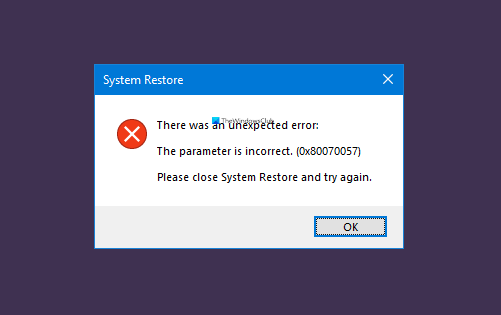
The parameter is incorrect, Error 0x80070057 when using System Restore
Apart from re-running the System Restore, here are the following suggestions you can try to fix the problem where your System Restore is not working properly.
- Run DISM and SFC
- Run System Restore from Advanced Recovery
You will need admin permissions or someone who knows how to use the advanced section of the computer correctly.
Run DISM and SFC
Both of these commands can help you fix system file issues that could be resulting in the error. Since it’s an unexpected close, it is possible a corrupted file might be resulting in the interruption.
Open a command prompt with admin privileges, and run the following commands one by one.
1] Run DISM
Dism /Online /Cleanup-Image /RestoreHealth
You can also use options such as /ScanHealth and /CheckHealth to confirm if anything is wrong. It will take around 15-20 minutes to complete the process.
2] Run SFC
sfc /scannow
SFC or System File Checker detects any change in the protected system file, i.e., registry, and restores from backup copy located in the Windows folder itself.
Run System Restore from Advanced Recovery
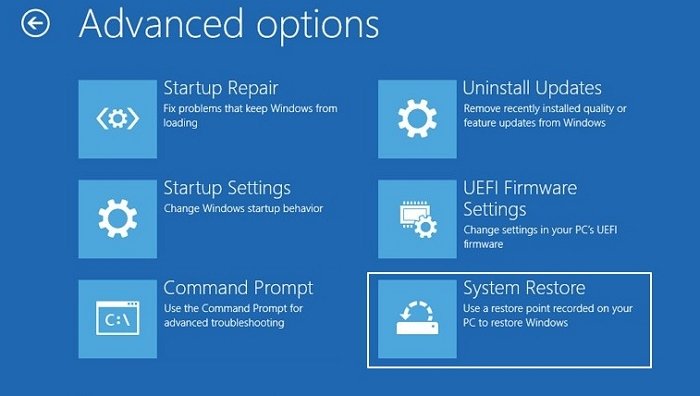
If the above solution doesn’t fix the problem, we suggest booting to Advanced Recovery using a bootable Windows 11/10 USB Drive.
- Open Windows Settings
- Navigate to System > Recovery > Advanced Startup
- Click on the Restart button to boot into the advanced recovery
- On the Choose an option screen, select Troubleshoot > Advanced Options
- Select System Restore
Since this method will prevent third-party conflicts, the system restoration should work as expected.
There is a similar error that occurs when one tries to restore Windows using System Image.
I hope the post is easy to follow and that you were able to fix the problem with Error 0x80070057 on Windows 11/10 when using System Restore.
