
Google Calendar and Outlook Calendar are the most predominant calendars used today as daily reminders. Most often, your daily activities require you to maintain multiple calendars for both business and personal use. Some might prefer to keep Google Calendar for personal events and use Microsoft Outlook Calendar for special business tasks, appointments, and other commitments. For whatever reason, you may prefer to use different calendar services to serve different purposes.
Pitfalls of using multiple Calendar Services
Managing multiple calendars is not easy, and it requires you to shuffle between the two calendars to keep track of daily reminders both for work and personal events. Moreover, we all don’t want to miss out on any important reminders from both of these calendars, and the most appropriate thing to do in this case is to sync your Google Calendar and Outlook Calendar so that you will be updated with all the reminders.
How to sync Outlook Calendar with Google Calendar
However, there is no straightforward way to merge reminders between these two calendars because they are on different platforms. Earlier, Google Calendar sync allowed you to sync your Google Calendar with Outlook Calendar. But later in 2013, Google discontinued Calendar Synch with Outlook. Nevertheless, many third-party tools help make calendar management easier by synchronizing calendars and sending pop-up notifications. In this article, we round up some of the best software to sync Outlook and Google Calendar
1] Microsoft Flow
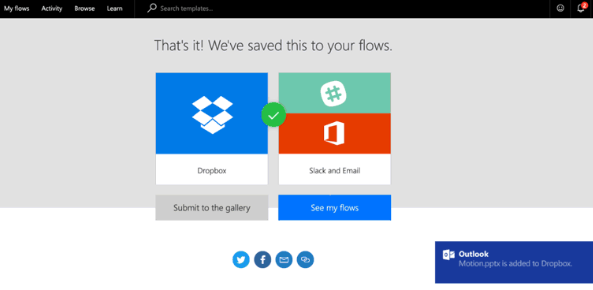
Microsoft Flow is a cloud-based service that lets you create automated workflows that connect two or more applications to keep data synchronized. Microsoft Flow offers a wide range of new templates to help you synchronize and merge events across calendars on all platforms. It tracks all changes to the events. To set up calendar synchronization in Microsoft Flow, first create two workflows using the Microsoft Flow templates.
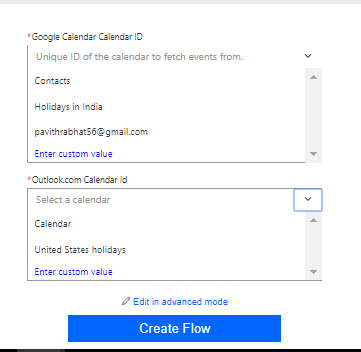
Create the first flow to sync events from Google Calendar to Outlook.com Calendar and the second flow to sync events from Outlook.com Calendar to Google Calendar. The two flows are required to enable bidirectional synchronization of calendar reminders between Google Calendar and Outlook. The Microsoft Flow synchronizes changes to events between Google Calendar and the Outlook.com calendar, including adding, updating, and deleting events. Use this service here.
2] CalendarSyncPlus
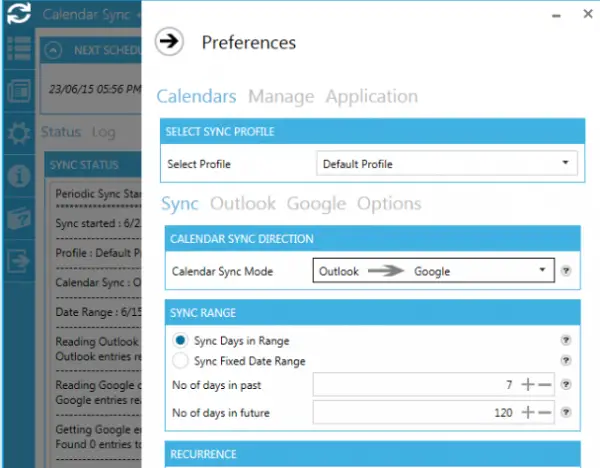
Calendar Sync Plus is free software that synchronizes Google Calendar entries to Outlook calendar and vice versa. It synchronizes the reminders, availability, event details, and more in both directions. Calendar Sync Plus allows you to set up sync frequency to either daily, weekly, or an interval. Additionally, you can set Outlook categories, event colors, and also allow you to set the specified days in a range or a fixed date range for synchronization. It supports both automatic and manual synchronization. Download this software here.
3] Outlook Google Calendar Sync
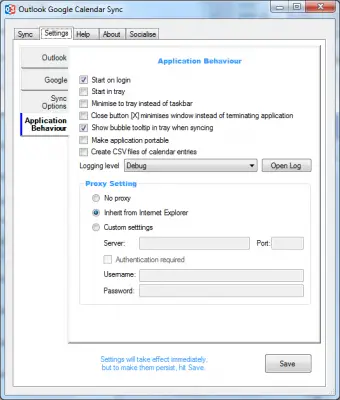
Outlook Google Calendar Sync is free software that works with all versions of Outlook. It synchronizes calendar events, reminders, location, and attendees between Outlook and Google, and vice versa. It also supports bi-directional synchronization between Outlook and Google Calendar. Outlook Google Calendar sync synchronizes recurring items as a series and lets you set the frequency of automatic syncs, including push sync from Outlook.
The software tracks duplicate events and notifies you before deleting them. Additionally, you can conceal custom words for privacy and set items as private in the target calendar if you have security concerns. Download this software here.
4] Calendar Sync for Outlook and Google Calendar
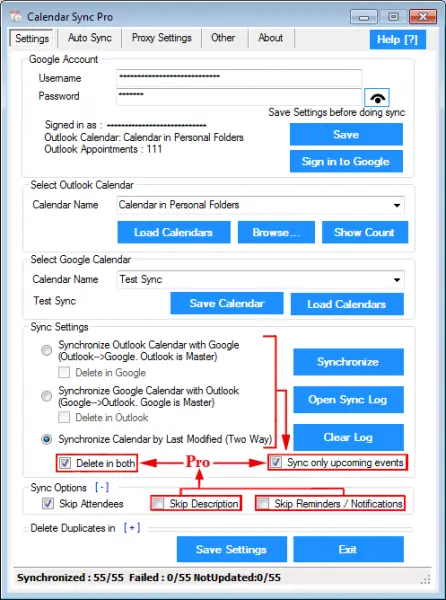
Unlike the software mentioned above, Calendar Sync is a one-way sync program that lets you either sync events from Google Calendar to Outlook with Google Calendar as the master, or from Outlook to Google Calendar with Outlook as the master. The Software is available in both free and paid versions.
The free version of the software allows syncing appointments and events. The pro version of the software has more advantages than the free version which supports bi-directional movements of all the events and offers unlimited synchronization of appointments and events. Calendar Sync allows you to sync Outlook colors and categories with Google Calendar and lets you set a fixed interval to automate background syncing. Additionally, the software allows to mask custom words for privacy and force the items as private in the target calendar if you have security concerns. Use this software here.
5. Gsuite Sync for Microsoft Outlook Calendar
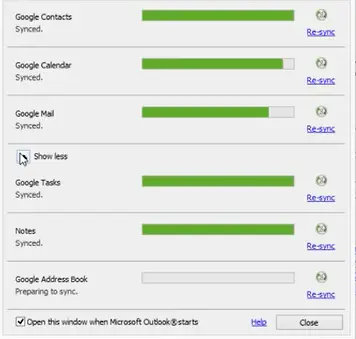
Gsuite Sync for Microsoft Outlook Calendar allows you to use Microsft Outlook with a G Suite tool that includes Google apps like Docs, Google Calendar, Gmail, and Google Drive. It syncs calendar events, attendees, locations, and reminders to Google from Microsoft Outlook. It enables real-time collaboration and lets you share your Google Calendar with other Outlook users. It supports Google’s two-step authentication and SSO. Use this service here.
Which is better Google Calendar or MS Outlook Calendar?
Both Outlook and Google Calendars have a lot of similarities. For example, both calendars allow you to schedule a meeting or appointment, add delegate calendar access, and make a calendar public by publishing it online. You can also add multiple calendars to both Outlook and Google Calendars. Hence, we cannot say directly which calendar is better as it depends on users. You can use the calendar you are more familiar with.
How do I import my Outlook Calendar into Google Calendar?
You can easily import your Outlook Calendar into Google Calendar. Open Outlook and switch to the Calendar tab. Now, go to “File > Save Calendar.” While saving the calendar, click More Options to select the date range. The calendar will be saved as an ICS file. Now, open your Google Calendar Settings and select Import & Export category from the left side. Select the calendar file from your computer and click Import.
Read next: How to sync Outlook and Gmail contacts.
