
To improve an AI agent’s performance, the typical approach is to fine-tune the model, which requires training data and resources. Microsoft’s SkillOpt offers a different approach by enhancing a text-based skill file instead of retraining the model. In this post, we will see how to use SkillOpt to enable the LLM agent to learn new skills without fine-tuning.
How does SkillOpt enable LLM Agents to learn new Skills without fine-tuning?
SkillOpt is an open-source project from Microsoft Research that helps AI agents improve their performance without modifying model weights. It works by continuously refining a skill document, a set of instructions that tells the AI how to approach a task. During training, SkillOpt evaluates the agent’s performance, analyzes mistakes, updates the skill document, and retains only improvements that outperform previous versions. The final result is a file called best_skill.md, which can be reused with the same model or even different compatible models.
To use SkillOpt to enable the LLM agent, follow the steps mentioned below.
- Meet the system requirements
- Install Python
- Install SkillOpt
- Configure API Key
- Run your first SkillOpt training job
Let us talk about them in detail.
1] Meet the system requirements
Before installing SkillOpt, make sure you have:
- Windows 11 or Windows 10
- Python 3.10 or later
- Pip package manager
- An API key for a supported AI provider such as OpenAI, Azure OpenAI, Anthropic Claude, Qwen, or MiniMax
- Internet connection
If your system requirements are met, start the setup.
2] Install Python
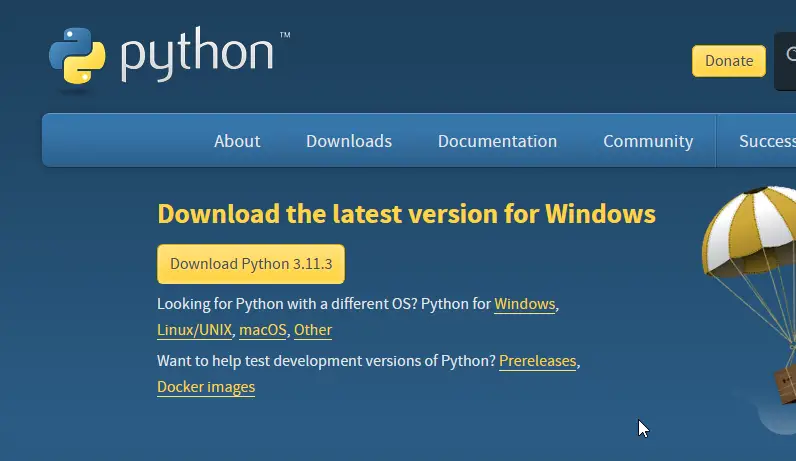
If Python is not already installed, go ahead and install it using the steps mentioned below.
- Go to python.org.
- Now, download the latest Python 3 release.
- Run the installer.
- Make sure to select Add Python to PATH.
- Finally, complete the installation.
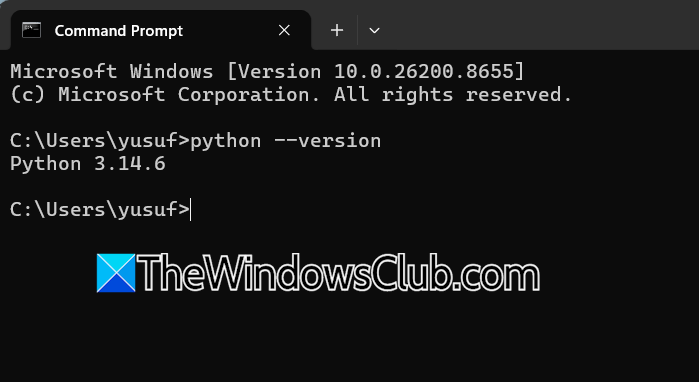
To verify the installation, open Command Prompt and run python –version.
You should see the installed Python version displayed.
3] Install SkillOpt
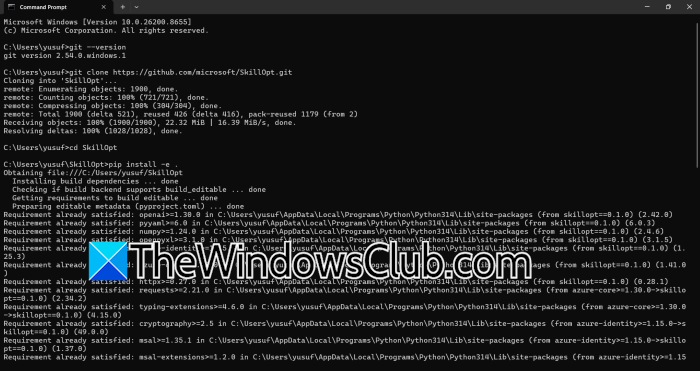
To install SkillOpt, we need to first download Git from its official website. So, go to git-scm.com and download the tool from there.
Once the installation is completed, verify it by running the command – git –version.
Now, download the SkillOpt repository from the Command Prompt using the command – git clone https://github.com/microsoft/SkillOpt.git. Move into the project folder using the Change Directory command – cd SkillOpt.
Microsoft recommends installing SkillOpt directly from the cloned repository rather than relying on the PyPI package alone. To install SkillOpt, run pip install -e . as it would install the utility and its dependencies in editable mode. If you want support for the optional ALFWorld benchmark, run:
pip install -e ".[alfworld]"
This way, we can install SkillOpt.
4] Configure API Key
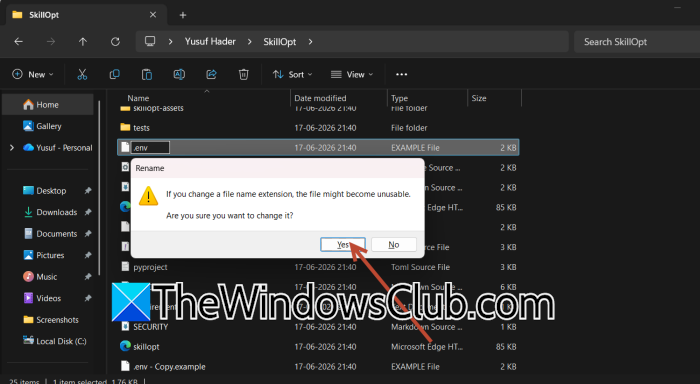
SkillOpt requires access to a supported language model. In this step, we will configure the API key for the Language Model you will use.
Inside the SkillOpt folder, locate the file – .env.example
Create a copy and rename it to .env.
Open the file in a text editor and enter your API credentials.
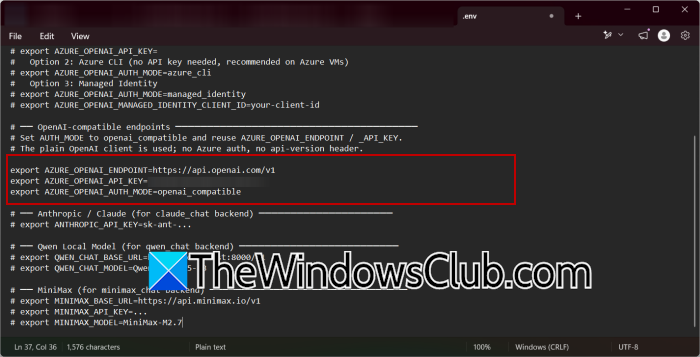
For OpenAI-compatible endpoints:
AZURE_OPENAI_ENDPOINT=https://api.openai.com/v1
AZURE_OPENAI_API_KEY=your_api_key
AZURE_OPENAI_AUTH_MODE=openai_compatible
For Azure OpenAI:
AZURE_OPENAI_ENDPOINT=https://your-resource.openai.azure.com/
AZURE_OPENAI_API_KEY=your_api_key
Save the file when finished.
5] Run your first SkillOpt training job
Once the API credentials are configured, you can start a SkillOpt training job.
Open Command Prompt and navigate to the SkillOpt folder.
Now run the following command.
python scripts/train.py
Depending on the benchmark and model configuration you want to use, you may need to provide additional parameters as documented in the project repository.
During training, SkillOpt repeatedly performs the following actions.
- Runs tasks using the current skill document.
- Evaluates successful and failed attempts.
- Generates improvements to the skill instructions.
- Test the updated version against validation tasks.
- Keeps only the changes that improve performance.
The process continues through multiple training rounds until the best-performing skill document is generated.
Since SkillOpt relies on external AI models, the training duration depends on the model being used, the dataset size, and the number of optimization rounds.
Read: How to stop your Data from being used to train AI
How do skills work in LLM?
Skills in a Large Language Model (LLM) are task-specific instructions, patterns, or capabilities that help the model perform particular activities such as coding, summarization, reasoning, or data analysis. These skills can come from the model’s training data, fine-tuning, or external instruction files. Tools like SkillOpt improve an agent’s skills by refining the instructions it follows rather than changing the model itself. This allows the AI to perform tasks more effectively while keeping the underlying language model unchanged.
Read: How to build AI Agent: Beginners Guide from Microsoft
What are the 4 types of LLM?
Large Language Models are commonly grouped into four categories: general-purpose LLMs, instruction-tuned LLMs, domain-specific LLMs, and multimodal LLMs. General-purpose models are trained on broad datasets and can handle various tasks. Instruction-tuned models are optimized to follow user commands more accurately. Domain-specific models are trained for specialized fields such as healthcare, finance, or law. Multimodal LLMs can process and generate multiple types of content, including text, images, audio, and video.
Also Read: Set Up and Use OpenClaw on Windows PC.
