
If your Recycle Bin is corrupted, you can face various problems when using it. The Recycle Bin may not show the files that you may have deleted from your File Explorer, or you may be unable to delete the files in the Recycle Bin – or even empty the Recycle Bin completely. Sometimes, you may see Recycle Bin on C:\ is corrupted message or even receive an Access Denied or a Corrupt Recycle Bin error message.
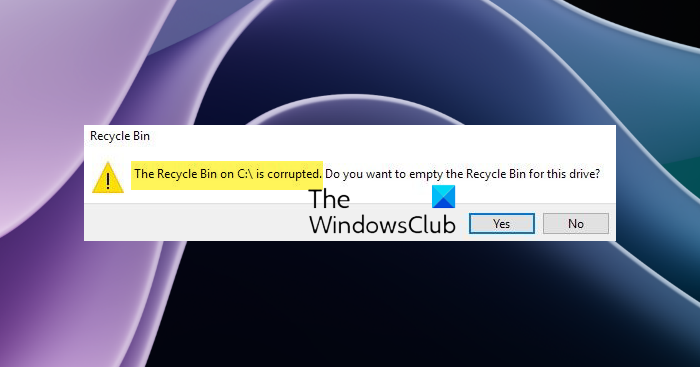
In such a situation, you may need to repair or reset the Recycle Bin.
Recycle Bin is corrupted in Windows 11/10
Each drive on Windows has a hidden and protected system folder called $Recycle.bin. If you use the Unhide option from the Folder Options, you will be able to see this folder. When you delete files or folders from your desktop or any other folder, they are moved to the Recycle Bin folder for holding. But you may encounter a problem in which your Recycle Bin becomes corrupted, and you must repair or reset it.
If you repair or reset it, the Recycle Bin folder in Windows 11/10 gets deleted. Windows will automatically create a new $Recycle.bin folder.
Reset Recycle Bin in Windows 11/10
To reset the Recycle Bin, open an elevated Command Prompt window from the Win+X menu in Windows 11/10. Then type the following command and hit ENTER:
rd /s /q C:\$Recycle.bin
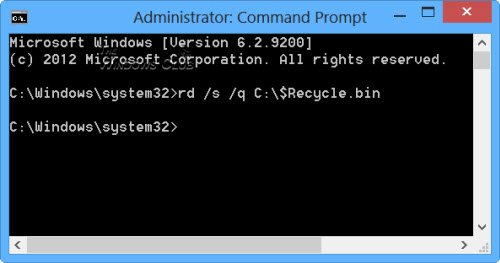
This ‘rd’ command will reset the $Recycle.bin folder which is present on the C drive.
You will have to do this for every partition on your hard disk, by replacing C with the drive letter/s.
Be careful in using the correct command, lest you end up deleting the wrong files or directory!
Once you do this, the Recycle Bin folder and all the files and folders in it will be deleted. On computer restart, Windows will recreate a new Recycle Bin for you.
You can also use FixWin to repair the Recycle Bin
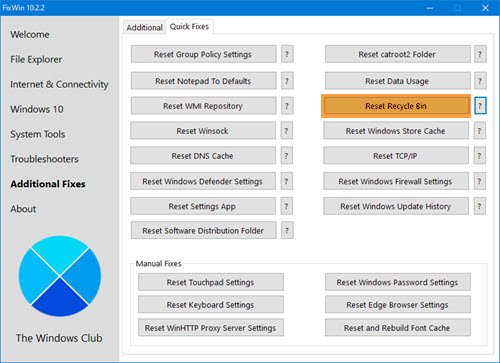
Download and use our freeware FixWin to repair the Recycle Bin with a click.
The program is portable and so does not have to be installed. Simply right-click on FixWin.exe and select Run as administrator.
Select the Additional Fixes section.
Next, choose the Quick fixes tab.
There, you will see the Reset Recycle Bin button. Simply click on it and wait for the fix to run.
The file or directory \$RECYCLE.BIN is corrupt and unreadable
If you see The file or directory $RECYCLE.BIN is corrupt and unreadable, open Command Prompt as Administrator, run chkdsk c: /f /r to repair disk errors, then delete the corrupted Recycle Bin folder using rd /s /q X:\$Recycle.bin. Windows will recreate it automatically after a reboot. This will repair the corrupted Recycle Bin.
What is the $RECYCLE.BIN folder in Windows?
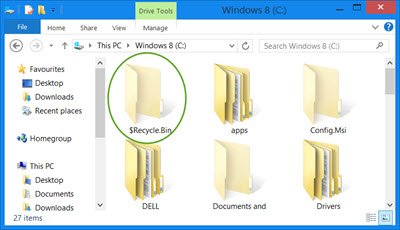
$RECYCLE.BIN is a hidden system folder in Windows that temporarily stores deleted files and folders before they are permanently removed. It is a hidden and protected System folder that is automatically created on every drive (C:, D:, etc.) in Windows.
These posts may also help you:
- Deleted files keep coming back to Recycle Bin.
- Recycle Bin icon does not refresh automatically.
- File does not have a program associated with it for performing this action – Recycle bin error.
