
Several of the major tech companies have an email service in some shape and form. It’s either a client on the web, a client on the desktop designed to work hand-in-hand with the web service, or both. Many of us have chosen to use web services because the web browser is the most widely used software on Windows 11/10.
Webmail vs Email client
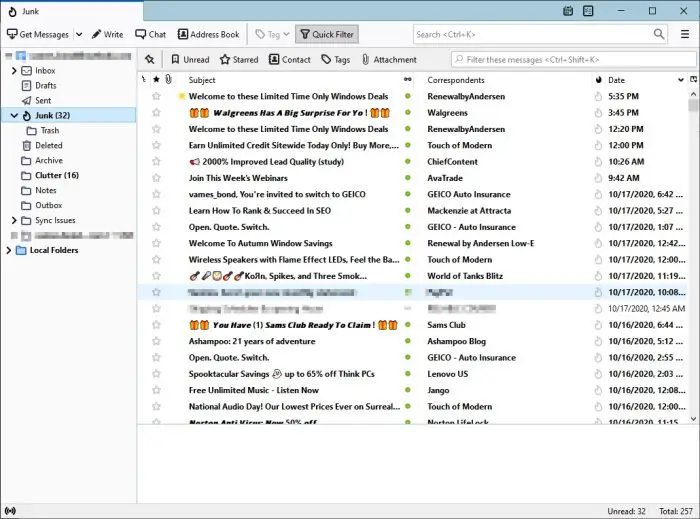
Benefits of using a desktop email client over webmail services
However, there are times when it makes more sense to use a desktop client rather than a webmail service. In this article, we will explore why this approach is recommended. Now, the reasons to ditch webmail in favor of desktop clients are not for everyone, so let’s begin, shall we?
- Do you need quality organization tools?
- Third-party add-ons are awesome
- For those who need offline access
- Backing up your emails made easy
- Do you have multiple email accounts?
- What are the best desktop clients?
Let us talk about this in more detail.
1] Do you need quality organization tools?
Many Outlook and Gmail fans might claim that these services offer a plethora of tools for organizations, but in truth, they pale in comparison to desktop clients. We are not saying webmail services will never have the same or more features, but desktop clients are superior at the time of writing.
2] Third-party add-ons are awesome
The ability to install third-party add-ons to enhance the functionality of a program is crucial in certain cases, and the desktop email client market is one such instance. If your desktop email client does not provide these features, then you are likely missing out on a number of cool features.
Interestingly enough, if you have the skills to create your own add-on, then the option is there to just go out and do it.
3] For those who need offline access
If you want to access your emails even when there is no internet connection, the best option is to download your email to your computer. A situation like this will need the services of a desktop client.
Most will allow users to access their emails along with their attachments offline, which means you will be able to read the contents from anywhere in the world.
4] Backing up your emails made easy
One of the benefits of using an email client for the desktop is the ability to back up your emails for future reference. This is very important because one in five email accounts get hacked each year, which rounds off to over 500 million.
When an account is hacked, users might lose some, if not all, of their emails. Henceforth, it makes perfect sense to back up emails before anything goes awry.
Additionally, backing up emails is something every business owner should do, rather than relying on a web service, to keep them safe in the cloud.
Now, we will say that most webmail services offer the ability for users to download their emails, but it is not automatic. A desktop client makes this task extremely easy; therefore, it should be your default choice.
5] Do you have multiple email accounts?
We understand that people often have multiple email accounts for various reasons, which is not a problem. Having multiple email addresses can make your life a bit cumbersome; therefore, we suggest consolidating them under a single banner.
Yes, it is possible to do this with webmail services such as Gmail and Outlook.com, but their user interfaces often fail to maintain a clean look when displaying multiple email addresses. This is why we would rather recommend a desktop client instead.
6] What are the best desktop clients?
At the moment, Microsoft Outlook is probably your best choice, followed up by Mozilla Thunderbird, If you are looking for more, check out this list of free desktop email clients.
What do you prefer?
What is an advantage of using email client over web-based email system?
There are not one, but multiple advantages to using an email client over a web-based email system, and we have discussed some of the benefits in detail. That being said, you can organize your email more effectively, enrich the user experience with the help of third-party add-ins, easily back up your emails, and more. The most important thing is that you can access your emails without an internet connection.
What are the benefits of using a desktop email application?
As mentioned earlier, one of the most advantageous aspects of using a desktop email application is that you can read your emails even when you don’t have an internet connection. Apart from that, it is possible to back up your emails within seconds and on your local storage, excluding the use of web-based services. On the other hand, you can organize or categorize your emails while using a desktop email client.
