
A Solid State Drive (SSD) is a storage drive that is used for storing, porting and extracting data files and objects. Since it stores your data, it is essential to keep your SSD in good and healthy condition. Crucial Storage Executive offers an efficient way to monitor the health status and optimizes the performance of your Crucial SSD.
Crucial Storage Executive for SSDs
Crucial Storage Executive software makes your SSD even faster and allows it to get periodic updates. You can see how much storage you’ve used, download the latest firmware, monitor the drive’s temperature, reset your encryption password, and enable the Momentum Cache feature, which makes many SSD operations even faster. This free software from Micron detects all supported SSDs installed in the system as well as standard hard drives and third-party SSDs. Let us take a look at its features.
System information
The System Information screen appears on the main screen and displays the following information.
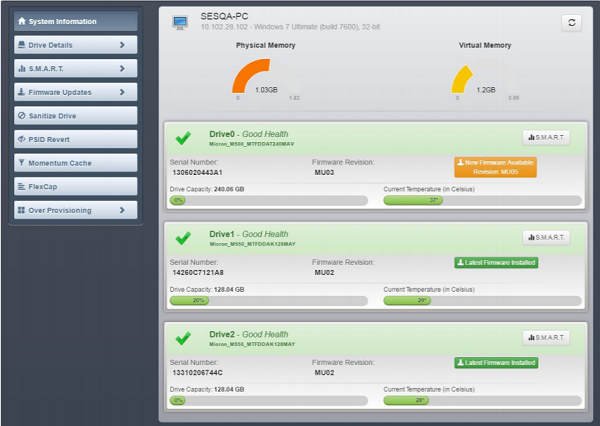
The General system information appears at the top of the screen alongside other details like System details: Hostname, IP address, and installed operating system.
Right in the center of the main screen, you can find important charts. For example, to the left, there’s a primary memory utilization chart and to the right, a visual memory utilization. These charts help you find how much of your RAM is being utilized.
If you are running low on either, it’s advisable to upgrade. Also, towards the bottom of the screen, a chart shows how much of your SSD is being used.
Drive Details
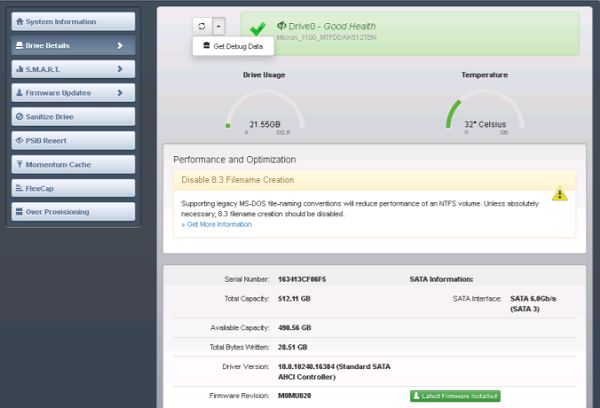
The Drive Details screen provides various information about a selected drive, including:
Basic information such as capacity, interface, temperature, driver versions, Performance, and optimization information. To view basic information about a drive, click a drive number on the System Information screen, or click the Drive Details menu and select a drive. The drive’s details would appear as shown in the screenshot below.
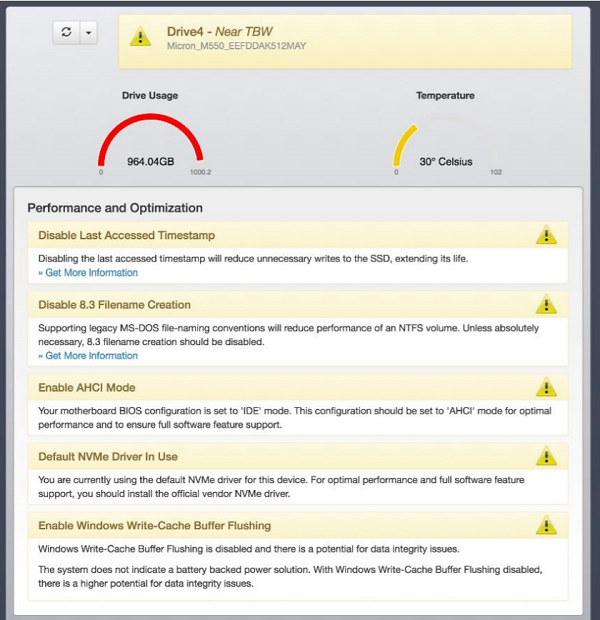
If the drive you have selected can be optimized for performance, information about it appears at the top of the screen.
Displaying SMART Attributes
It is a monitoring framework for detecting and reporting various indicators of consistency. It can also be used to anticipate failures.
Firmware Update
This section describes how to check for and perform firmware updates on supported drives. If your system is behind a proxy server, configure the proxy settings to enable firmware update checks.
Sanitize Drive
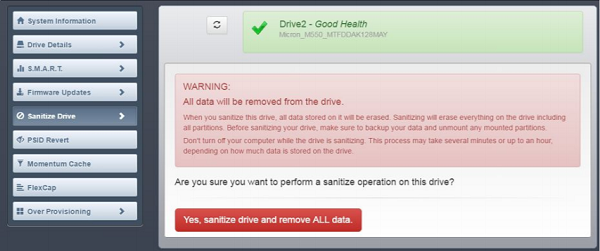
This operation cannot be performed on mounted drives. It is only for systems in AHCI mode. Also be cautious while performing this operation since it completely removes all data from a drive.
You can download this free software from Crucial.com. You can learn more about this application by downloading its PDF user guide.
The tool is free to use and compatible with Windows 11/10 versions.
This post will help you if the Crucial Storage Executive is not detecting the SSD.
