
Chances are, you’ve been shopping for a new printer and can’t decide which to invest in. That’s because there are two major types of printers for consumer use: Inkjet and Laser. The question is, which one is right for your particular needs? Let’s find out.
What is an Inkjet Printer used for?
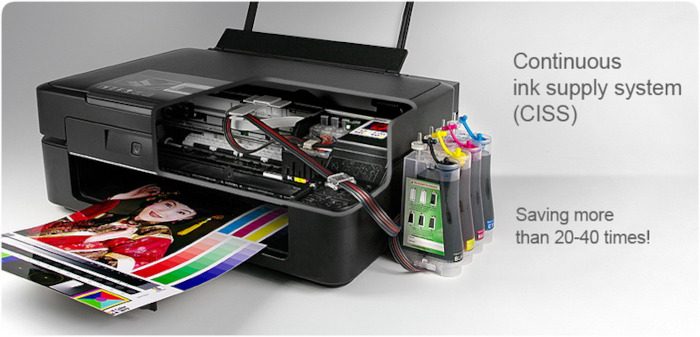
As the name implies, the inkjet printer uses ink to print text, graphics, and images onto various types of paper. You will primarily find these printers in homes, small offices, and many commercial printing companies.
What is a Laser Printer used for?
A laser printer does not use ink or dye; instead, it uses toner powder. Since this is the case, these printers are better suited to printing text-based content, but that doesn’t mean they can’t print photos well.
How do I choose a Printer?
You choose a printer based on your needs and your budget. If you plan to print many images, a low-cost inkjet printer is the best option.
Inkjet vs Laser Printers, Which is better?
Which of the two is the better choice? The information below will answer your questions, so keep reading to learn something valuable.
- What are the major differences between laser and inkjet printers?
- How do they compare in terms of quality?
- The cost of owning a laser or inkjet printer right now
- The bottom line.
1] What are the major differences between laser and inkjet printers?
OK, so laser printers are a bit more complicated since they use powder that is layered onto the paper, and from there it is melted by a heated drum. These printers support monochrome and multicolor printing, so choose the option that best fits your needs.
Inkjet printers are generally more straightforward to operate. When in use, they drop ink from a nozzle onto the paper. Additionally, they too support multicolor and monochrome, so you cannot go wrong with your decision.
2] How do they compare in terms of quality?
We can say with certainty that both types of printers can deliver high-quality print jobs, but when it comes to printing photos, the inkjet model is better. This is because such printers use ink, so if you are the type of person who prints images regularly, an inkjet would make more sense.
Laser printers are much better suited for printing text. Because they do not use ink, there is no risk of smudging. Furthermore, text on paper is usually crisper and clearer than inkjet-printed text.
We should note that laser printers are faster than inkjet printers for simple printing on paper.
3] The cost of owning a laser or inkjet printer right now
If you’re on a budget, this is the section that should interest you most. Then again, it could all boil down to use cases rather than price.
Right off the bat, we must say that inkjet printers are cheaper to acquire than their laser printer counterparts. However, costs increase when you realize the ongoing need to purchase ink. Sadly, printer ink is not cheap, which is why printing a single piece of paper these days can cost more than expected.
Laser printers, on the other hand, are more expensive to acquire. But despite that, the cartridge yield of a laser printer is higher than an inkjet, so you’ll get a much longer use, therefore, no need to top up often.
4] The bottom line
When it comes down to deciding which printer is better, it’s difficult to say right out. One could say a laser printer is better due to faster performance and cheaper long-term cost. However, it is not ideal for printing high-quality photos, and that’s where you’ll need an inkjet printer.
Inkjet printers are better for high-quality photo printing and producing vibrant colors, but they tend to be slower and cost more per page due to expensive ink cartridges. Laser printers, on the other hand, excel at fast, high-volume text printing with lower long-term costs, though they’re less effective for detailed images. Inkjet models are usually smaller and less expensive up front, making them ideal for home use. Laser printers are bulkier but more durable, making them well-suited for offices and heavy workloads. Ultimately, the choice depends on whether you prioritize image quality or speed and efficiency
