
You might be wondering what .cue files are. You’ve seen one on your Windows 11/10 computer, and you’re unable to open it. Well, we can say for certain that .cue files are nothing out of the ordinary and easy to open. Here’s the thing: The .cue extension is used for text files that contain information about Super CDs and compact discs. These files typically define how tracks are organized and store content associated with the specified physical media type.
Bear in mind that each CUE file may include details of each audio track, the singer’s name, and the names of the songs. Additionally, some .cue extensions are associated with Microsoft Cue Card files. You see, these CUE cards are usually created within a Microsoft application for various purposes.
How to open a CUE/BIN file
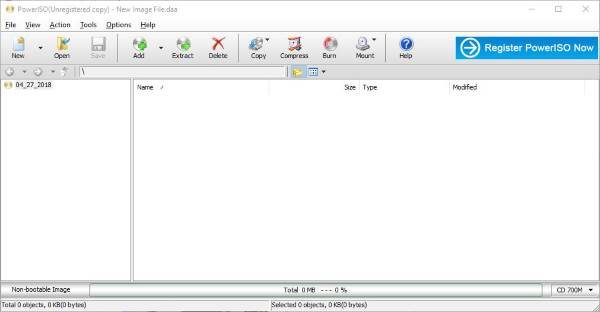
BIN/CUE format is used to store disc image, which is composed a cue sheet file (.cue) and one or more bin files. The cue file is a plain-text file, which stores the information of disc and tracks. The bin file is a binary file, which stores the raw sector-by-sector copies of the tracks in the disc. With PowerISO, you can open BIN/CUE files, burn them to disc, or mount as virtual drive.
Now, let’s get down to the meat of this article, the section you’ve been eagerly waiting for.
You see, one would think Windows would have the option to mount CUE files, but such is not the case. To get this job done, users are required to download third-party software, and this case, we’d like to recommend PowerISO. Now, it’s also possible to use IsoBuster, WinRAR, WinMount, and VLC, but today we’re going to focus on using PowerISO because it’s the best of the bunch from our point of view.
Once the software is up and running on your Windows computer, you’ll need to select Open, then locate the CUE file. Usually, PowerISO should automatically highlight the CUE file whenever you’re in the right folder, so there’s nothing to worry about.
After locating the file, select it then click on the button that says Extract. You should see a pop-up dialog box, which is where the user must choose where to extract the contents of the CUE file.
If you want, you can select all extractable files, but bear in mind that, depending on their sizes, extraction may take a while.
PowerISO isn’t just great for opening CUE files; it’s also a good option for extracting from other weird files. The two that come to mind are MDS and CCD.
You can download it from its homepage.
