
Have you tried entering a fraction into your Excel sheet, only to have it convert to a serial, whole, or decimal number when you press Enter, and you have no clue what to do? In Microsoft Excel, you can convert a number into a fraction using the Fraction format.
What is a Fraction format in Excel?
In Math, a fraction is a numerical quantity that is not a whole number, but in Excel, fractions are a number format used to display numbers as fractions instead of whole numbers. The formatting of Excel functions offers several options, such as 1, 2, 3, half, quarter, eighth, sixteenth, etc.
How to display Numbers as Fractions in Excel
Follow the steps below to display numbers as fractions in Microsoft Excel.
- Select the cell you want to format
- Click the dialog box launcher next to Number on the Home tab
- In the Category list on the left pane, click Fraction
- In the Type list on the right, click the fraction format type you want to see.
- Then click OK
Launch Excel.
Type a decimal or a whole number into the cell.
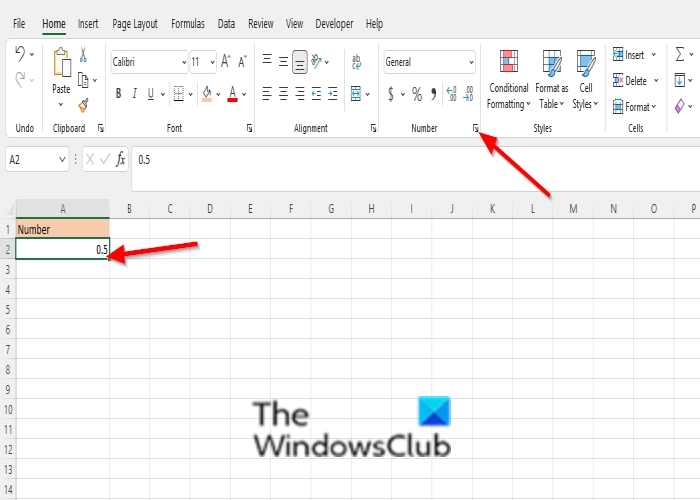
Click the dialog box launcher next to Number on the Home tab
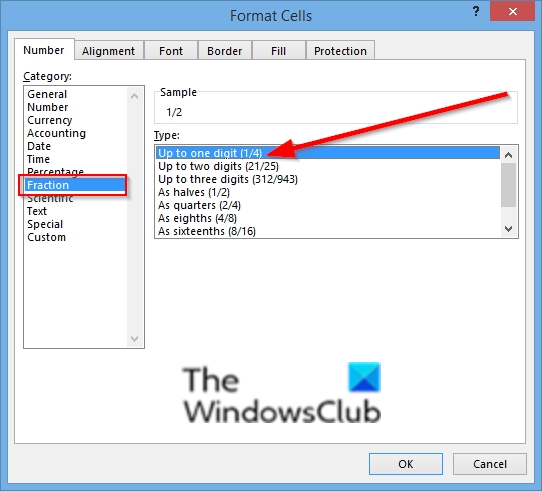
A Format cells dialog box will open.
In the Category list on the left pane, click Fraction.
In the Type list on the right, click the fraction format type you want to see, namely:
The preview of the fraction format will display in the Sample box.
Then click OK.
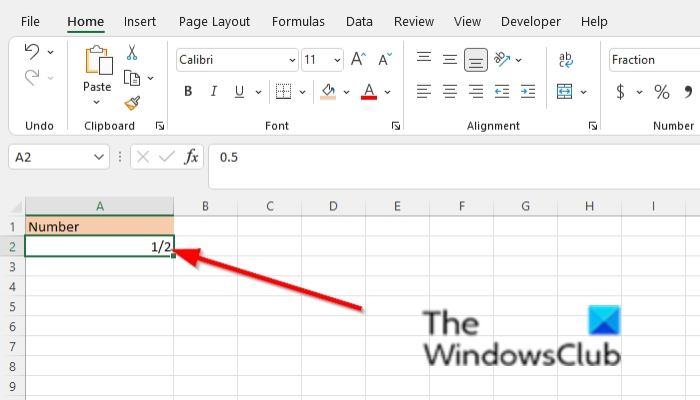
see the result above.
There are two other methods in Excel that convert a number into a fraction.
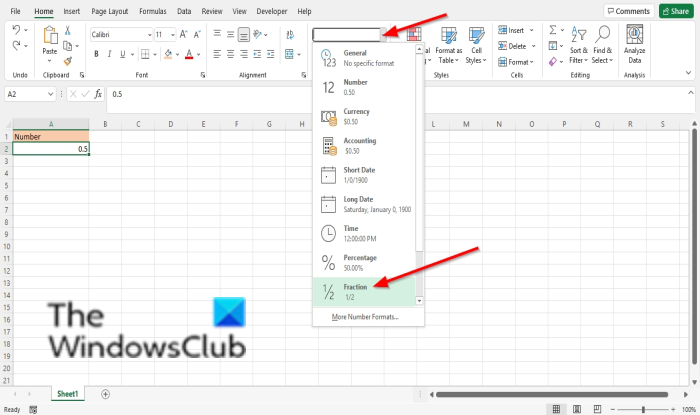
Method 1, On the Home tab, click the Number Format button and select the Fraction option.
If you want to change the fraction format, click More Number formats to display the Format cells dialog box.
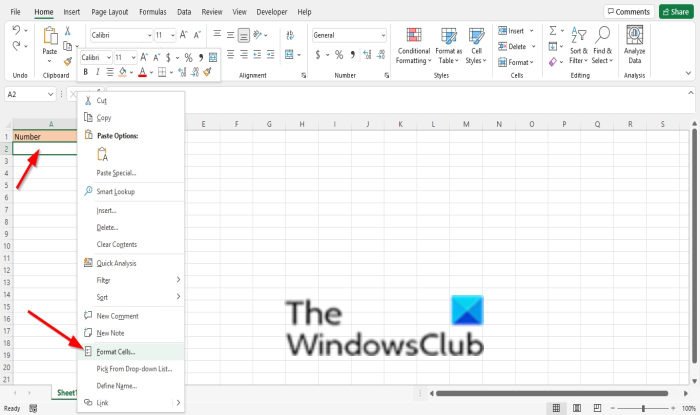
Method 2 is to right-click the cell and select Format cell.
The Format cell box will open.
Click Fraction from the category list, then choose a fraction format.
Then click OK.
Related: Fix The file is corrupt and cannot be opened error in Word, Excel, PowerPoint.
We hope this tutorial helps you understand how to display numbers as fractions in Excel. If you have any questions, let us know in the comments.
What is the shortcut key to type Fractions in Excel?
In Microsoft Excel, you can use the following shortcut keys to insert a fraction:
- Select the cell where you want to insert the fraction.
- Press Alt + 0185 (on the numeric keypad) to insert the fraction 1/4.
- Press Alt + 0178 (on the numeric keypad) to insert the fraction 1/2.
- Press Alt + 0179 (on the numeric keypad) to insert the fraction 3/4.
Apart from these, it’s best to use the Format cells option for the rest of the fraction type, but if you want something quick, you can use these keyboard shortcuts.
