
Hindi typing has always been a source of confusion for me. Being an Indian, I often need to use Hindi typing, whether it be for some kind of school projects for my kids or designing an event invitation, or anything else. HindiWriter is free Hindi writing software that completely solved my problem.

Hindi Writer Software for Windows PC
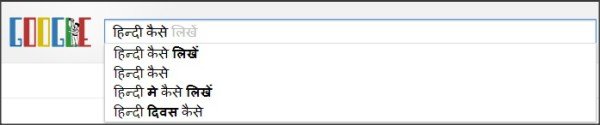
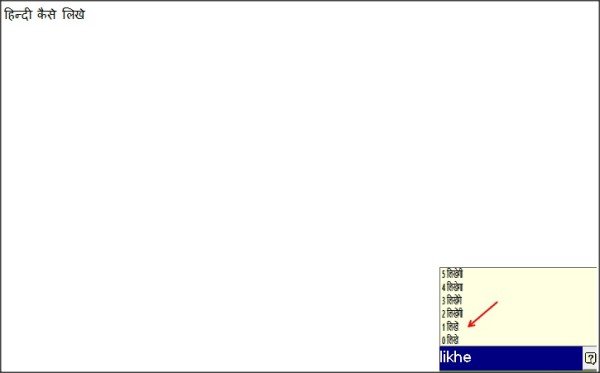
HindiWriter is freeware that lets you type in Hindi without installing new fonts or memorizing a special Hindi keyboard layout. This software uses Indic language fonts, which are pre-installed on Windows PCs. You just need to download and install the freeware on your Windows PC, and it converts your English words to Hindi with just a few clicks.
It is a compact and useful freeware utility that translates English into equivalent Hindi words. With a user-friendly interface, this program is very easy to use. The program uses a “phonetic” scheme for typing Hindi, which means you have to type the word in English on your keyboard according to the word’s phonetic sound in Hindi. For example, if you want to type ‘Bharat in Hindi; you have to type ‘Bharat on your English keyboard.
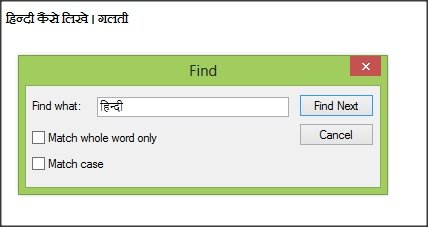
HindiWriter not just helps you type in Hindi, but also provides Spell Check and Auto Word Lookup. The program uses the iTrance translation scheme to translate your English words into corresponding Hindi words. HindiWriter includes the feature of ‘Find, ‘ but I missed the SpellCheck options which are often available in every grammar checking software.
HindiWriter supports various applications in Windows PC which include:
- Microsoft Office
- Internet Explorer
- Mozilla Firefox
- Google Chrome
- Notepad
- Outlook
- Yahoo /Microsoft Messenger
- Email services
How to use HindiWriter
- Download and install the program on your system.
- Open the application you want to use HindiWriter in. Let’s take WordPad as an example here.
- Launch WordPad, double-click on the HindiWriter icon and press Shift (hold the key) and press Pause Break key on your keyboard.
- When you start HindiWriter, you will notice an icon in your taskbar notification area.
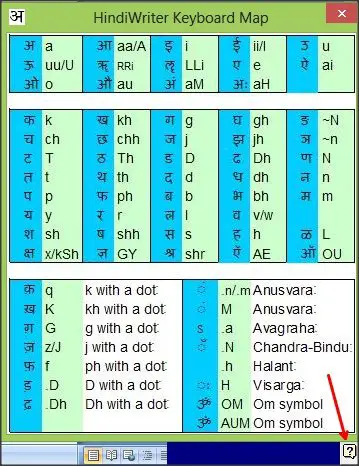
- The program will now convert your English words to Hindi as you type. It has its own HindiWriter keyboard map which you can see just by clicking on the ‘question mark’ on the bottom right of your window.
- Press Shift+PauseBreak again to go back to English.
You can check for updates by right-clicking on the icon and clicking “Check for Updates…” from the menu.
You can download HindiWriter here.
