
Members of the GOG gaming community sometimes complain that the games they purchase from their platform suddenly disappear from my OWNED Games List. It’s a minor aberration so there is nothing to worry about just follow the instructions listed in this post to get the missing GOG game back on in GOG Galaxy on your Windows PC.
GOG game not displaying or disappeared from GOG GALAXY
On some occasions, after a GOG GALAXY update, games can disappear from your installed games list. However, this issue can be fixed easily by simply importing the games back. There’s no need to download the game again. We will show you how to get the GOG game back when it goes missing, is not displaying or has disappeared from GOG GALAXY.
- Open GOG GALAXY.
- Choose Settings.
- Select Add games & friends.
- Select a folder.
- Scan folders for GOG Games.
The method may result in additional downloads and the overwriting of files in the detected game folders. If you’re ok with it, only then proceed further.
Open GOG GALAXY and click the Settings icon, represented by a cog in the top-left corner of the window.
Then, from the list of options displayed, expand the Add games & friends menu by clicking the side-arrow adjacent to it.
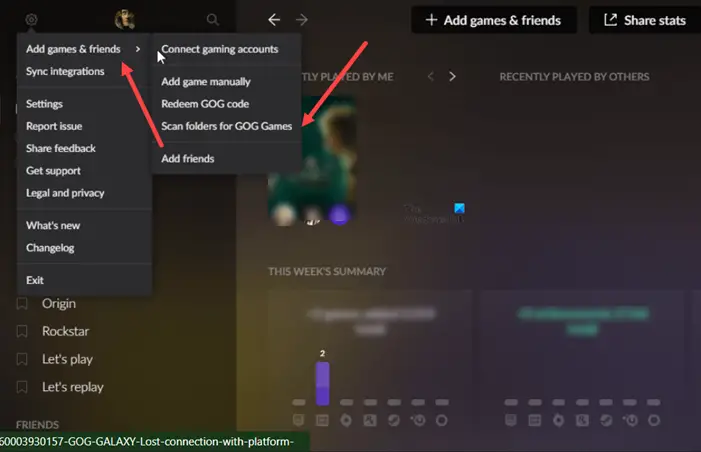
Next, scroll down to the Scan folders for GOG Games entry. Hit the Select folder button.
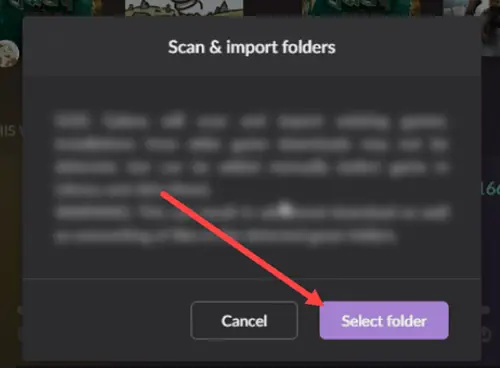
Instantly, GOG Galaxy will begin scanning and importing existing games. Installation from old game downloads may not be detected but can be added manually. Just select a game in Library and click the more option. Then, choose the desired option.
Hope it helps!
Do I need GOG Galaxy to play games?
No, there’s no such mandatory requirement. You don’t need GOG Galaxy to install or play any game on GOG. It’s just an optional software pack aimed at providing conveniences for people who want them, but no game requires it.
Does GOG have its own launcher?
All games downloaded from GOG come bundled as a self-extracting (exe) setup file, so you don’t need any additional apps or launchers. Just double-click the exe file to install the game on your hard drive. After the installation is complete, shortcuts will be added to your Start Menu, Desktop, and Games Explorer.
Read: How to fix GOG Galaxy Launcher Out of disk space error on Windows PC.
