
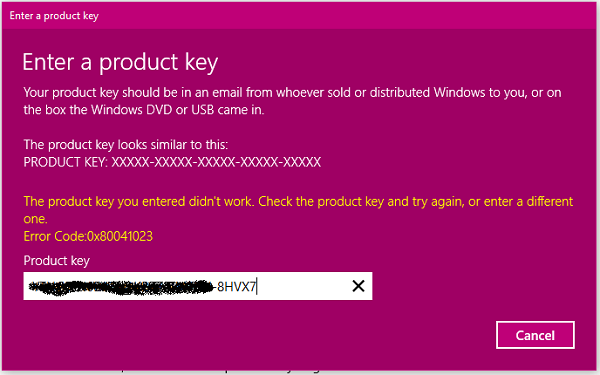
Windows Activation Error Code 0x80041023 occurs when you either upgrade Windows 11/10 or fresh reinstall on the computer. There are a few scenarios that can cause this error. It is possible that either you have an invalid key or you are upgrading from Windows Home to Windows Pro. Let’s find out how we can resolve Windows Activation Error Code 0x80041023.
Windows Activation Error Code 0x80041023
Just before we start, always make sure to sign-in with your Microsoft account so the license can link with your account. It is straightforward to reactivate your computer that way.
Windows Key is Invalid
If you are reinstalling Windows and automatic activation fails, the key used previously may have been invalid or a one-time-use key, such as a MAK key. These keys can be used only once and are invalid after the machine is formatted.
So if you bought a Windows Key for cheap and it now doesn’t work, you know exactly what happened. While you can retrieve the key and try to activate, you will receive error 0x80041023
The only way to proceed is to purchase a valid license, and we recommend purchasing from the Microsoft Store.
Different version of Windows Key stored in the BIOS
Assuming you have a Windows Pro Key which you want to activate, but whenever you try to activate, you get an error code – The product key you entered didn’t work Error 0x80041023.
The problem is that your computer’s BIOS has a Windows Home key. It usually happens when you buy a pre-activated Windows computer, and after a reset, it still tries to activate whatever is available in the BIOS. Run these SLMGR commands on the Command Prompt with admin privileges.
slmgr /ipk <Windows Key>

slmgr /ato
Trying to upgrade from OEM Licenses
Here is another fact about OEM licenses. They are not “upgrade licenses”, and are only for new machines. So if you install Windows Pro on a machine that had Windows Home installed at the start, it won’t work, and result in Windows Activation Error Code 0x80041023. You should reinstall Windows Home and then upgrade to Windows Pro via the Microsoft Store.
If you bought a Windows Pro key from an OEM, not from a store, you will need to install Windows Pro fresh and then use the activation key.
Windows upgrades can be confusing, especially when you bought a computer from an OEM. Unless Microsoft allows upgrading, there is no right path.
Whenever you buy a Windows 11 computer, check whether you can upgrade.
