
Here is a guide showing you the methods to fix Valorant error codes 31 and 84 on Windows PC. Valorant is a first-person shooter game developed by Riot Games. It is quite a popular game amongst gaming enthusiasts. However, it is still a very new game and contains some bugs and errors. Over time, Valorant players have encountered multiple errors that put a halt to their gaming experience. Two of these errors include Valorant error codes 31 and 84. These errors can be really frustratin,g especially when you don’t know how to fix them. In that case, this article will be of help to you. In this post, we are going to discuss working fixes to resolve error codes 31 and 84 on Valorant.
What does Error Code VAL 31 mean?
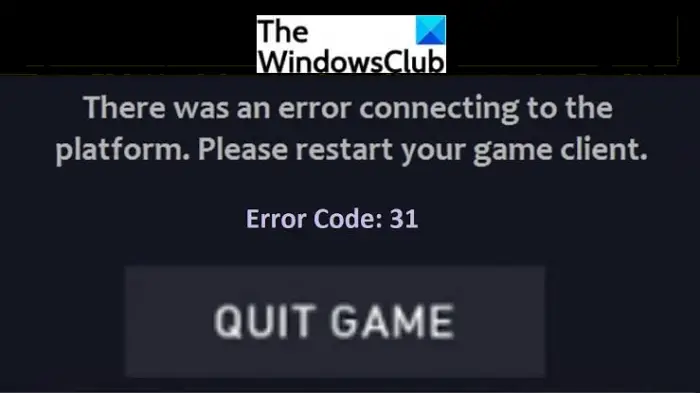
The error code 31 occurs on VALORANT while playing games and puts a halt to your gaming. It basically arises due to network communication issues. When triggered, it displays the following error message:
There was an error connecting to the platform. Please restart your game client.
Error Code: 31
You are likely to receive this Valorant error code when the server can’t retrieve your player name information. If you are facing this error, you can fix it up using the methods mentioned in this post. Let’s check them out.
Error code VAL 31 means that the server is unable to fetch player information. Now, it may occur due to various reasons. Here are some of the reasons that may trigger Valorant error code 31:
- One of the common reasons is that there is some minor Riot game client bug.
- It may also be caused by the Riot Vanguard app.
- An intermittent or slow internet connection can be another reason for this error. You need to be connected on a steady network connection to have a smooth gaming experience on Valorant.
- Server issues can also trigger Valorant error code 31.
How to Fix VALORANT Error Code 31
Here are the fixes that you can try to resolve Valorant Val 31 error:
- Restart the Valorant game client.
- Restart your computer.
- Check your internet connection.
- Close all Riot-related processes and relaunch Valorant.
- Check if the server is down or not.
- Uninstall, then reinstall Valorant and Vanguard.
Let us discuss the above methods in detail!
1] Restart the Valorant game client
The Riot game support team recommends restarting the Valorant game client to fix the issue. Some random bugs or minor issues in the game can be fixed by doing so. Try restarting the Valorant client on your PC and see if the issue is resolved. Additionally, try relaunching the Valorant game with administrator privilege. To do so, right-click on the Valorant app and use the Run as administrator option to open Valorant with admin rights.
Check if this fixes the issue for you. If not, try some other fix to resolve the issue.
2] Restart your computer
Restarting your PC might help you resolve the Valorant error code 31. It is an effective way to bypass temporary glitches. It may resolve some temporary issues in our system and allow you to restart the game normally.
3] Check your internet connection
Make sure you are well-connected to the internet. This issue might occur if there is a connectivity issue or the internet is slow. WiFi disconnection issues may prevent the servers from communicating and fetching player information. So, troubleshoot internet issues or try connecting with some other network and check if the problem is resolved.
Tip: How to Increase your Internet Speed in Windows
4] Close all Riot-related processes and relaunch Valorant
If just restarting the Valorant game client doesn’t help, you can also try refreshing the anti-cheat Riot client app, i.e., Vanguard, to resolve the issue. Also, try to close down all the Riot-related processes running on your PC. Some users have reportedly fixed the issue using this method.
To shut down all Riot-related processes, open the Task Manager on your Windows PC using the Ctrl+Shift+Esc hotkey. In the Task Manager window, look for all the Valorant or Riot-related processes and tasks under the Processes tab. Then, select the Valorant related processes and then press the End Task button to terminate all the processes.
Now, relaunch the Valorant game and see if it works normally without throwing error 31.
5] Check if the server is down or not
The Valorant Val 31 error may also occur if there are issues at the Valorant game server end. You can go to the Riot Games website and check for any updates on ongoing technical issues at their end. Alternatively, you can also contact the official team directly on their social media page to ask them about this. The Valorant support team will notify you if there is any technical work being done.
You can also use free web services to ensure if there are some problems at Riot’s end or the Riot server is down or not. If there are faults at the server’s end, there is nothing much you can do about it. Just wait for the Riot/ Valorant support team to fix the issue and then retry to play the Valorant game.
See: What do common HTTP Status Code errors stand for?
6] Uninstall, then Reinstall Valorant and Vanguard
If none of the above solutions work for you, you can try uninstalling and then reinstalling Valorant and Riot’s anti-cheat Vanguard app. If the error is caused by problems within the software, this method may resolve error code 31 in Valorant for you. To uninstall the Valorant and Vanguard apps from your PC, you can use App & features in the Settings app. You can also use third-party uninstaller freeware to completely uninstall Valorant and Vanguard software.
After uninstalling the program, download the latest version of Valorant from its official website and then install it using the provided installer. The Vanguard app will be installed with the Valorant game. Try starting afresh to see if it helps resolve the issue.
Related read: Fix VALORANT game client error codes 43, 7.
What does VALORANT Error Code 84 mean?
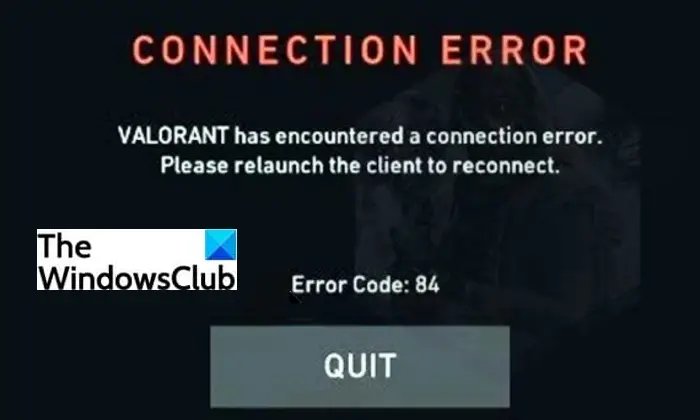
Error code 84 in Valorant is a common issue encountered by Valorant gamers. Many users have reported encountering this error while playing Valorant. It is mainly an error related to the Valorant server outages. This error indicates that there is something wrong with the Valorant servers. When the main Valorant gaming server is down for some maintenance, rectification, and other work, you are likely to receive error code 84.
The following message flashes on encountering Valorant error 84:
VALORANT has encountered a connection error. Please relaunch the client to reconnect.
Error Code: 84
Now, how to fix this error? Let’s find out below.
How to Fix VALORANT Error Code 84
There is nothing much you can do to fix it up. As it is a server error, it can only be fixed from the Valorant server’s side.
All you can do is wait for the Valorant support team to resolve the server issues from their side. You can also contact the Riot support team to query them on this Valorant error. They will inform you on the same and let you know how long the problem will persist.
Why does my Valorant say error?
There can be different reasons why you encounter an error on Valorant. It could be due to connection issues, or there might be problems at the server end. Also, bugs in the game client can cause errors in Valorant. We have shared two Valorant errors in this post. You can check out their fixes earlier in this guide.
That’s about it. Hope this guide helps you resolve the Valorant error codes 31 and 84.
Now read:
