
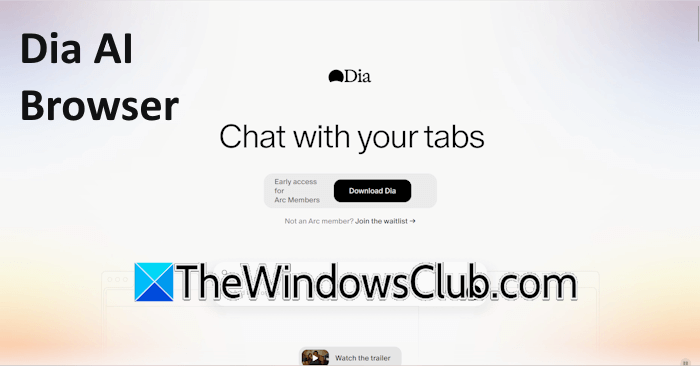
Dia is a next-generation AI-powered web browser with amazing features, strong privacy, and an integrated chatbot. With the Dia browser, you can go beyond the traditional web browsing experience. Its AI-driven features will help you enhance your productivity and make everyday tasks easier. This article explores the Dia AI browser and its key features, including an integrated AI assistant.
What is Dia AI browser?
Dia is not just a web browser; it is an AI-powered Copilot for your web browsing experience. Dia lets you do much more than just surf the internet. It is packed with powerful tools that will take you beyond traditional internet surfing.
Features of the Dia AI browser
Here, we will talk about the following feature of this AI-powered web browser:
- Chat, write, and code
- Summarizes YouTube videos and social media posts
- Smart shopping experience
- Get help with research work
- Draft emails
- Custom Skill
Let’s start.
1] Chat, write, and code

Dia has a simple user interface, similar to that of a chatbot. Here, you can chat with the browser or take its help in various tasks, like drafting emails, summarizing web pages, researching across multiple open tabs, etc.
Click on the drop-down arrow on its user interface and select the required action. You can select from chat, writing, or coding. If you want to write a blog post or an article, select the write option, then type your topic name. It will then start writing the article for you.
Similarly, you can select the code option to get help with coding.
2] Summarizes YouTube videos and social media posts
Dia is very skilled at summarizing content from various social media platforms. Whether the content is in text format or a video format, the browser can summarize it. Let’s say you’re searching for a particular topic on YouTube and you play one of the videos that appear in the results. The video is too long, and you don’t have enough time to watch it completely. In this case, you can ask the Dia browser to summarize the main points from the video. This will save your time.
The same applies to other social media platforms. For example, you can ask the Dia browser to summarize the content on the home feed of your X profile.
3] Smart shopping experience
Dia takes your online shopping experience to the next level. With Dia, you will be able to purchase the same product at the most affordable rate. Additionally, you will also be able to compare user reviews on different e-commerce platforms.
Let’s say you want to buy a product from Amazon, but its price is quite high for you. Now, instead of searching for the same product on different e-commerce websites manually, you can ask Dia to do this work for you. Dia will search for the same product on different e-commerce websites and provide the links to those platforms. Now, you can manually visit each of those platforms to buy the product.
4] Get help with research work
The Dia browser will also help you with your research work. Suppose you have a 200-page PDF file and don’t have enough time to read it. You can take the Dia browser’s help here. Open the PDF file in the browser. Now, open a new tab and type @ in the prompt box. After that, select the tab where you have opened the PDF file. Now, Dia will give answers to each of your questions from the PDF file. Additionally, you can also ask the browser to create a summary of the entire PDF file, so you can read it in less time.
The DIA AI browser is not limited to PDF files. You can use it to work with other documents, such as Google Docs, Google Sheets, etc.
5] Draft emails
The Dia AI browser will also help you draft professional and effective emails for your clients. You can also customize your emails to get a high call to action. Moreover, if you already have a written email message, you can improve it with the Dia browser. Simply select the paragraph in the email that you want to improve and give a prompt to the browser to improve that paragraph in that email message.
6] Custom Skill
Custom Skill is a unique feature of the Dia AI browser. You can create custom skills for different tasks. This will save your time in typing the prompts for similar tasks. For example, you can create a Custom Skill for comparing prices of a product on different ecommerce platforms, such as /comp-prices. Now, whenever you land on any e-commerce platform and search for a product, you just have to type the /comp-prices prompt instead of typing the complete prompt to compare prices on different platforms.
Platform availability of the Dia AI browser
The Dia AI browser is currently available for macOS, but soon it will be available for the Windows platform.
That’s it. I hope this helps.
Is the Dia browser safe?
Yes, the Dia browser is safe to use. It is an AI-powered web browser that offers a more advanced experience beyond traditional internet surfing. With the Dia browser, you can do more, such as summarizing large PDF files and YouTube videos.
What is an AI browser used for?
An AI browser is a new generation web browser integrated with artificial intelligence as its core functionality. You can use it for various purposes, such as making your daily tasks easier and seeking help with complex topics.
Read next: How to download and use CapCut AI Video Maker for PC.
