
When you come back from a trip and have tons of photos, I am sure you must have thought of one big photo which can have some memorable pictures together. Yes, I am talking about a Collage, and in this post, I will share free Photo Collage makers. I will list online tools and software that can do the job for you. Rest assured that the collage you download or save using these tools will not have any watermark.
Free Photo Collage maker for PC
While these are free, they do have limitations. Some of them will not let you use all the templates, while some will only allow you to use a set of templates. Since we have four in the list, use a combination of them to get the results you want.
- Adobe Spark
- BeFunky
- Fotojet
- Photoscape
- Shape Collage.
We researched a lot of software, but most of them are either limited or leave a watermark. We even downloaded software that claimed to have no limitations but turned out to be a trial. So these are your best options.
1] Adobe Spark

It is the best Collage maker in the whole bunch. It offers an online tool and is also available on smartphones. Even better, there are no limitations if you do not upgrade. The software adds a watermark, but you can remove it before exporting. Also, once you sign up with them, it will keep all the colleges online.
- Supports templates and resolutions for popular social media, including YouTube, Facebook, Instagram, etc.
- Exhaustive layouts, templates, color combination, magic text formatting, font selection, color picker, and more.
- You can even create short videos by using effects.
Spark charges, but only when you use premium templates—otherwise, it’s free. Also, if you apply your branding, you can choose their premium plan.
A watermark is applied when you start editing. It is a small logo in the bottom right corner. To remove it, click it and choose Remove Watermark. You will have to do it every time before you export the image.
Adobe uses it to bring their premium plan to your focus, and nothing else. Check out more at adobe.com. We recommend you try this one first.
2] BeFunky
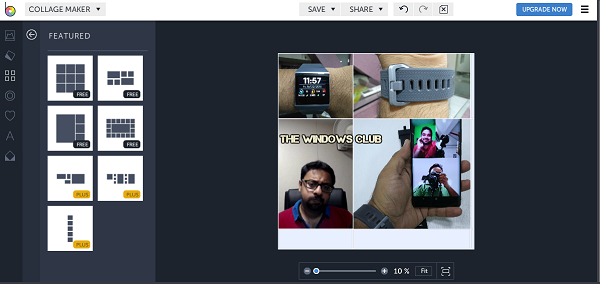
Another free online tool that offers limited templates. You can choose templates with an open tag. If you have a bunch of images, you can import them from your computer, drag and drop to make the collage right away. You can customize text, but image editing is limited to resizing.
Like Adobe, it offers templates for Facebook, Pinterest and more. You can also create your own template.
Check out BeFunky.com
3] Fotojet
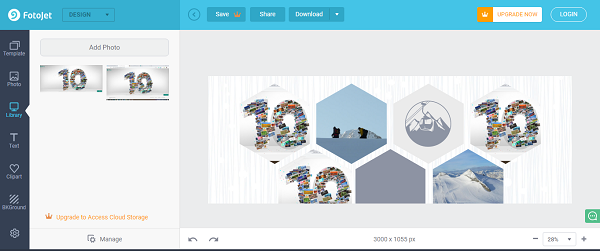
It is both an online tool and software. Choose whatever you are comfortable with. The free features let you use only a few templates and don’t let you save them online. While it doesn’t offer a dedicated Collage creator, it does offer templates where you can add multiple images.
You’ll need to use those templates and replace the existing image with yours. The online tool lets you download images without a watermark, but the Windows software version adds one, so it’s not much use.
Check out Fotojet.com
4] PhotoScape
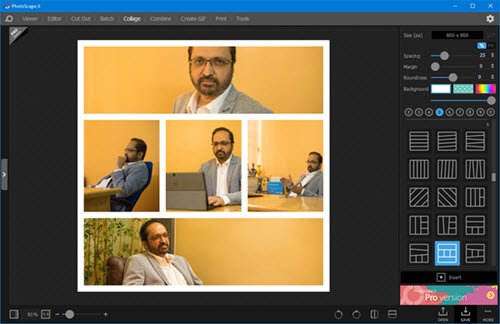
PhotoScape is a popular image editor that lets you attach multiple photos vertically or horizontally to create one final picture. It’s like a freestyle tool, but it also offers templates. You can choose a margin, create a frame, and apply filters. You can make various adjustments, such as adding balloons, bubbles, frames, brightness, contrast, etc. Create a collage of your choice and then save it to your desktop. It leaves no watermark.
Download from Photoscape.org– It is also available in the Microsoft Store.
5] Shape Collage
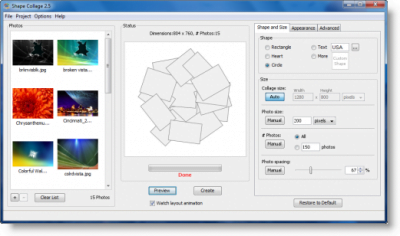
Shape Collage is a Free Automatic Photo Collage Maker with which you can make picture collages in less than a minute with just a few mouse clicks!
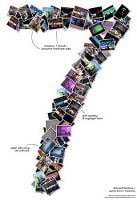
Simply drag the photographs or images to the specified area, choose the shape, size, appearance, and click Create. Then you can save it to your desktop.
The free version adds a watermark on the final image – and that’s disappointing.
Visit Shape Collage HomePage. It requires Java Runtime Environment.
TIP: Also, check out our list of free photo editing software.
