
Do you like the idea of watching your favorite television channel on your computer or laptop? It is not at all a problem with a TV tuner. Are you looking for a source to turn your personal computer into a complete media center? Then a TV tuner would be the best option that can meet your needs. It is a handy peripheral that can significantly expand your computer’s capabilities. The TV tuner’s mission is pretty simple: it receives audio and video signals and provides them to your personal computer.
TV Tuner software for Windows 11/10
Television tuning software can schedule television shows for recording in advance using the internet. The top TV tuner software for Windows PC, which we have included in this post, allows you to record programming on your computer so you can view shows on your schedule or record them for future viewing.
- Kodi
- Nextpvr
- Plex TV tuner
- Media Portal
- Emby
- DVBViewer.
Now let us take a look at each of them.
1] Kodi
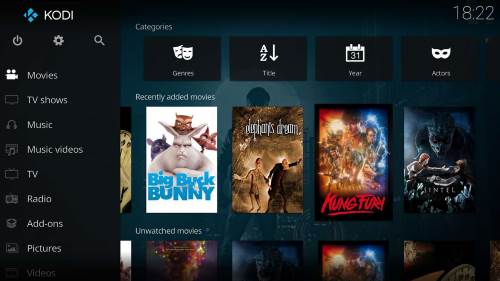
Kodi is the name you hear when you ask anyone about a powerful media application that not only allows you to stream live TV channels and videos but also lets you record live content. The only negative point in Kodi is that it does not have its own embedded television tuning functions. It is the perfect TV tuner software for a Windows personal computer. To capture computer signals, you need either a laptop or a supporting device. Once you are done installing Kodi on your device, you can relax and browse the various sections to find the most entertaining channel for your choice.
2] Nextpvr

It is a full-featured Personal Video Recorder that runs on any computer that runs on Microsoft Windows. The main function of NextPvr is to schedule television recordings and enable users to watch their favorite television channels. The software is largely beneficial for users, with a wide range of plug-ins that provide features such as weather and Netflix. You don’t need to install any front-end applications to view videos on your device with this software. NextPvr boasts of a web application that enables users to manage recordings. Download it here.
3] Plex TV tuner
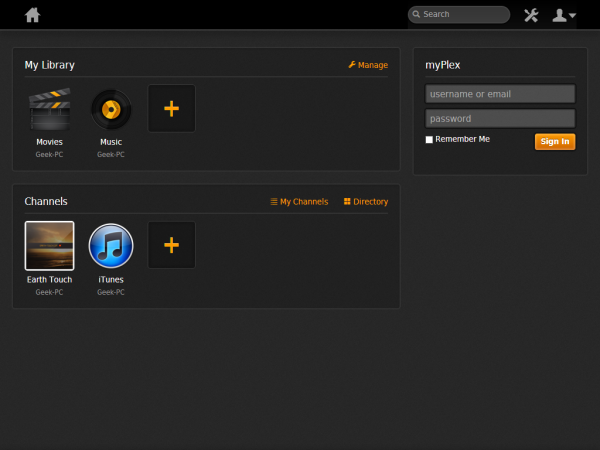
Plex is a popular media player best known for providing quick, easy access to your videos and images from anywhere. It enables you to connect a compatible antenna tuner to a Plex server to watch television from any place in the world. Apart from serving as a valuable way to watch television, the DVR feature can schedule and play back recordings of antenna shows. We can expect more features that allow users to pause and resume videos in the coming days. Download it here.
4] Media Portal
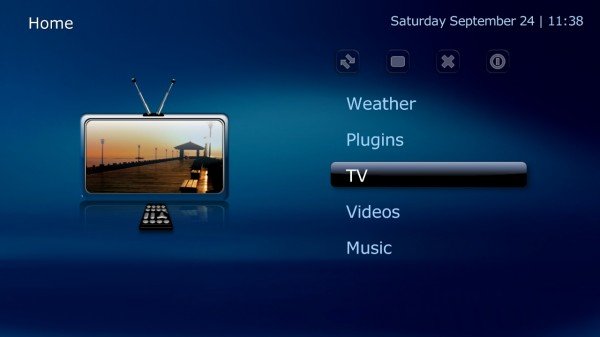
Media Portal is a good choice if you are looking for an application that turns your personal computer into an advanced multimedia center. Apart from continuously streaming television channels, you can also browse the web while watching videos. The media portal will be very useful if you want to view the TV guide on any personal computer in your home. It works well on all versions of Windows operating systems. You can browse all videos on the go and watch them with superb quality on your device. Download it here.
5] Emby
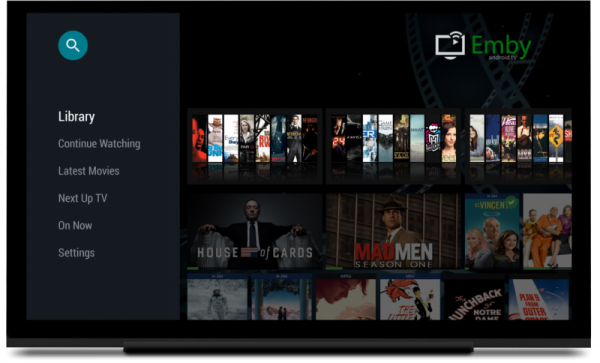
This innovative and easy-to-use software organizes your videos and music into a library that can be streamed and accessed from any Windows-based device. Emby safety creates a backup of media in the cloud; it comes with a large suite of applications and a central server that manages your library. Bringing all your personal media together in one place on your computer is easy with Emby. You need to subscribe to premium packages to enjoy all the features. However, the free version is well-equipped with all the quintessential features. Download it from here.
6] DVBViewer
DVBViewer is a professional-grade software for DVB cards. It provides high-quality TV streaming and recording, supports HDTV and radio channels, and offers advanced features.
Let us know if you use any TV Tuner software.
