
The Game Boy Advance, or GBA for short, was one of the most popular handheld video game systems in the past. It has amassed a large following that holds strong to this very day. If you want to travel down memory lane but no longer have a GBA, we suggest downloading a Windows emulator. From what we can tell, the web is filled with free GBA emulators, and many of them work quite well on Windows. The problem is, which are the best of the bunch? That’s a hard question to answer, but we can create a list so you can decide which ones to try.
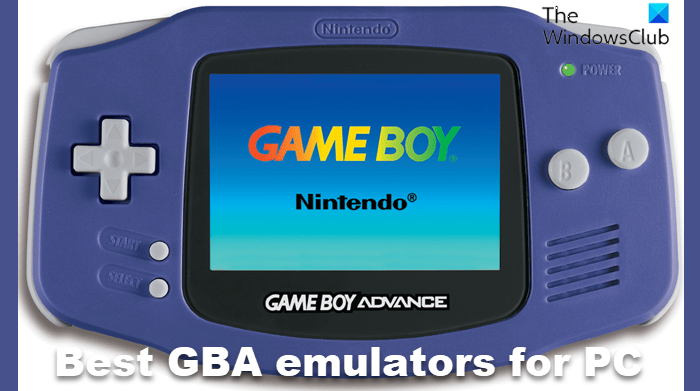
Best GBA emulators for Windows PC
The emulators listed here are free to download and use, but we will not help you find Game Boy Advance game ROMs because downloading ROMs is illegal. So, we’ll leave that up to you.
- VisualBoy Advance Emulator
- No$GBA Emulator
- mGBA Emulator
- Higan GBA Emulator
- Boycott Advance Emulator
- BatGBA Emulator
- RascalBoy Advance Emulator
1] VisualBoy Advance Emulator
The first emulator we want to look at is VisualBoy Advance. This emulator has been around for many years, and with multiple updates since its inception, it has become one of the most stable GBA emulators to date.
We like it for its consistency and the ability to save your game progress at any time. Furthermore, users can easily use a controller or remap the buttons on their controllers.
You can also take screenshots, record gameplay, and even use cheat codes to get through difficult levels.
Download VisualBoy Advance
2] No$GBA Emulator
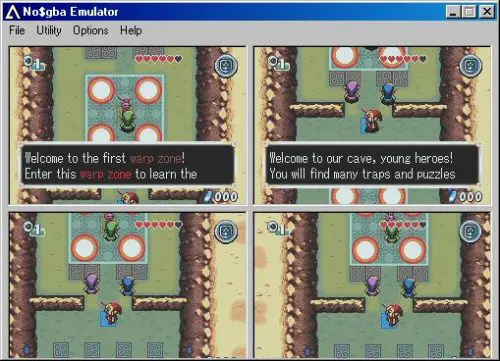
Another old Game Boy Advance emulator we need to discuss is No$GBA, also known as No Cash GBA. This emulator started as a GBA debugger, but after several updates, it became a full-on emulator.
From what we have gathered, No$GBA is the first emulator to support multiplayer games on the same computer. Also, it can play Nintendo DS games, but this aspect has not been perfected and since the last update came out back in 2019, one should not expect changes.
Download No$GBA.
3] mGBA Emulator
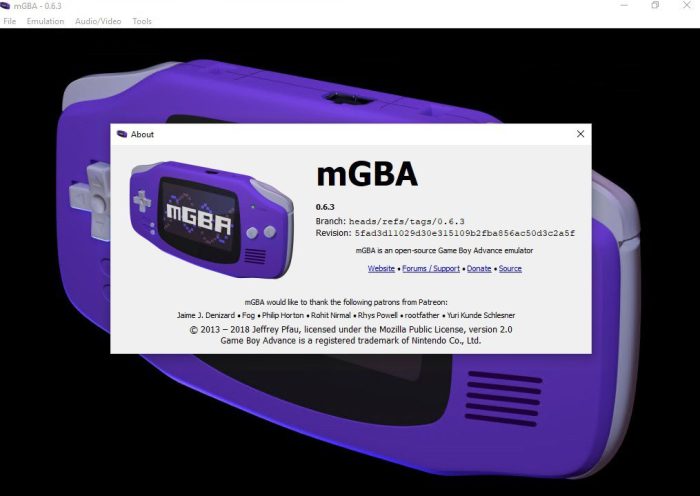
In terms of popularity, mGBA Game Boy Advance emulator is probably the most known and most used out of all the others. Users can expect multiple updates per year to ensure the emulator runs properly on almost every hardware type and operating system, especially Windows.
It’s not the most feature-rich emulator available, but that doesn’t matter because it runs well. That’s because mGBA supports the largest catalog of Game Boy Advance games, and if you want, cheat codes can be used without problems as well.
From our point of view, the coolest feature is the ability to override the game to enable ROM patches.
4] Higan GBA Emulator
If simplicity is your thing, check out an emulator called Higan GBA. It doesn’t come with many features, which is one of the main reasons it runs well. Not only that, but Higan GBA is more than just a Game Boy Advance emulator, but is a multi-purpose tool that can emulate the Famicom, Super Famicom, Gameboy Color, Sega Master System, Mega Drive, and Game Gear.
Compared to the others on this list, Higan GBA offers enhanced color reproduction, so expect your games to look better than ever.
Download Higan GBA Emulator.
5] Boycott Advance Emulator
The Boycott Advance emulator was originally made to run homebrew games, but it can also play commercial games. However, some GBA titles will not run as intended, and from what we’ve gathered, these are usually the newer ones at the time.
Despite all of that, this emulator is quite capable. For example, it fully supports scaling and rotation. The device also supports GBA DirectSound channels, but only partially right now.
Download Boycott Advance Emulator.
6] BatGBA Emulator
Right here, we have to say this is probably the most simplistic GBA emulator we have ever seen. BatGBA is so simple that it takes up a small amount of space on your computer, and this is due to the lack of advanced options.
The good news is, that this emulator will play all commercial and non-commercial GBA games without problems. But it is not for folks who want to tinker with feature after feature.
Download BatGBA Emulator.
7] RascalBoy Advance Emulator
One reason RascalBoy Advance is so loved is that it lets gamers play multiplayer games with friends. Only a few GBA emulators can accomplish this, and from what we have seen thus far, RascalBoy Advance is the best of the bunch.
Beyond multiplayer, this GBA emulator is quite simple, with few advanced features to speak of.
Download RascalBoy Advance Emulator.
Are GBA Emulators legal?
Yes, emulators are 100 percent legal to download and use. However, sharing GBA ROMs online is not legal in any form. From past activity, it is clear Nintendo isn’t afraid to take individuals to court.
Are GBA Emulators safe?
We have never come across a GBA emulator that is infected with viruses, but anything is possible so always practice scanning files with Microsoft Defender after every download.
