
If you are looking for a way to open a multipage TIFF file on your Windows 11/10 computer, then this post is surely helpful. TIFF stands for Tag Image File Format and it is used for storing raster graphics images. It supports high-quality images and graphic designers and/or other professionals save photos as TIFF format files (*.tiff or *.tif) for printing and editing purposes. While there are many tools that support a single-page TIFF file, those who want to open or view a TIFF file containing individual image frames as separate pages can try some best free multipage TIFF viewer software and online tools covered in this article.
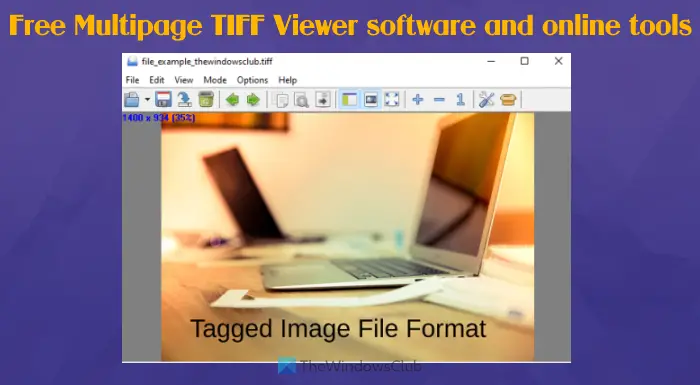
Best free Multipage TIFF Viewer software and online tools for Windows PC
Here is a list of some free multipage TIFF viewer software and online tools added in this post:
- BitRecover Tiff Viewer
- Windows Photo Viewer
- Universal Viewer
- Online Document Viewer
- TIF, TIFF Viewer with Drive.
Let’s check these TIFF file reader tools one by one.
1] BitRecover Tiff Viewer

BitRecover Tiff Viewer is the simplest tool on this list. This is a portable tool that comes with a clutter-free interface to help you view a multipage TIFF image without distraction. It provides only three main features. These are:
- A navigation pane that shows the thumbnails of TIFF pages. Clicking a thumbnail lets you jump to that page. A thumbnail number for each page is also visible there which is also helpful to count the total number of pages present in the TIFF image
- Zoom in and out options present on the bottom area
- An option to jump to the previous or next page or select a particular page.
You can download this tool from turgs.com. Running the downloaded file launches its interface. After that, you can add a TIFF image using the File menu and use other available options.
2] Windows Photo Viewer
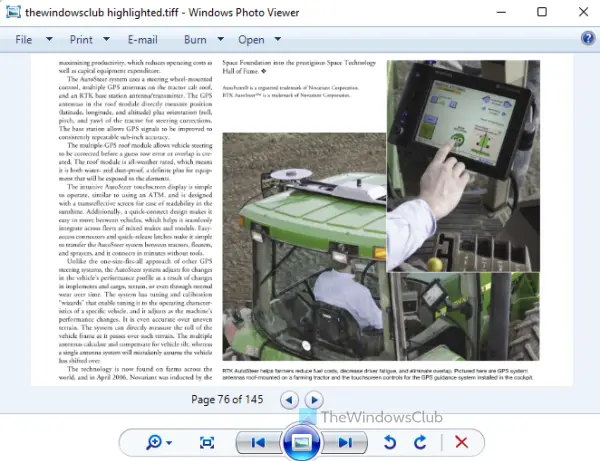
It might surprise you but Windows Photo Viewer still exists in Windows 11/10 OS. If you are using Windows 11, it may already be set as the default app for viewing TIF or TIFF files.
Even if this tool is not present, then you can easily enable or restore Windows Photos Viewer in Windows 11/10 and set it as default. Once it is done, you just need to double-click or use right-click context menu option to open a TIFF file.
Once the file is opened, you can use the zoom slider, rotate counter-clockwise, rotate clockwise, print, make a copy, and other options supported for TIFF files.
3] Universal Viewer
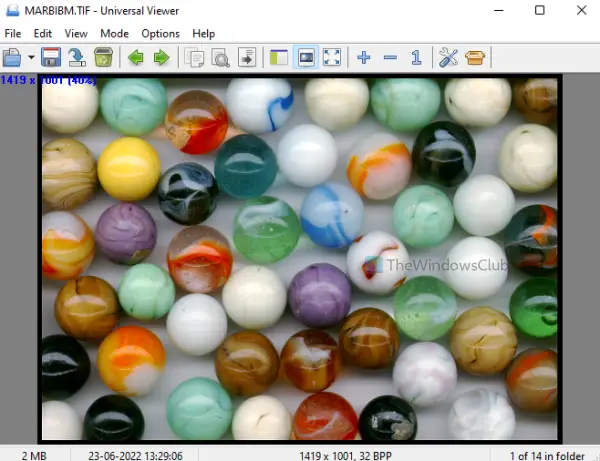
Universal Viewer (free plan) supports hundreds of file formats that include BMP, JPG, AVI, MP4, RTF, HTML, DOC, and many more. It is one of the best free Universal File Viewer software available for Windows 11/10 that is also helpful to view multipage TIFF images.
You can add a TIFF image using its File menu. After you add an image, it shows the image resolution and zoom level. You will also have the option to rotate the image page to 270 degrees or 90 degrees, flip the page horizontally or vertically, and convert a page to negative or greyscale.
You can also show/hide the navigation panel to easily add a TIFF image, zoom in and out of the image page, view the image in full-screen mode, jump to the next or previous file, etc. You can access all such options/features using the right-click menu, toolbar, and menus available on the top part of its interface.
Related: How to split multipage TIFF on Windows PC.
4] Online Document Viewer
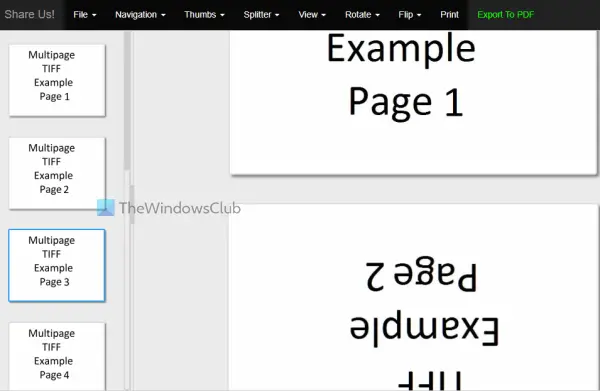
Online Document Viewer is another good option for viewing multipage TIFF files. This TIFF viewer lets you upload a maximum 25 MB TIFF file.
To use this tool, you can open its homepage from onlinedocumentviewer.com. There, press the Choose File button to add a TIFF image file from the desktop and press the Upload And View button. You can also enter the password if your TIFF image is password protected.
After you upload the TIFF file, use the available options to access and view its content. Different menus make it a useful TIFF viewer. Some of those menus are as follows:
- Navigation menu: To jump to the next, previous, last, and first page
- View menu: To change zoom level and fit width and height
- Rotate menu: It lets you rotate the current page to 270, 90, and 180 degrees
- Thumbs menu: It helps to set thumbnail size for TIFF pages. You can also hide thumbnails whenever needed
- Flip menu: To flip a page horizontally or vertically.
5] TIF, TIFF Viewer with Drive
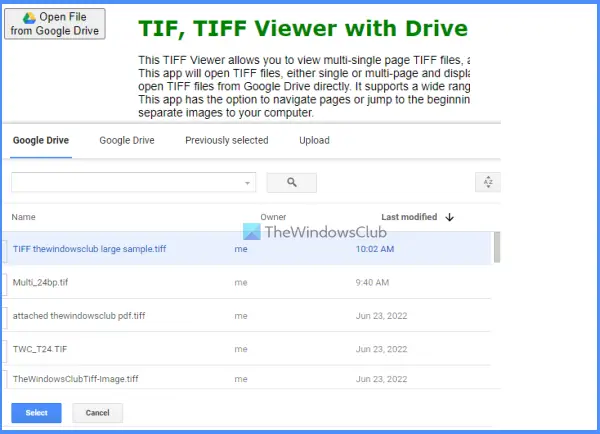
Google Drive can open single-page TIFF images, but it doesn’t work for multi-page TIFF images. Only the first page is visible. Therefore, if you want to open TIFF images containing multipage pages stored in your Google Drive account, then this free online tool can come in handy. The tool works well, but you need to disable your ad blocker in your browser for this tool to work.
This TIF, TIFF Viewer with Drive tool lets you view TIFF images by connecting with your Google Drive account. Once connected, the tool displays the input TIFF images in JPEG format (automatically converted) in its interface. You will also have options to rotate a TIFF page or image, flip it horizontally or vertically, change the zoom level to 20%, 90%, 100%, etc., and download a page or TIFF image in the JPEG format file.
For using this tool, access the homepage of this tool from youfiles.herokuapp.com. After that, use the Open File from Google Drive button to log in to your Google Drive account and authorize this tool to connect with your Google Drive account. Once you do, a pop-up will open showing your Google Drive items. Select any TIFF image or double-click to view it. Or else, you can also use right-click menu option for a TIFF file stored in your Google Drive to open that image using this tool.
How do I open a multiple page TIFF file in Windows?
You can use free online TIFF viewer tools or software to open a multi-page TIFF on your Windows 11/10 computer. These tools offer features like changing the zoom level, rotating an image in your TIFF file, and jumping to the next/previous file or TIFF image. We have also included some of the best free TIFF viewer tools in this post that can be helpful to you.
What is the best program to open TIFF files?
When it comes to file size limits, an offline tool may be a better choice for opening TIFF files than an online TIFF viewer. But online tools also offer useful features that a good TIFF viewer needs. Many programs can open a single-page TIFF image but don’t work for multi-page TIFF images. To make it easier, we created a list of the best free TIFF viewer tools in this article, including software and services. Check this list and see which one works best for you.
Read next: How to convert PDF documents to multipage TIFF in Windows.
