XBMC for Windows: An alternative to Windows Media Center

XBMC for Windows: An alternative to Windows Media Center

XBMC media center is a free and open source cross platform digital media center and is also known as Xbox Media Center. There are lots of free media centers out there, of which, we have had a look at Media Portal …more >>>

Turning Windows PC to Media Center TV Part 3: Schedule recordings, Stream Media Center, etc

Turning Windows PC to Media Center TV Part 3: Schedule recordings, Stream Media Center, etc

In our last tutorials we have learnt about configuring the hardware and configuring the Media Center application to adopt the new hardware and also talked about configuring the Media Center application, and making a Media Extender with the help of Xbox 360. …more >>>

Convert Windows PC to Media Center PC Part 2: Configuring the Media Center application

Convert Windows PC to Media Center PC Part 2: Configuring the Media Center application

In our last tutorial on how to convert your Windows PC to a Media Center PC, we learnt about configuring the hardware and configuring the Media Center application to adopt the new hardware. In this part, we will talk about configuring …more >>>

Turn your Windows PC to a Media Center PC: Part 1

Turn your Windows PC to a Media Center PC: Part 1

There was a time when we used to use the Media Player to organize our media, but these days most of us prefer using the Media Centers. In this article I will tell you how to convert your Windows 7 computer into a Media Center PC, using …more >>>

Media Portal: The Open Source Windows Media Center Replacement

Media Portal: The Open Source Windows Media Center Replacement

Are you looking for an application that can replace Windows Media Center but support all the advanced Media Center functions at the same time? If yes, Media Portal is one such free and open source Media Center replacement program that …more >>>

Remote Potato: Stream Videos from Your Home PC to Anywhere

Remote Potato: Stream Videos from Your Home PC to Anywhere

Windows Media Center is digital video recorder and media player developed by Microsoft that allows you to listen to music, view and record live television by installing extenders for easy media streaming and do much more. The only area where …more >>>

Convert Windows Media Center recording files using MC-TVConverter

Convert Windows Media Center recording files using MC-TVConverter

I have seen lot of threads in different communities asking for a way to convert Windows Media Center recordings  eg. WTV format files to other formats. There are several software that can help us in converting them. Yesterday I found …more >>>

Watch Internet TV on Windows Media Center with Revision3 Plugin

Watch Internet TV on Windows Media Center with Revision3 Plugin

Revision3 Plugin can be described as a Windows Media Center plugin that will let you watch Internet TV easily. With Windows Media Center, your PC is a powerful TV, bringing your shows and entertainment to one place. Enjoy broadcast and …more >>>

Watch YouTube, Daily Motion and MSN Soapbox Videos in Windows Media Center

Watch YouTube, Daily Motion and MSN Soapbox Videos in Windows Media Center

Macro Tube is a cool plugin for Windows Media Center. This plugin will allow us to watch YouTube, Daily Motion and MSN Soapbox videos in Windows Media Center.  Simply download and install the plugin and you’ will find “Macro Tube” …more >>>

Solved: The case of the spinning Windows 7 Media Center Gadget cursor

Solved: The case of the spinning Windows 7 Media Center Gadget cursor

No, this is not a title of a Perry Mason novel, but an issue some may face when using the Windows 7 Media Center gadget to list recorded content in the Recorded TV folder.

Fix: Windows Media Center Black screen displayed when changing channels in Live TV

Fix: Windows Media Center Black screen displayed when changing channels in Live TV

If when you are watching Live TV on Windows 7 Media Center and if every time you change certain channels the screen goes black, you may want to see if this fix helps you.

Download Media Center Theme for Windows 7

Download Media Center Theme for Windows 7

Windows Media Center lovers – you might want to check out this Media Center theme for Windows 7. The theme when applied will replace select system files to give your Windows 7 a new look.

Increase Windows Media Center Live TV buffer size with with MCE Live TV Buffer Manager

Increase Windows Media Center Live TV buffer size with with MCE Live TV Buffer Manager

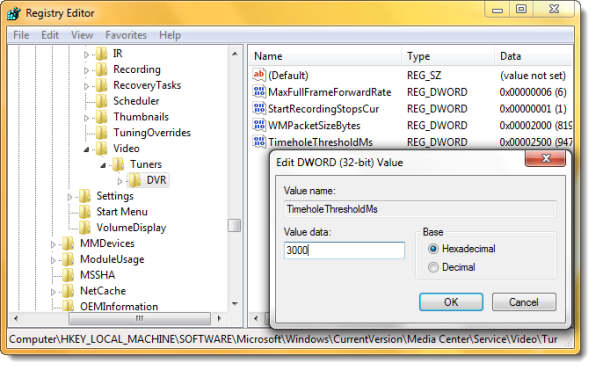
By default, the Windows Media Center pauses Live TV for 30 mins only. This limit was probably placed to restrict the usage of disk space. But you can if you wish, increase the size of this buffer to, up to …more >>>

Customize Windows Media Center with Media Center Studio

Customize Windows Media Center with Media Center Studio

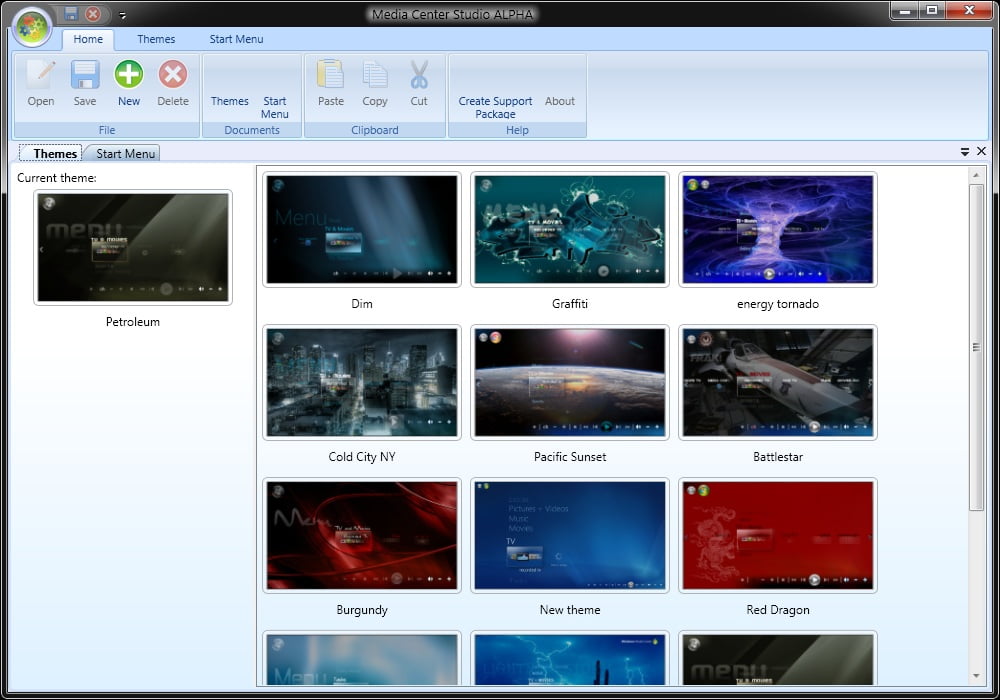
Media Center Studio is a free application for Windows 7 & Windows Vista, that enables you to customize Windows Media Center. It is the successor of MC Menu Mender, bringing it up to date for Windows 7 and adding support …more >>>

Tweak & Access Windows 7 Media Center features easily with Maxifier

Tweak & Access Windows 7 Media Center features easily with Maxifier

Maxifier is a freeware app for Windows 7 & Vista Media Center, which allows you to tweak its settings and lets you access its features easily from the notification area, in a multi-monitor environment.

Backup Windows 7 Media Center Settings with mcBackup or MCE 7 Reset Toolbox

Backup Windows 7 Media Center Settings with mcBackup or MCE 7 Reset Toolbox

mcBackup is a freeware tool designed to run on Windows 7 and lets you backup & restore your Windows Media Center scheduled recordings, recorded TV and channel line-up easily. It features scheduled backup service, options to backup recorded TV to …more >>>

My Movies: A movie collection program for Windows Media Center

My Movies: A movie collection program for Windows Media Center

My Movies for Windows Media Center is a freeware movie collection program for Windows Media Center in Windows 7 and Windows Vista. 

How to skip the start-up animation Windows Media Center

How to skip the start-up animation Windows Media Center

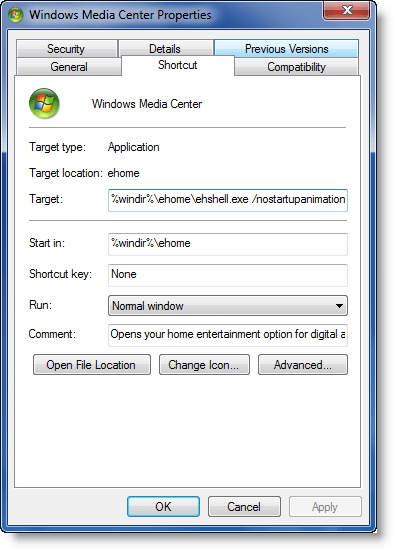
If you dont like the start-up animation in Windows Media Center, and you would like to skip it, here is how you can do so.

Download Heatwave plugin for Windows 7 Media Center

Download Heatwave plugin for Windows 7 Media Center

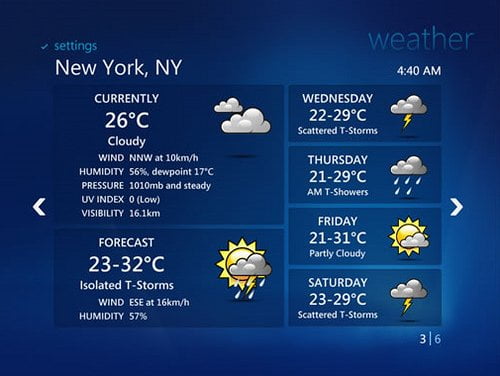
A popular Windows Media Center plugin called Heatwave has now been updated to support WMC in Windows 7. If you’re not familiar with Heatwave, it’s a plugin that delivers live weather forecasts straight to your Media Center PC.

Things you can do with Windows Media Center in Windows 7

Things you can do with Windows Media Center in Windows 7

Windows 7 can easily be the center of your home entertainment experience ! Here are 7 great things you can do with Windows Media Center in Windows 7.

© 2012 The Windows Club All Rights Reserved